


17 Sep Mastering the Stars: How to Manage Google Reviews Effectively
Mastering the Stars: How to Manage Google Reviews Effectively
Why Every Local Business Needs to Manage Google Reviews Effectively
To manage Google reviews effectively, follow these core steps:
- Verify your Google Business Profile so you can reply to reviews.
- Respond to every review — positive and negative — within 24 hours.
- Ask customers for reviews after every completed job or purchase.
- Flag reviews that violate Google’s policies for removal.
- Use a tool or AI workflow to monitor, draft responses, and track performance at scale.
Your Google Business Profile is often the first thing a potential customer sees — before your website, before your ads, before they ever call you. And the reviews sitting on that profile? They’re doing the selling (or the un-selling) before you get a word in.
The numbers in 2026 are hard to ignore:
- 97% of consumers check reviews before choosing a business.
- 89% expect the business owner to respond to those reviews.
- 80% say they’re more likely to use a business that responds to all its reviews.
- 42% say they’d avoid a business that never replies.
That last one stings. Nearly half of potential customers are quietly walking away — not because of a bad review, but because you didn’t respond to any of them.
And the good news? When businesses start responding consistently, they get 12% more reviews and see their average star rating rise. A small shift in habit creates a real, measurable lift in visibility and trust.
This guide was put together by Fred Dirkse, digital marketing strategist at ClickCentric Digital, to give you a practical, no-fluff system for managing Google reviews — whether you’re handling it yourself or building a process that scales.
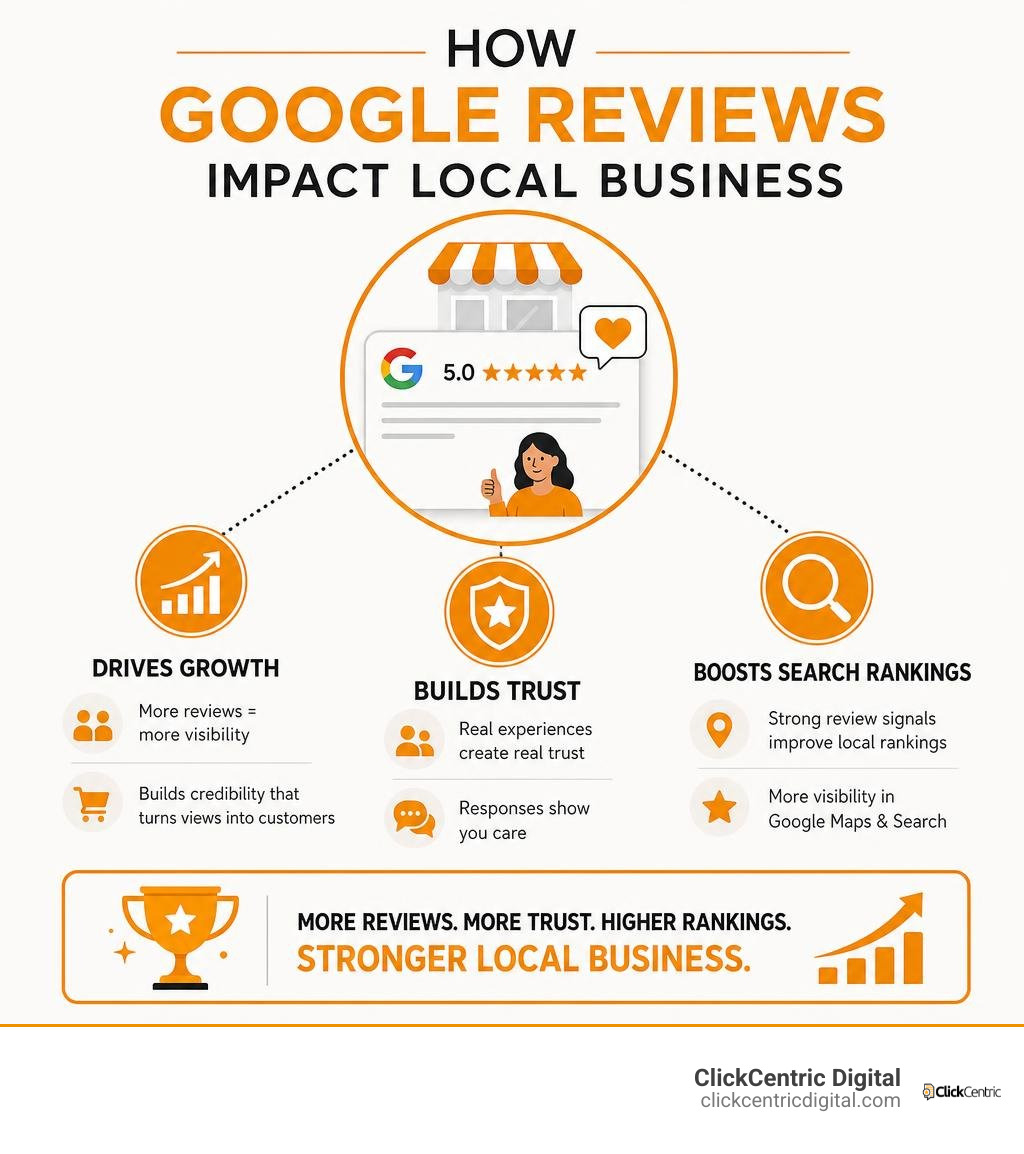
Know your manage google reviews effectively terms:
Why You Must Manage Google Reviews Effectively for Local SEO
When we talk about ranking on Google, many business owners immediately think of complex backend website coding or expensive link-building campaigns. While those have their place, the simplest and most powerful tool for dominating local search is already in your hands: your Google Business Profile (GBP) reviews.
If you want to win the local map pack in West Michigan—whether you are a plumber in Grand Rapids, a boutique in Holland, a dentist in Kalamazoo, or a vacation rental manager in South Haven—you must manage Google reviews effectively.
Google’s local search algorithm is designed to deliver the best, most reliable local options to users. To do this, the algorithm heavily weights several review-specific signals:
- Review Quantity: How many people have taken the time to write about your business?
- Star Rating: What is your overall average? (A perfect 5.0 is actually less trusted than a 4.7 to 4.9, as consumers suspect a perfect score might be manipulated).
- Review Velocity: How frequently are you getting new reviews? A business that got fifty 5-star reviews three years ago but hasn’t received one since will lose ground to a competitor getting three reviews a week.
- Review Recency: Consumers care about what you’ve done lately. In fact, 74% of consumers only pay attention to reviews written in the last three months.
- Response Rate and Speed: Google directly monitors how often and how quickly you reply to customer feedback. Fast, consistent responses signal to Google that your business is active, operational, and highly attentive to customers.
When you actively manage your profile, you build what we call “social proof.” A high volume of positive, recent reviews acts as a digital recommendation engine. It takes the risk out of the purchasing decision for a prospect. For a deep dive into the mechanics of how these ratings work, check out google reviews everything you need to know and discover how to leverage them to scale your business in our guide on mastering local reviews to win more customers.
How to Read, Reply to, and Manage Google Reviews Directly
Before you can build an automated empire of customer feedback, you need to understand the native environment. Managing your reviews directly through the Google Business Profile dashboard is the foundation of the entire process.
The absolute first rule of review management is this: you must verify your business profile. Google does not allow unverified listings to reply to reviews. If you are operating a local service business in Grand Haven or Kalamazoo, make sure your verification is complete so you can unlock your reply capabilities.
Once verified, you can access your reviews directly from Google Search or Google Maps by searching for your business name or typing “my business.”
Key Native Features You Should Know:
- Customer Notifications: Whenever you post a reply to a review, Google automatically sends an email notification to the customer. They can read your response and, if they choose, edit their original review and star rating. This is a massive opportunity for service recovery.
- Photo Updates: Customers can post photo updates alongside their written feedback. While these photos do not directly alter your numerical star rating, they are highly visible to other searchers. We highly recommend acknowledging and replying to these photo updates to thank customers for sharing their real-world experiences.
- Third-Party Reviews: Google occasionally pulls in trusted third-party reviews from other local directories or industry-specific sites (like travel or booking platforms) to display on your GBP. Keeping your reputation clean across the web is essential.
For the official technical instructions and guidelines on navigating these features, you can consult Manage customer reviews – Google Business Profile Help. To refine your direct response strategy, read our expert tips on how to manage your google review responses like a pro and explore the business owners guide to google review mastery.
Step-by-Step Guide to Manage Google Reviews Effectively in GBP
To keep your manual workflow organized and efficient, follow this structured process directly within your Google Business Profile dashboard:
- Log In and Navigate: Go to Google Search or Maps, ensure you are logged into the Google account associated with your business, and search for your exact business name.
- Access the Reviews Queue: Click on the “Read reviews” button in your business dashboard.
- Analyze and Draft: Read the review carefully. Note specific details mentioned by the customer, such as the name of a staff member or the specific service provided (e.g., “furnace repair in Holland, MI”).
- Publish Your Reply: Click “Reply,” type your personalized response, and hit submit. (Note: Most replies go live within 10 minutes, though Google’s policy review process can occasionally take longer).
- Generate a Direct Share Link: To make it incredibly easy for future customers to leave reviews, click “Get more reviews” in your dashboard. Copy the short, direct URL provided. You can also generate a QR code from this link to place on physical receipts, business cards, or counter displays.
To help you decide whether a manual approach is sustainable for your business or if it’s time to upgrade, we’ve compared the two methods below:
| Feature / Aspect | Manual GBP Management | Automated Review Management |
|---|---|---|
| Setup Cost | Free | Low to Moderate (Software subscription) |
| Time Investment | High (Must log in and check daily) | Low (Real-time notifications and templates) |
| Scalability | Difficult for multi-location brands | Highly scalable across multiple locations |
| Response Speed | Slow (Often delayed by days) | Ultra-fast (Immediate draft generation) |
| Review Acquisition | Manual asking (Easy to forget) | Automated triggers (SMS/Email after purchase) |
| Insight Generation | Manual reading and tracking | Automated sentiment analysis and reporting |
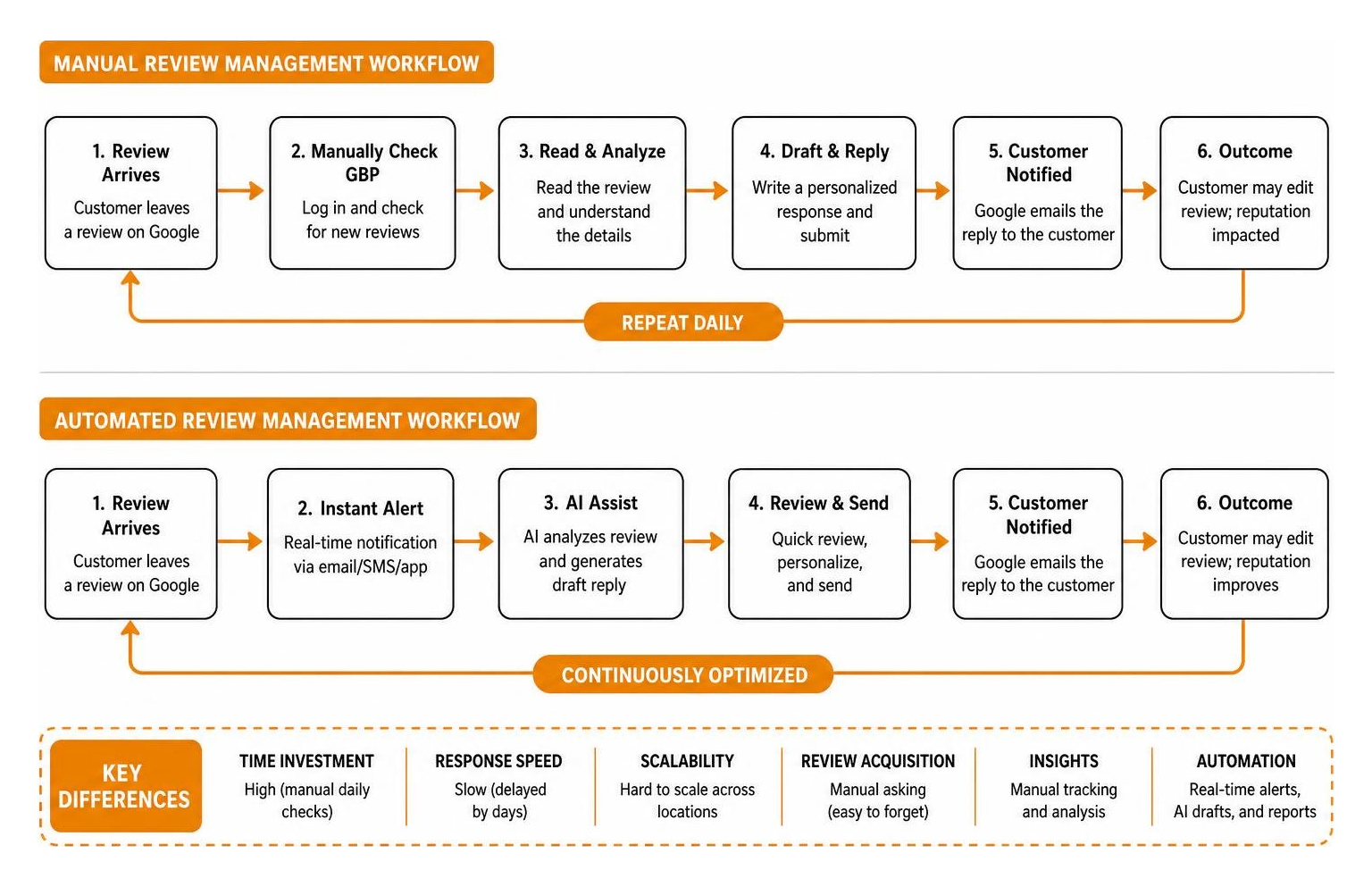
Leveraging AI and Automation in Review Management
As your business grows, manually checking your GBP dashboard every day can become a bottleneck. This is where modern AI and automation tools change the game. By implementing an AI-assisted review management system, you can scale your operations without losing the human touch that builds authentic customer relationships.
What exactly is AI review management? It is the use of natural language processing (NLP) and machine learning to centralize, analyze, and draft responses to customer feedback.
Instead of staring at a blank screen trying to think of twenty different ways to say “Thank you for your business!”, an AI tool can analyze the incoming review, classify its sentiment (positive, neutral, negative, or high-risk), and draft a highly contextual, personalized response in seconds.
The Human-in-the-Loop Workflow
A common fear among business owners is that fully automating replies will make their brand sound like a cold, repetitive robot. We completely agree. That is why we advocate for a human-in-the-loop workflow:
- Centralize: All reviews from your various locations (whether in Grand Rapids, Kalamazoo, or Grand Haven) are pulled into a single, centralized inbox.
- Classify & Draft: The AI instantly reads the review, detects the sentiment, and drafts a custom reply referencing specific details (like “We’re thrilled you loved our seasonal cider!”).
- Approve/Edit: A human team member reviews the drafted response. For 5-star reviews, you can approve the draft with a single click. For negative or sensitive reviews, the human can quickly edit the draft to add specific context, offer a direct solution, or adjust the tone before publishing.
This hybrid approach allows you to achieve a 100% response rate while maintaining complete brand safety. To understand this balance further, read about the automated review response system pros and cons and learn how to save time using stop begging for feedback with this review request software. For a detailed guide on using AI tools effectively, check out AI Review Management: How to Respond to Every Google Review.
Best Practices to Manage Google Reviews Effectively with AI
To get the absolute most out of your automated systems, keep these practical rules in mind:
- Speed is Key: The modern consumer expects rapid communication. 19% of consumers expect a response to their review on the same day it is posted. AI helps you meet this demand by generating ready-to-publish drafts instantly.
- Avoid Generic Templates: If every single one of your replies says, “Thank you for the review, we appreciate your business,” searchers will notice. It looks lazy. Ensure your AI is configured to pull unique details from the user’s review (e.g., mentioning the specific service, employee name, or location) to keep replies feeling genuine.
- Trigger Requests at the Peak Moment: The best time to ask for a review is immediately after a successful transaction. Integrate your review software with your Point of Sale (POS) or Customer Relationship Management (CRM) system. For example, if you run a home services company in South Haven, configure your system to send an automated text message with your direct review link exactly 30 minutes after a technician marks a job as complete.
- Monitor Trends with Sentiment Analysis: Use your review platform’s reporting features to spot operational patterns. If your AI flags that 25% of your neutral or negative reviews over the last 90 days mention “long wait times” or “communication issues,” you have clear data pointing to an operational bottleneck that needs fixing.
To choose the best software suite for your business, read our guide on how to pick a review generation platform for local businesses and protect your online image with the best review monitoring services to save your brands reputation.
How to Handle Negative Reviews and Protect Your Reputation
It is bound to happen eventually. No matter how incredible your service is, you will eventually receive a 1-star review. Perhaps a delivery was late, a technician had an off day, or a customer simply had unrealistic expectations.
First, take a deep breath. A negative review is not a death sentence for your business. In fact, it is a massive marketing opportunity.
When you reply to a negative review, you are not just writing to the unhappy customer. You are writing to the hundreds of silent, prospective customers who will read that exchange in the future. How you handle criticism tells those prospects exactly what it will be like to do business with you if something goes wrong.

The Service Recovery Playbook:
- Respond Quickly (Within 24 Hours): Do not let a negative review sit unanswered. A fast response shows you care and are proactive.
- Stay Calm and Professional: Never argue, get defensive, or attack the reviewer publicly—even if they are completely wrong or lying. A defensive reply to one reviewer can cost you a hundred future customers.
- Acknowledge and Apologize: Validate their frustration without necessarily accepting legal liability. A simple, “We are incredibly sorry to hear that your experience did not meet our high standards,” goes a long way.
- Move the Conversation Offline: Do not try to resolve a complex dispute in the public comments section. Provide a direct phone number or email address and a specific contact name. For example: “We would love to make this right. Please reach out directly to our General Manager, Sarah, at 616-555-0143 so we can investigate this immediately.”
- Fix the Issue and Ask for an Update: Once you have spoken with the customer offline, resolved their issue, and turned their experience around, politely ask if they would be open to updating their Google review to reflect the resolution. Many customers will gladly upgrade their rating to a 4 or 5-star review once they see you genuinely care.
If you suspect a review is fake, malicious, or left by a competitor, you can flag it directly through your GBP dashboard for violating Google’s Terms of Service. For step-by-step guidance on identifying and dealing with these situations, read how do you get rid of bad google reviews a step by step guide, explore your options in can you get a bad review removed from google or are you stuck with it, and review our how to remove negative reviews 5 guaranteed methods.
Frequently Asked Questions About Google Review Management
To help you build a bulletproof review strategy, we have answered some of the most common questions local businesses ask us. For comprehensive brand protection strategies, you can also explore our dedicated hub on reputation management.
Can you delete a bad review from Google?
The short answer is: no, you cannot directly delete a review simply because it is negative or because you disagree with it. Only the person who wrote the review can delete or edit it.
However, if a review violates Google’s strict content policies (such as containing hate speech, harassment, fake content, conflicts of interest, or explicit language), you can flag it to request removal. Google’s team will review the request and remove the feedback if it violates their guidelines. For a realistic look at how this process works, see how to delete google business reviews and keep your sanity and our review removal reality check can you really delete google feedback.
How long does it take for a review reply to show up?
When you or your team posts a reply to a review, Google runs it through an automated policy check to ensure it complies with their community standards. Most replies go live within 10 minutes. However, if the system flags any potential policy issues, or if Google’s review queues are backlogged, it can occasionally take up to 30 days for a reply to be approved and visible to the public.
Do Google reviews directly impact local SEO rankings?
Yes, absolutely. Google reviews are one of the most powerful ranking factors for local search and Google Maps. The algorithm rewards businesses that have a high volume of positive reviews, a steady stream of new feedback (high velocity), and a high response rate.
By actively responding to reviews and encouraging happy customers to share their feedback, you directly signal to Google that your business is trustworthy, active, and highly relevant to local searchers. If you are ready to stop settling for average ratings and want to start dominating local search, read our guide on how to stop settling for four stars and generate more 5 star reviews today.
Conclusion
In 2026, managing your online reputation is no longer an optional chore—it is a core business growth strategy. Every star on your profile, every fast reply, and every recovered negative review directly impacts your local search rankings, your conversion rates, and your bottom line.
By implementing a proactive review management strategy—whether you use manual workflows in your Google Business Profile dashboard or scale your efforts with modern AI-assisted tools—you can turn customer feedback into your most powerful marketing asset.
If you want to dominate local search in Grand Rapids, Holland, Kalamazoo, or anywhere else in West Michigan, we are here to help. At ClickCentric Digital, we specialize in helping local businesses improve search rankings, manage online reviews, and drive highly targeted traffic that converts.
Ready to take control of your local search presence? Grow your business with ClickCentric Digital and let’s start turning those stars into revenue today.
Sorry, the comment form is closed at this time.