

07 Jul Google Reviews: Everything You Need to Know
Google Reviews: Everything You Need to Know
Why Google Reviews Can Make or Break Your Business

Google reviews are public star ratings and written comments that customers leave on your Google Business Profile — visible to anyone searching on Google Search or Google Maps.
Here’s a quick overview of what you need to know:
- What they are: Star ratings (1–5) plus optional text, photos, and videos posted by real customers
- Where they appear: Google Search results, the Local Pack (the map with 3 businesses), Knowledge Panel, and Google Maps
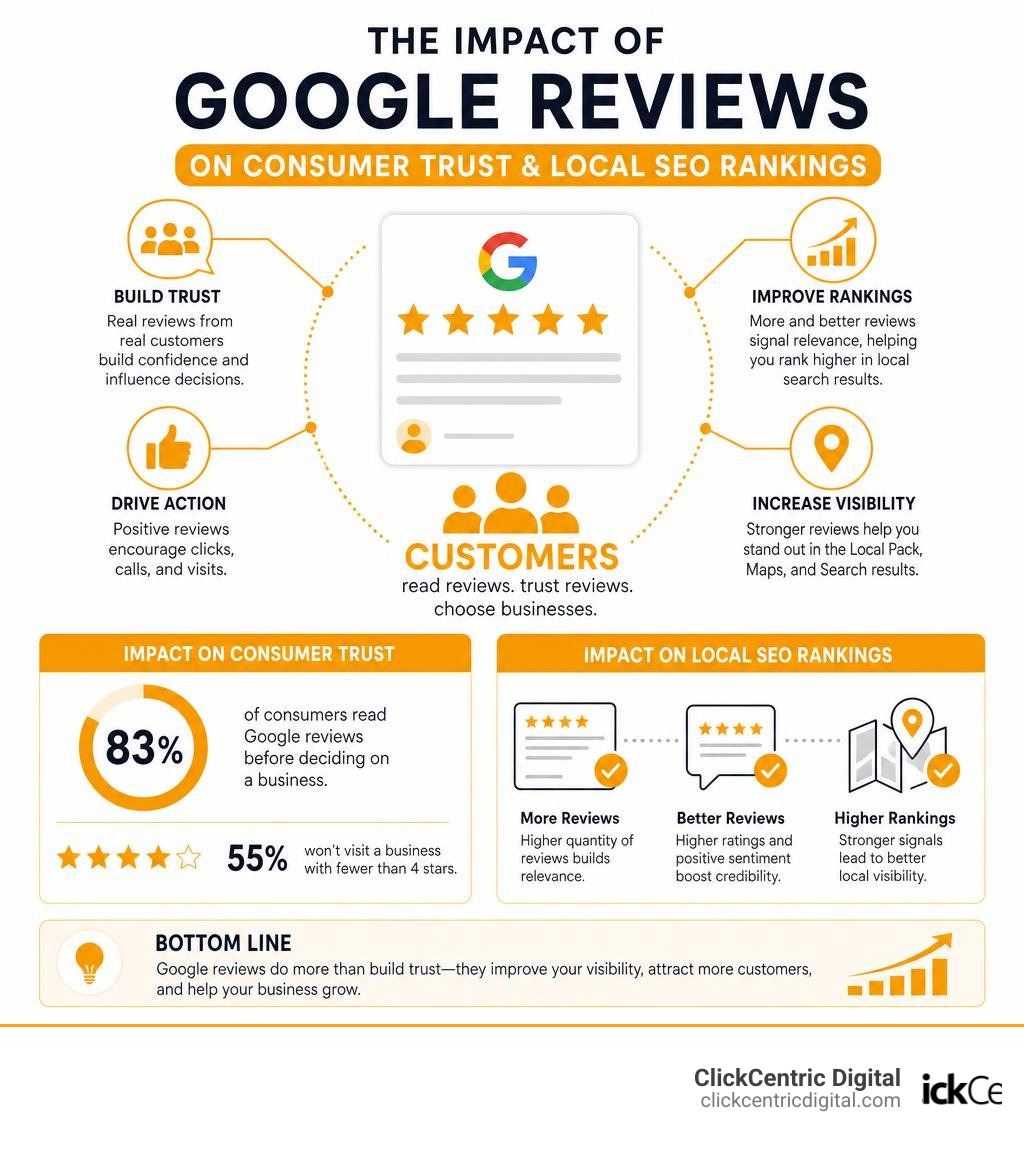
- Why they matter: 83% of consumers read Google reviews before deciding on a business, and 55% won’t visit a business with fewer than 4 stars
- How to get more: Ask customers directly, share a review link or QR code, and follow up after positive interactions
- How to manage them: Respond to every review, report policy violations, and use review management tools to stay on top of feedback
For most local businesses, Google reviews are no longer optional — they’re essential. They influence where you rank in local search, whether customers trust you, and increasingly, how AI tools like Google’s own Gemini-powered summaries describe your business to searchers.
Think about it: 42% of people trust online reviews as much as a personal recommendation from a friend. That’s a massive shift in how purchase decisions get made.
And yet, 30% of consumers say they’ve never once been asked to leave a review. That’s a huge missed opportunity — especially when 71% say they would leave feedback if a business simply asked.
Whether you’re starting from zero reviews or trying to protect a hard-earned reputation, this guide covers everything: how reviews work, how to get more of them, how to respond, and how to handle the bad ones.
Understanding Google Reviews: How They Appear Across Search and Maps
Whenever potential customers in West Michigan look for your services, they encounter your brand across several distinct digital touchpoints. Google reviews serve as your business’s primary currency in these moments.
Whether someone is searching for a cozy stay at the AC Hotel Grand Rapids Downtown – Google or hunting for a reliable local mortgage lender, star ratings are often the very first thing they notice.
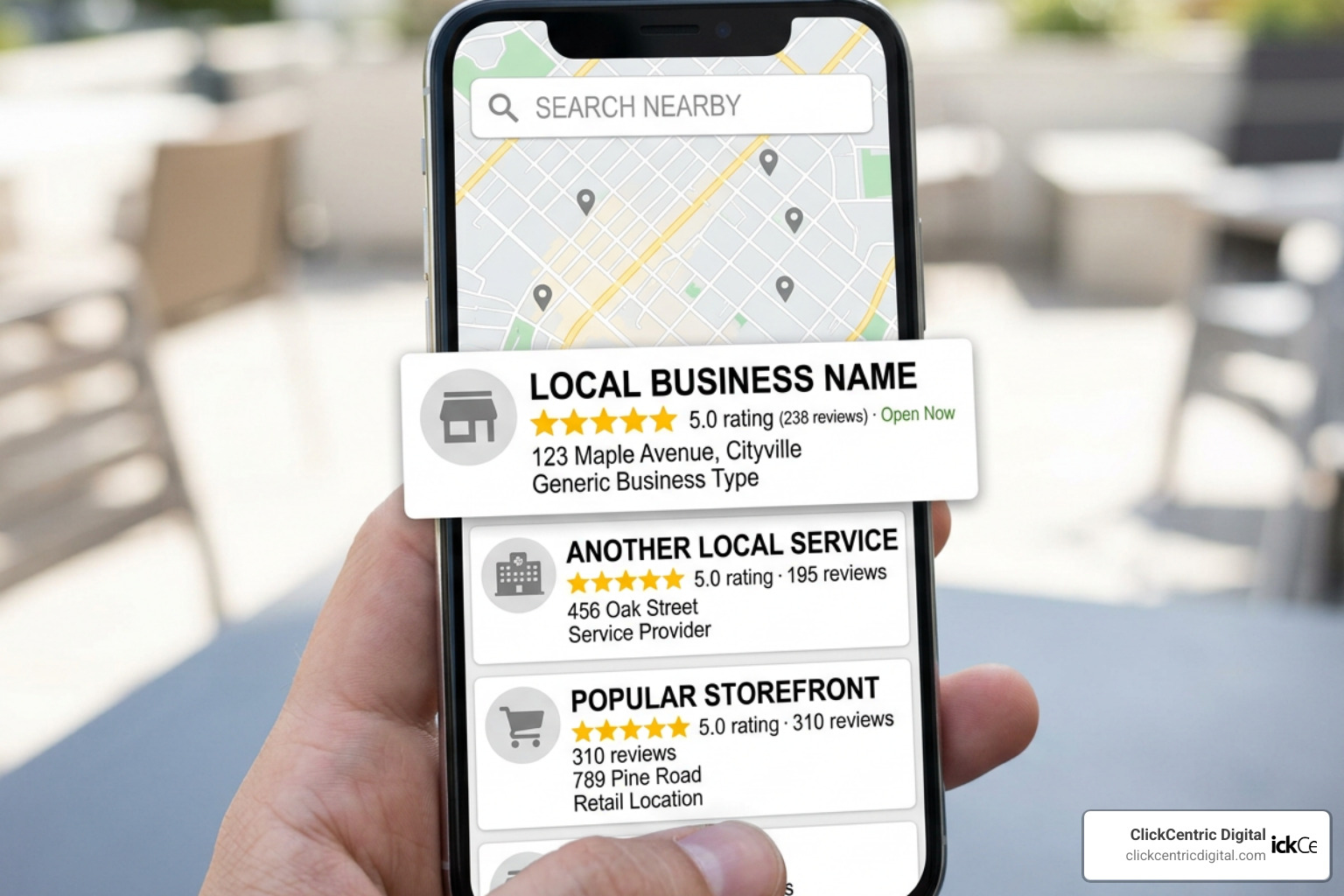
These reviews manifest across three key areas on Google:
- The Local Pack: This is the highly coveted block of three local business listings that appears at the top of Google Search results when someone searches for a local service (e.g., “plumber in Holland MI” or “digital marketing in Grand Rapids”). It features a map, star ratings, review counts, and physical addresses.
- The Knowledge Panel: When someone searches directly for your business name, a dedicated information box appears on the right side of the desktop screen (or near the top on mobile). This panel acts as your digital storefront, displaying your overall rating and highlighting top reviews.
- Google Maps: When users explore areas like Grand Haven MI or South Haven MI looking for a place to eat or shop, they rely on Google Maps. Here, reviews dictate who stands out on the map. Users can easily learn how to Add, edit, or delete Google Maps reviews & ratings – Computer – Google Maps Help to leave feedback for businesses they visit.
Review signals are incredibly powerful, accounting for roughly 16% of local SEO ranking factors. If you want your business to show up when it matters most, building a steady stream of authentic reviews is non-negotiable.
The Anatomy of Google Reviews: Star Ratings, Justifications, and AI Summaries
A Google review is no longer just a simple text block with a star rating. Over the years, Google has transformed reviews into rich, interactive data points.
First, there are the traditional star ratings (ranging from 1 to 5), which are averaged to create your overall score. But Google also looks for deeper context.
This brings us to review justifications. Have you ever searched for a specific service and noticed a snippet under a search result saying, “Reviewer mentions ‘fast service'”? That is a justification. Google actively crawls review text to find keywords that match a user’s search intent. If a customer writes about your “expert web design in Kalamazoo MI,” Google will highlight that phrase to searchers looking for web design in that area.
Furthermore, Google uses advanced artificial intelligence to synthesize feedback. Through the AI-powered review summaries | Places API | Google for Developers , Google programmatically generates high-level overviews of a business’s strengths and weaknesses.
These AI-generated summaries pull key elements from user reviews — such as sentiment, specific services, and atmosphere — to give searchers a quick, Gemini-powered breakdown of what to expect. This means every word your customers write directly shapes the AI’s perspective of your brand.
Why Google Reviews Matter for Local SEO and AI Search Visibility
If you want to outrank your competitors in West Michigan, you must understand the algorithmic power of online feedback. Google’s local search algorithm relies heavily on three core pillars: relevance, distance, and prominence. Google reviews directly feed into your business’s prominence.
The volume, velocity (how frequently you get reviews), and diversity of your reviews tell Google that your business is active, trusted, and popular. A high star rating acts as a massive trust signal to search engines. In fact, having a high average rating is ranked as the 8th most important factor for AI search visibility. As search engines transition into answering queries via LLMs and AI search summaries, these platforms rely on structured review data to recommend the best local options.
Beyond the search engines, there is the human element. Roughly 63% of consumers lose trust in a business after seeing negative feedback, while 55% won’t even consider a brand with fewer than 4 stars.
To win the local market, you must learn the art of Mastering Local Reviews to Win More Customers. By prioritizing review generation, you boost both your search engine rankings and your real-world conversion rates.
Best Practices for Requesting and Generating More Reviews
Now that you know why reviews are vital, how do you actually get more of them? The simplest answer is often the most overlooked: you have to ask.

According to industry data, 71% of consumers would leave a review if a business simply asked them to. Yet, 30% of consumers have never been asked.
To bridge this gap, we recommend using these proven strategies:
- Create a Direct Review Link: Don’t make your customers hunt for your profile. Google allows you to generate a short, direct link that takes users straight to the review box. You can easily create this using Google’s official Tips to get more reviews – Google Business Profile Help guide.
- Utilize QR Codes: If you run a physical location in Holland, Grand Haven, or South Haven, print a QR code on your receipts, business cards, or table tents. Customers can scan the code with their smartphones and leave a review in seconds.
- The Power of Psychology: When asking for a review, frame it as a personal favor. Studies show that using the word “because” increases compliance rates by up to 33%. For example: “Would you do us a quick favor and leave a review, because it helps our small West Michigan team reach more local families?”
- Preemptive Gratitude: Always thank your customers in advance for their willingness to share feedback.
If you are tired of hovering around a 4.1-star rating, it is time to take action. You can read our guide on how to Stop Settling for Four Stars and Generate More 5-Star Reviews Today to scale your positive reputation rapidly.
Leveraging Automation and Review Management Software
Manually asking every single customer for a review is exhausting and highly inefficient. That is where automation comes in. By integrating review request software into your daily operations, you can send automated text messages or emails immediately after a transaction.
Two popular tools in this space include:
- BrightLocal: Excellent for local SEO tracking, review monitoring, and auditing your local search presence across West Michigan.
- Weave: A powerful platform designed to automate customer interactions, streamline communication, and send instant text-based review requests right after a customer completes an appointment or purchase.
Using these tools removes the friction from the process. If you want to stop chasing down clients individually, check out our insights on how to Stop Begging for Feedback with This Review Request Software to build a hands-free review generation engine.
Showcasing Reviews on Your Website and Marketing Materials
Once you start receiving those glowing 5-star reviews, do not let them sit only on your Google profile. Showcase them where potential customers are already evaluating your services.
You can display reviews on your website using widgets powered by the Place Reviews | Maps JavaScript API | Google for Developers to pull real-time feedback directly onto your homepage. Look at how local brands build credibility by dedicating space to customer stories, such as the streamlined display on the Reviews – West Michigan Mortgage page.
However, you must follow Google’s strict guidelines when using reviews in your marketing:
- Get Explicit Consent: User reviews belong to the person who wrote them. You must ask the reviewer for permission before using their words in social media graphics or print ads. You can easily do this by replying to their review and asking for consent.
- Use Official Branding Correctly: When referencing ratings, describe them as being “on Google” rather than saying your business is “Google-rated.” Only use official, unaltered Google logos.
- Include an “As Of” Date: Because ratings change, always include a timestamp (e.g., “5-star rating on Google as of July 2026”).
For more strategies on leveraging your reviews across multiple channels without losing your audience’s interest, read our guide on Review Platforms for Businesses: How to Not Get Ghosted by Customers.
How to Respond to and Manage Customer Feedback
Getting reviews is only half the battle; managing them is where you build long-term trust.
An incredible 93% of consumers expect business owners to respond to reviews, and 81% want that response within a single week.
When you reply to reviews, you show both search engines and potential customers that you are engaged and value active communication. Google officially outlines how to Manage customer reviews – Google Business Profile Help , emphasizing that replies should be professional, polite, and conversational rather than promotional.
Here are a few quick rules for responding to positive reviews:
- Personalize it: Use the customer’s name and mention specific details of their project or visit.
- Keep it brief: A simple, warm thank-you goes a long way.
- Integrate keywords naturally: Gently mention your service and location (e.g., “We loved helping you with your social media marketing here in Grand Rapids!”), but do not overdo it.
Want to streamline your workflow? Learn how to Manage Your Google Review Responses Like a Pro to keep your communication sharp and timely.
Handling Negative Reviews and Policy Violations
Every business owner dreads the notification of a 1-star review. However, a negative review is not the end of the world — in fact, it is an opportunity to show how much you care about customer satisfaction.
When a bad review rolls in, follow this game plan:
- Take a Breath: Never respond when angry. Keep your reply professional, polite, and objective.
- Protect Privacy: Do not share specific customer details or get into public arguments.
- Apologize and Move Offline: Acknowledge their frustration, apologize for the poor experience, and provide a direct phone number or email to resolve the issue privately.
- Be Honest About Limitations: If a mistake occurred due to circumstances outside your control (like a severe West Michigan storm), explain the situation honestly without making excuses.
But what if the review is completely fake, malicious, or violates Google’s terms? You cannot delete reviews yourself, but you can flag them for removal if they violate Google’s content policies (which strictly prohibit harassment, hate speech, spam, and conflicts of interest).
For a step-by-step walkthrough on handling unfair feedback, read our resources on Can You Get a Bad Review Removed from Google or Are You Stuck with It? and How Do You Get Rid of Bad Google Reviews: A Step-by-Step Guide.
Fun Side Note: If you want to see just how bizarre online feedback can get, check out these Hilarious Google Reviews Left For Kalamazoo Area Jails — a perfect reminder that not every review on the internet should be taken to heart!
Navigating Recent Changes and Reviewer Anonymity
The world of online feedback is constantly evolving. A major shift that businesses must navigate is Google’s update allowing custom display names and pseudonyms.
Historically, reviews were directly tied to a user’s real Google Account name and profile picture. Now, Google formally supports pseudonymity, allowing users to select a custom display name and avatar that applies to all their Google Maps contributions.
While some business owners worry this could lead to more fake reviews, Google’s advanced spam detection models still analyze the underlying account behavior to filter out fraudulent reviews. This change actually benefits privacy-sensitive businesses (like medical offices, legal practices, or financial advisors in Grand Rapids and Holland), as customers who were previously hesitant to share their experiences publicly can now leave honest reviews under a pseudonym.
To adapt to these changes, we recommend:
- Updating your review request templates to remind customers they can safely use a pseudonym if they prefer to keep their identity private.
- Backing up your review data regularly so you have a record of your feedback if a system glitch or unexpected name change occurs.
To stay ahead of these algorithmic and privacy shifts, check out The Best Review Monitoring Services to Save Your Brand’s Reputation.
Frequently Asked Questions About Google Reviews
Can you write a Google review without an account?
No. Google no longer allows users to leave reviews anonymously or without a registered Google Account. However, a user does not need a Gmail address to create an account; they can register a Google Account using any active personal or professional email address.
How long does it take for Google reviews to appear?
While most reviews appear almost instantly, some can take up to 48 hours to display publicly. This delay is usually caused by Google’s automated spam filters and moderation systems reviewing the content for policy compliance. In rare cases, if a review is flagged for manual inspection, it can take longer.
Can businesses turn off or delete Google reviews?
No, businesses cannot turn off the review feature on a Google Business Profile, nor can they directly delete reviews left by customers. The only ways a review can be removed are if the original author decides to delete it, or if Google removes it after the business flags the review for violating Google’s content guidelines.
Conclusion
In the competitive local markets of Grand Rapids, Holland, Grand Haven, South Haven, and Kalamazoo, your online reputation is your most valuable asset. Google reviews dictate whether your business climbs to the top of local search rankings, wins the trust of cautious shoppers, and gets recommended by modern AI search tools.
Managing your online presence does not have to be a stressful, manual chore. By setting up automated systems, responding to feedback professionally, and showcasing your best reviews, you can turn customer feedback into a powerful marketing engine.
If you are ready to take complete control of your local search rankings and scale your business, dive into The Business Owner’s Guide to Google Review Mastery. At ClickCentric Digital, we specialize in helping West Michigan businesses dominate local search, optimize their reviews, and turn clicks into loyal customers. Let’s grow your business together!
Sorry, the comment form is closed at this time.