

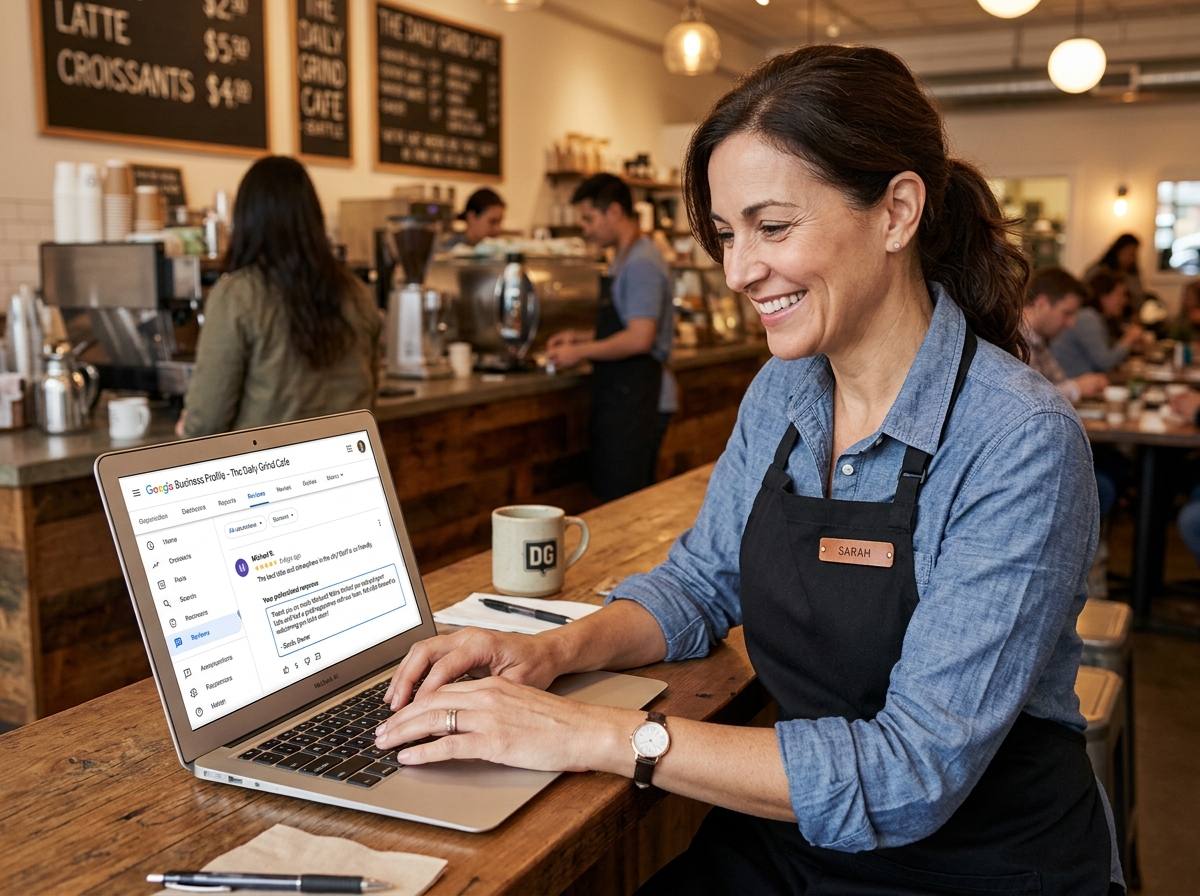
01 May Manage Your Google Review Responses Like a Pro
Manage Your Google Review Responses Like a Pro
Why You Need to Manage Google Review Responses (And What Happens If You Don’t)
Manage google review responses effectively and you give your business a real edge in local search. Here’s the quick version of what that looks like in practice:
How to manage Google review responses:
- Verify your Google Business Profile so you can reply to reviews
- Go to your Business Profile and select “Read reviews”
- Click “Reply” next to any review you want to respond to
- Write your response and hit “Reply” to submit
- Edit or delete your reply anytime using the Edit/Delete buttons below it
- Flag reviews that violate Google’s content policies for removal
Every day, potential customers are reading your Google reviews before deciding whether to call you, visit, or move on to a competitor. In fact, 81% of consumers turn to Google first when looking up a local business — more than Yelp and Facebook combined.
And yet, 63% of people say a business has never responded to their review.
That’s a massive missed opportunity. Not just for customer relations — but for your search rankings. Reviews now account for 15% of Google’s local ranking algorithm, and businesses that respond consistently earn 12% more reviews over time.
The cost of ignoring reviews is real. One bad review left unanswered can quietly chip away at your reputation and your rankings. The good news? Responding — even to negative feedback — can flip the script. Studies show 33% of unhappy reviewers update their star rating after receiving a thoughtful reply, and 34% delete the negative review entirely.
This guide covers everything you need to know: the technical steps, the strategy, the SEO benefits, and how to handle the tricky situations.
The Foundation: Google Business Profile and Verification
Before we can dive into the “how-to” of replying, we need to talk about your digital storefront: the Google Business Profile (GBP). Think of your GBP as your business’s ID card on the internet. It’s what shows up when someone in Grand Rapids or Holland searches for “services near me.”
Managing your local presence starts with claiming this profile. Without a claimed and optimized profile, you’re essentially a ghost in the local search results. To truly Get Your Business on the Map and Stay There, you must establish ownership. This sends a massive trust signal to Google that you are a legitimate, functioning entity in West Michigan.
Why Verification is Mandatory
You might see your reviews sitting there, but without verification, you’re just a spectator. Google requires verification for several critical reasons:
- Reply Access: You simply cannot respond to reviews until Google confirms you are the rightful owner or manager.
- Security and Fraud Prevention: Verification prevents random people from hijacking your business listing and posting rogue information.
- Public Identity: When you reply, Google displays it as “Response from the owner,” which carries significant weight with potential customers.
- Business Dashboard: Verification unlocks the full suite of tools, including performance insights and the ability to update your hours or services.
How to Manage Google Review Responses on Desktop and Mobile
Google has made the interface much more intuitive recently. You no longer need to dig through deep settings menus; you can often manage google review responses directly from Google Search or Maps.
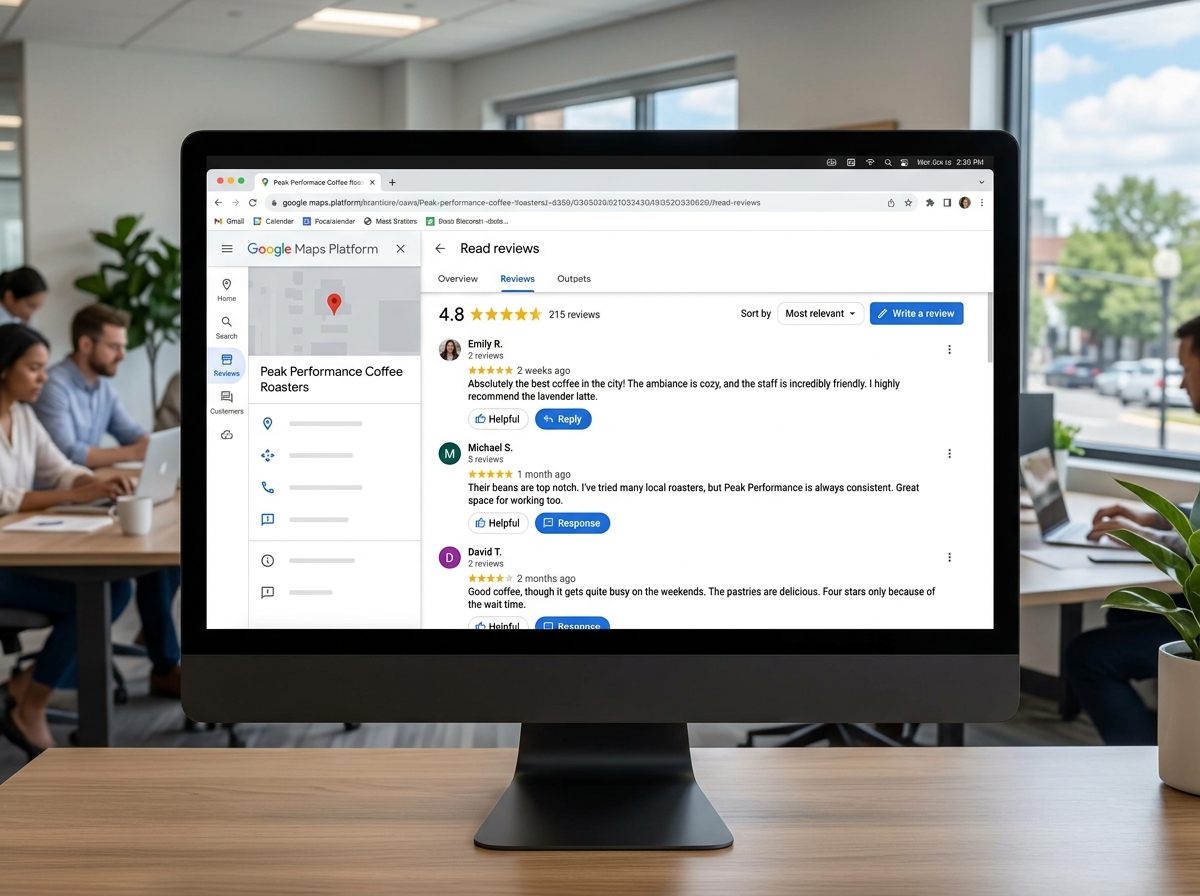
Technical Steps to Manage Google Review Responses
Whether you are sitting at your desk in Grand Haven or on the go in Kalamazoo, the process is straightforward. According to the Manage customer reviews – Google Business Profile Help guide, here is the workflow:
- Find Your Profile: Search for your exact business name on Google or type “my business” into the search bar.
- Read Reviews: Click on the “Reviews” or “Read reviews” button.
- The Dialog Box: Next to the review you want to address, click “Reply.” A box will appear where you can type your message.
- Submit: Once you hit “Reply,” your response is sent to Google for a quick policy check.
- Notification: The reviewer will receive an email notification that you’ve responded, which often prompts them to re-engage with your brand.
Editing and Deleting Your Replies
We all make mistakes—maybe a typo slipped through, or you realized your tone was a bit too sharp. You have the power to fix it. Underneath your posted reply, you will see options to “Edit” or “Delete.”
Editing allows you to provide a context update if a situation has been resolved. However, keep in mind that Google reviews all replies for policy compliance. While most approvals take about 10 minutes, some can take up to 30 days if flagged for manual review. For more technical troubleshooting, you can visit the Manage your Google Business reviews – Google Business Profile Help workflow tool.
The SEO Power of Review Engagement
If you think reviews are just about “customer feelings,” think again. Reviews are a high-octane fuel for your local SEO. Google’s algorithm looks at prominence—how well-known and active your business is.
When you manage google review responses, you are essentially doubling the activity on your listing. This signals to Google that you are “taking care of business.” This activity is a core part of the Google Maps Ranking Factors for 2025, directly influencing whether you land in the coveted “Local Pack.”
Why You Must Manage Google Review Responses for SEO
- Keyword Integration: While you shouldn’t “stuff” keywords, responding allows you to naturally mention your services and location (e.g., “We love providing the best lawn care in South Haven!”). This helps Google associate your business with those terms.
- Review Velocity: Consistent responses encourage more reviews. Higher review velocity (the speed at which you gain new reviews) is a major ranking signal.
- Prominence and Engagement: A business that interacts with its customers is seen as more reliable by Google’s Search Engine Optimization & Google Maps Ranking standards.
- Click-Through Rate (CTR): Seeing a business owner respond to feedback makes searchers more likely to click your website link, which further boosts your SEO.
Metrics That Influence Your Local Ranking
To How to Win the Local Pack in 2026 and Beyond, you need to keep an eye on these four metrics:
- Quantity: The total number of reviews.
- Star Rating: Aim for a 4.8. Perfect 5.0 ratings can sometimes look suspicious to savvy consumers, but anything below a 4.0 can hurt your visibility.
- Content Diversity: Reviews that include photos and specific details about services provide more data for Google to crawl.
- Recency: A review from three years ago carries much less weight than one from last week.
Mastering the Art of the Reply: Positive vs. Negative
Your brand voice shines through in your replies. This is your chance to show the “human” side of your West Michigan business. Whether you are Mastering Local Reviews to Win More Customers or just trying to keep the peace, your tone matters.
Strategies for Positive Feedback
Don’t just leave a “like” or a generic “thanks.” Use these tips to maximize positive reviews:
- Be Personal: Use the customer’s name. “Thanks, Sarah!” sounds much better than “Thank you, valued customer.”
- Share the Love: Mention a specific detail they noted. If they loved your coffee, mention your new seasonal roast.
- Include a Call to Action: Invite them back or suggest they follow you on social media for updates.
- Shareable Links: Google allows you to copy a direct link to a specific review. Share your best ones on your website or Facebook page!
Handling Negative Reviews and Trolls
Negative reviews feel like a gut punch, but they are actually an opportunity. 53% of consumers expect a response within seven days, and for negative reviews, 66% want to hear from you within three days.
- Stay Calm: Never get into a public shouting match. It makes the business look unstable.
- The 5-Step Formula: Apologize for the frustration, restate the issue to show you listened, take responsibility, offer to take it offline (provide a phone number or email), and end professionally.
- Identify Trolls: If a review is clearly fake or from someone who was never a customer, don’t engage emotionally. Use our Reputation Management strategies to triage the situation and move toward reporting the content if it violates policies.
Reporting Fake Reviews and Policy Violations
Not every review is legitimate. Sometimes competitors or disgruntled former employees try to tank your rating with “spam” or “fake” feedback. Google has strict content policies against harassment, profanity, and conflicts of interest.
Using the Reviews Management Tool
If you find a review that violates the rules, you can report it. Follow the steps in the Report inappropriate reviews on your Business Profile – Google Business Profile Help guide:
- Flag the Review: Click the three dots next to the review and select “Report review.”
- Choose a Reason: Be honest. Is it spam? Off-topic? A conflict of interest?
- Check Status: Use Google’s “Reviews Management Tool” to see if your request was approved.
- Appeal: If Google denies your initial request, you can submit a one-time appeal with more evidence. This is often where businesses find success by proving the reviewer was never a client.
Tools to Help Manage Google Review Responses Efficiently
As you grow, manually checking for reviews every hour becomes impossible. Many businesses use software to streamline the process:
- Automation: Set up alerts so you know the second a new review lands.
- CRM Integration: Some tools link your reviews to your customer database, helping you verify if the reviewer is a real customer.
- AI Assistants: AI can help draft responses, but always give them a “human” edit to ensure they don’t sound like a robot.
- Multi-location Management: If you have offices in both Grand Rapids and Holland, a centralized dashboard is a lifesaver.
Special Considerations for Regulated Industries
For some of our clients, like those in the medical or legal fields, responding is a bit more complicated. You have to balance being polite with strict confidentiality rules. For example, Local SEO for Veterinarians: Fetching More Clients from Google requires a different touch than a local restaurant.
Maintaining Privacy in Healthcare and Law
- HIPAA Compliance: It is a common myth that you can’t use a patient’s name, but it is safer to avoid it. Never acknowledge that someone was a patient or discuss their specific medical details.
- Generic Responses: Use phrases like, “We take all feedback seriously and would like to discuss this privately. Please contact our office manager at [Phone Number].”
- Professional Boundaries: Lawyers must follow ABA guidelines, which suggest inviting private contact rather than debating legal merits online.
- Internal Policies: Ensure every staff member who has access to your GBP knows the rules of engagement to avoid accidental privacy leaks.
Frequently Asked Questions about Google Reviews
Can businesses delete customer reviews?
No, you cannot directly delete a customer’s review just because you don’t like it. You can only flag reviews that violate Google’s specific policies (spam, hate speech, etc.). Honest negative feedback is protected by Google to maintain user trust.
How long does it take for a reply to appear?
Most replies appear within 10 minutes. However, Google’s automated systems sometimes flag replies for manual review, which can take up to 30 days.
Do review responses impact my star rating?
Technically, no—the response itself doesn’t change the math of your rating. However, because 33% of customers improve their rating after a good response, your efforts directly lead to a higher overall score and better conversion rates.
Conclusion
At ClickCentric Digital, we know that a local search strategy is only as strong as the reputation behind it. When you manage google review responses with care, consistency, and a bit of West Michigan charm, you aren’t just “answering mail”—you’re building a brand that people trust.
From Grand Rapids to South Haven, your online reputation is your most valuable asset. If you’re ready to stop guessing and start growing, let’s look at The Math Behind a Better Local Search Strategy. We can help you take control of your presence and Improve your local rankings with expert SEO services. Don’t let your reviews sit in silence—start responding like a pro today.
Sorry, the comment form is closed at this time.