


22 Aug How to Manage Google Business Profile on a Budget
How to Manage Google Business Profile on a Budget
Why Google Business Profile Management Can Make or Break Your Local Visibility
Google Business Profile management is the ongoing process of claiming, optimizing, and maintaining your free Google listing so your business shows up when local customers are searching for what you offer.
If you want the short answer on what it involves, here it is:
- Claim and verify your profile on Google Search or Maps
- Fill in accurate info — name, address, phone, hours, categories
- Add photos and posts regularly to signal an active business
- Respond to reviews to build trust and improve rankings
- Monitor for unauthorized changes that can quietly hurt your visibility
- Track performance using built-in insights and UTM links
That’s the core of it. But doing each of these well — especially on a tight budget — is where most local businesses fall short.
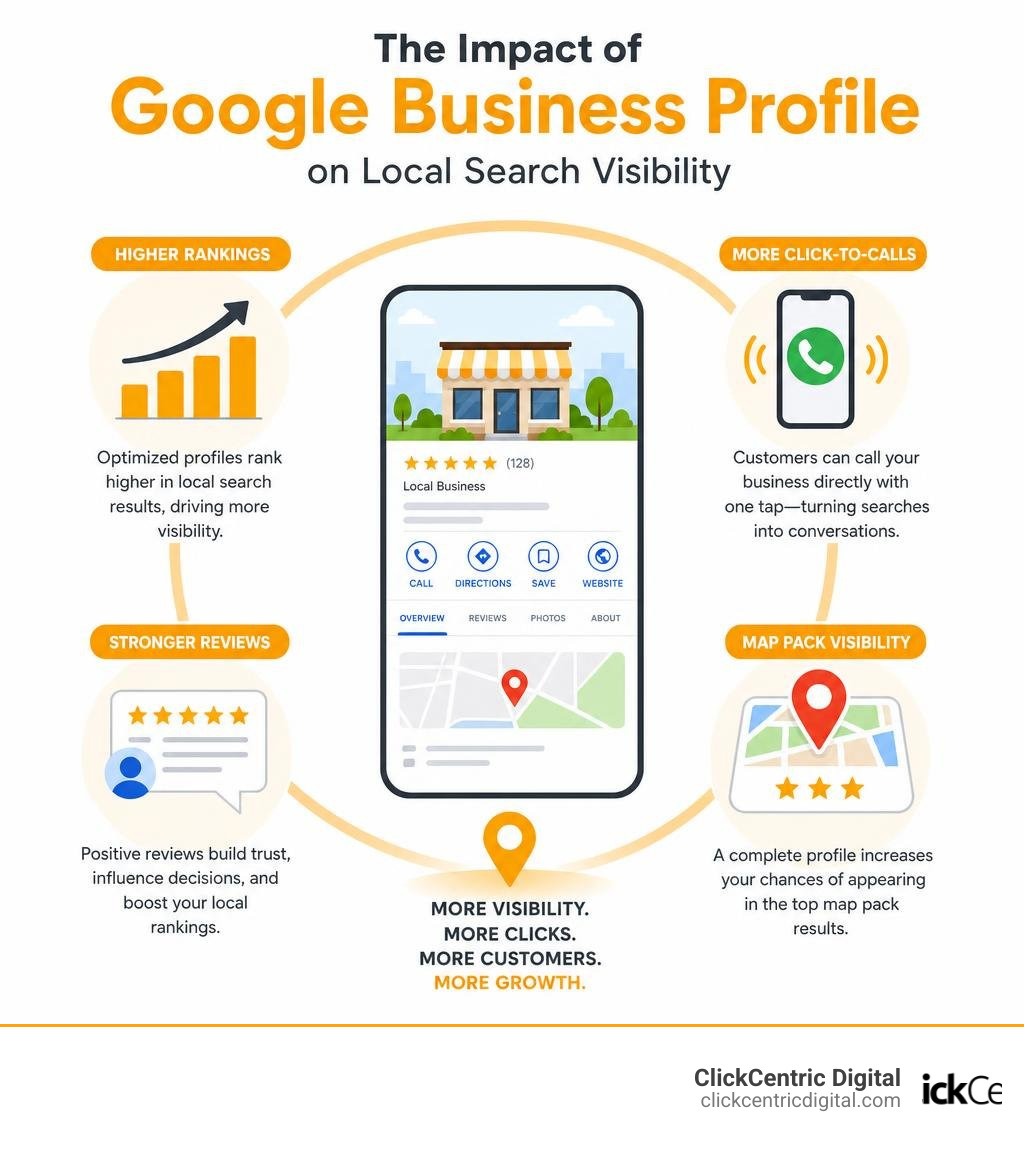
Here’s the reality: 60% of smartphone users contact businesses directly through their Google Business Profile using the click-to-call button. That’s a massive share of potential customers who never even visit your website. If your profile is incomplete, inaccurate, or simply ignored, you’re handing those leads to a competitor.
And yet, many local business owners treat their Google profile as a one-time setup task — something to tick off a list and forget. That’s a costly mistake.
A neglected profile can fall in rankings, collect unanswered negative reviews, and even get suspended due to policy changes you didn’t know about. The good news? You don’t need a big budget to manage it well. You just need the right approach.
What is Google Business Profile Management and Why It Matters
When local customers in West Michigan search for a service — whether it is “emergency plumber in Grand Rapids” or “best coffee shop in Holland MI” — they are not just looking at standard organic search results. They are looking at the Google Local Pack. This highly prominent map section displays the top three local businesses matching their query, complete with star ratings, physical addresses, operating hours, and quick buttons to call or get directions.

If your business does not appear in this Local Pack, you are missing out on the highest-priority traffic source for local search engine optimization (SEO). Achieving this visibility requires active google business profile management. It is not a “set-and-forget” project. It is a dynamic local SEO strategy that signals to Google’s algorithm that your business is open, active, trustworthy, and highly relevant to local searchers.
By actively updating your profile, you build immediate trust. When you consider that 60% of smartphone users contact businesses directly through their listings using the “click to call” feature, your profile acts as your primary digital storefront. To understand how to position your business to dominate these local search results, read our deep dive on How to Win the Local Pack in 2026 and Beyond.
To get the official foundation straight from the source, you can review the steps to Get started with Google Business Profile – Google Business Profile Help.
Setting Up, Claiming, and Verifying Your Profile on a Budget
Setting up your profile does not cost a dime. Google provides this platform completely free of charge to eligible local businesses. If you operate a storefront where customers visit you, or if you provide services directly at customer locations within our West Michigan service areas — such as Grand Haven MI, South Haven MI, or Kalamazoo MI — you are fully eligible.
To start, navigate to Get Listed on Google – Google Business Profile and sign in using a Google Account. We highly recommend using a dedicated company email address (e.g., info@yourbusiness.com) to keep your digital assets organized and secure. Search for your business name to see if an automated profile already exists. If it does, you can claim it; if not, you will create a new one from scratch. For a step-by-step walkthrough of this initial setup, read our guide on how to Claim Your Spot on the Map With a Free Google Business Page.
Once your details are entered, Google will require verification to unlock core features like replying to reviews and editing public details. Verification methods vary depending on your business type and location:
- Postcard Verification: Google sends a physical postcard containing a unique verification code to your business address. This typically arrives within 5 to 14 business days.
- Phone or SMS Verification: Eligible businesses can receive an automated call or text message with a verification code.
- Email Verification: A quick code is sent to your registered business domain email.
- Video Verification: For certain industries, Google may ask you to record a continuous video showing your physical location, business signage, and proof of operations (like unlocking the door or showing your tools).
That changing critical details like your business name or physical address after verification can trigger a re-verification requirement, temporarily hiding your edits until Google re-approves them.
Key Elements of Cost-Effective Google Business Profile Management
Managing your profile successfully does not require expensive agency software. You can achieve incredible local search rankings simply by being thorough and consistent with your updates.
To make sure you are checking all the right boxes, start with the official guidelines on how to Edit your Business Profile – Google Business Profile Help. Once you have the basics down, you can learn how to take your optimization to the next level with our expert tips on How to Make Google Fall in Love With Your Business Profile.
Optimizing Core Business Information and Attributes
The cornerstone of local SEO is NAP consistency: your Name, Address, and Phone number must be 100% identical across your website, your Google Business Profile, and all other online directories. If your website lists your business as “West Michigan Plumbing LLC” but your Google profile says “West Michigan Plumbing & Drain Cleaning,” search engines get confused, which can drag down your rankings.
When configuring your profile, pay close attention to these vital elements:
- Primary and Secondary Categories: Google has over 2,000 categories. Your primary category is a massive ranking factor, so choose the most specific option that describes your business (e.g., “HVAC Contractor” instead of just “Contractor”). You can add up to 9 secondary categories to capture related searches. Do not use categories solely as keywords.
- Operating Hours: Keep your regular hours accurate, and proactively update your holiday or seasonal hours.
- Business Description: Write a compelling, 750-character description of your business. Focus on your unique history, services, and local roots (mentioning areas like Grand Rapids or Holland). Avoid stuffing keywords, adding URLs, or listing specific prices.
- Attributes: Attributes tell searchers exactly what to expect. You can add accessibility attributes (like wheelchair-accessible entrances or seating), amenities (like free Wi-Fi), or business identity attributes. For instance, if your business annual revenue is under $10 million and you are not a franchise, you may qualify for the automated “Small business” attribute.
To understand how to manage these details effectively, consult the guide to Manage your business attributes – Google Business Profile Help. For a deeper look at optimizing your profile to attract more customers in West Michigan, explore our guide on How to Master Local Map Optimization for More Customers.
Budget-Friendly Content and Google Business Profile Management Posting Strategies
Google Posts are free, high-impact marketing tools that appear directly on your public profile. Think of them as mini social media updates for high-intent searchers. You can share business updates, promote seasonal offers, or highlight upcoming events.
To keep your profile active without spending hours on content creation, use these budget-friendly strategies:
- Create an Editorial Calendar: Plan one post per week. Regular posting signals to Google’s algorithm that your business is highly active.
- Showcase Real Work: Upload high-quality, well-lit photos of completed projects, your clean physical location, or your team in action. Real photos build far more trust than generic stock images.
- Leverage Smart Tools: Whenever we integrate automated tools like AI conversational agents to capture customer inquiries directly through a profile, we see a minimum of 5 and often as many as 30 leads that the business would have otherwise missed.
For creative ideas on what to post to keep your audience engaged, check out The Ultimate Guide to GMB Posting Without Being Boring.
Tracking Performance and Insights Without Expensive Tools
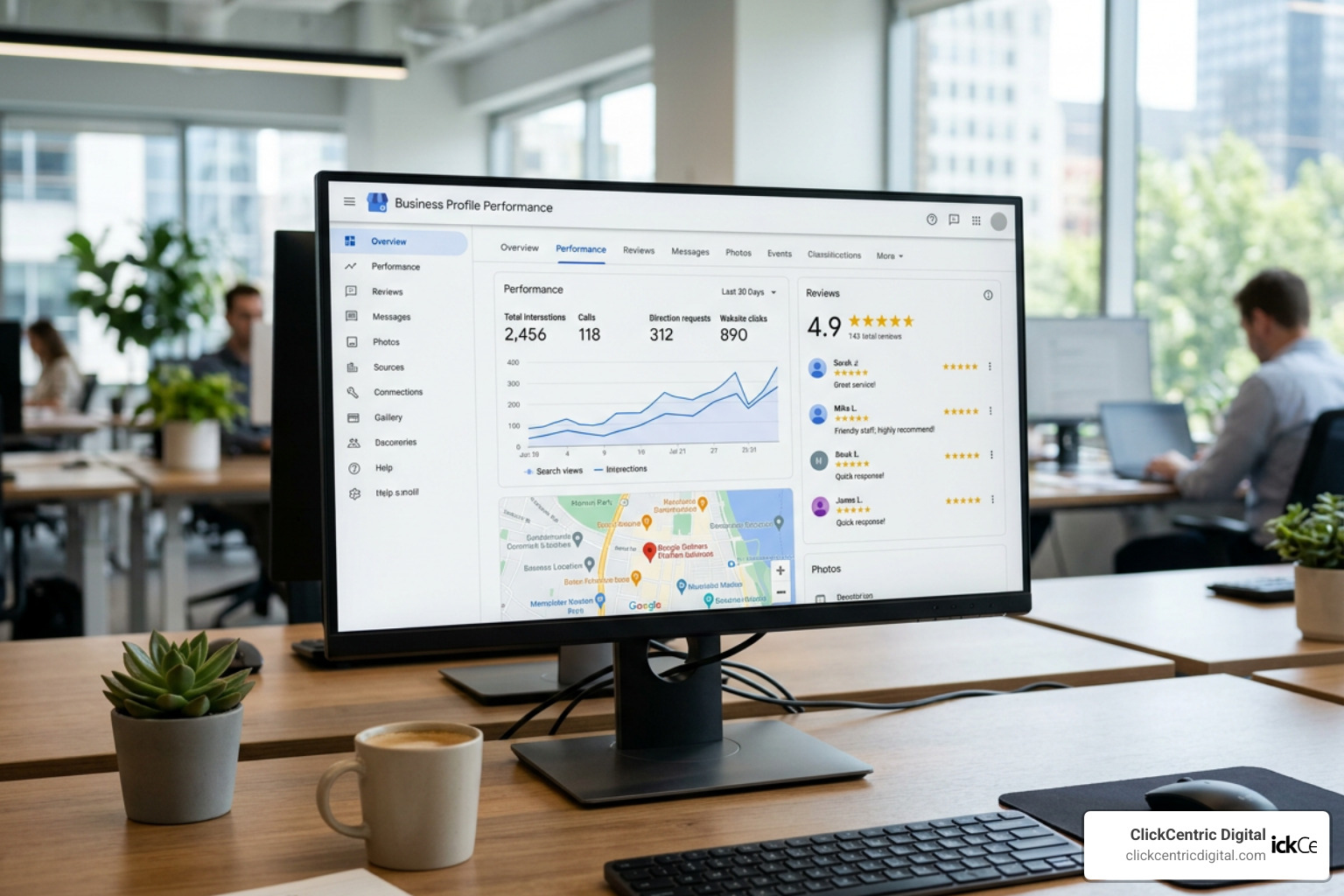
You don’t need to pay for premium analytics software to track how well your profile is performing. Google provides a robust, built-in performance dashboard directly inside Search and Maps. This free tool tracks critical user actions, including:
- Direct vs. Discovery Searches: See whether users found you by searching your exact business name (Direct) or by searching for a category, product, or service you offer (Discovery).
- Customer Actions: Track how many people clicked to visit your website, requested driving directions, or used the click-to-call button.
- Search Queries: Review the exact search terms local users typed into Google before finding your profile.
To take your tracking a step further on a budget, implement UTM tracking on your primary website link (e.g., https://yourwebsite.com/?utm_source=google&utm_medium=organic&utm_campaign=gbp). This allows you to easily isolate and measure your Google profile traffic inside Google Analytics. If you want to stop guessing where you rank in local search results, read our guide on how to Stop Guessing Your Local Map Ranking.
Managing Reviews and User Roles Securely
Your reputation is your most valuable asset. Active review acquisition and secure account delegation are two essential pillars of professional profile management.

To learn how to streamline your review collection process and establish strong social proof, read The Business Owners Guide to Google Review Mastery.
Best Practices for Google Business Profile Management and Review Responses
Reviews are a massive ranking factor in Google’s local search algorithm. More importantly, they dictate whether searchers will trust you: over half of customers won’t do business with a company that has an average rating of under 4 stars.
To manage your reviews like a seasoned marketer, follow these rules:
- Respond to Every Single Review: Reply to both glowing five-star praise and negative feedback. This shows both Google and potential customers that you care about your clients.
- Weave in Keywords Naturally: When replying, naturally include your services and location (e.g., “Thank you for choosing us for your furnace repair in Grand Rapids!”). This can help boost your local search relevance.
- Handle Negative Reviews Professionally: Never get defensive. Respond quickly, apologize for their experience, and offer to resolve the issue offline by providing a direct email or phone number.
To master the art of responding, read our guide on how to Manage Your Google Review Responses Like a Pro. If you want a complete breakdown of how Google handles review content, explore Google Reviews Everything You Need to Know.
Understanding Owner vs. Manager Roles
If you are working with an employee or a digital marketing partner, never share your primary Google Account password. Instead, use Google’s secure, built-in user roles to delegate tasks.
There are two primary roles available:
- Owners: Have full administrative control. They can edit business details, post updates, respond to reviews, add or remove other users, and even delete the profile entirely. There can be multiple owners, but only one designated Primary Owner.
- Managers: Have nearly identical operational capabilities—they can edit hours, publish posts, and reply to reviews—but they cannot manage other users or delete the profile.
To prevent unauthorized takeovers, Google enforces a strict 7-day waiting period for any newly added owner or manager before they can perform sensitive administrative tasks like transferring primary ownership or deleting the listing.
| Permission / Capability | Owner | Manager |
|---|---|---|
| Edit business hours, description, and attributes | Yes | Yes |
| Publish Google Posts and upload photos | Yes | Yes |
| Respond to customer reviews and Q&As | Yes | Yes |
| Add, modify, or remove other user roles | Yes | No |
| Delete or remove the Business Profile | Yes | No |
| Transfer primary ownership | Yes | No |
To learn how to securely invite users to help manage your listing, review the step-by-step instructions in Manage your Business Profile owners & managers – Google Business Profile Help.
Avoiding Suspensions and Managing Multiple Locations
Getting your business profile suspended can instantly cut off your primary source of inbound leads. Staying compliant with Google’s guidelines is critical to maintaining your local search presence.
To learn how to establish a highly stable local presence, read our guide on how to Get Your Business on the Map and Stay There.
Preventing Compliance Violations and Suspensions
Google frequently updates its algorithms and terms of service, which means optimization tactics that were common in the past can trigger automated suspensions today.
To keep your profile safe, avoid these common compliance errors:
- Name Stuffing: Do not add extra keywords, locations, or slogans to your business name field. Your profile name must match your real-world signage and legal business registration exactly.
- Ineligible Addresses: Never use a P.O. Box, UPS Store address, or remote virtual office as your business address. You must use a legitimate physical storefront or register as a Service-Area Business (SAB) using your residential address (which you can choose to hide from the public).
- Duplicate Listings: Creating multiple profiles for the same physical location is a major policy violation that can lead to all associated profiles being suspended.
To understand how Google evaluates these parameters for local search positioning, explore our article on Search Engine Optimization Google Maps Ranking.
Managing Multiple Locations and Agency Business Groups
If you manage a business with multiple locations across West Michigan—such as branches in Kalamazoo, Grand Rapids, and Holland—managing each profile individually can quickly become overwhelming.
To streamline your workflow, use Google’s Business Groups. This feature allows you to sort your locations into distinct folders, making it simple to apply bulk updates, share access with your marketing team, and maintain consistent branding. If you operate 10 or more locations, you may also qualify for bulk verification, which allows you to verify all your locations simultaneously rather than waiting for individual postcards.
To set this up, follow the official guide to Manage agency business groups – Google Business Profile Help. You can monitor and access all your active locations directly on the Google business locations page.
Bundling Profile Management with Other Local SEO Services
While managing your Google profile is incredibly powerful, it works best when integrated into your broader digital marketing strategy. To maximize your return on investment, consider bundling your profile maintenance with other complementary services:
- Reputation Management: Actively monitoring and acquiring reviews across multiple platforms (like Facebook and Yelp) alongside Google.
- Local Citation Building: Ensuring your business details are consistent across local online directories.
- Social Media Management: Re-purposing your Google Posts content across platforms like Facebook and Instagram to save time and build a unified brand presence.
To see how these elements fit together to drive growth, read The Ultimate Guide to Google Maps Marketing.
Frequently Asked Questions About Google Business Profile Management
How do I remove a bad review from my Google Business Profile?
You cannot simply delete a negative review just because you disagree with it. However, if a review violates Google’s Terms of Service (e.g., it contains harassment, hate speech, spam, fake content, or is left by a competitor), you can flag it for removal.
To do this, click the three dots next to the review, select “Report review,” and choose the appropriate policy violation. Google will review the request, which can take anywhere from a few days to a couple of weeks. For a comprehensive walkthrough of this process, read Can You Get a Bad Review Removed From Google or Are You Stuck With It and follow our step-by-step guide on How Do You Get Rid of Bad Google Reviews a Step by Step Guide.
Can I manage my Google Business Profile without a physical address?
Yes. If you operate a service-area business (SAB)—such as a mobile locksmith, plumber, or cleaning service—and you do not serve customers at your physical home address, you can hide your address from the public.
During setup, you will enter your address for verification purposes, but you will select “No” when asked if you want to add a location customers can visit. You will then define your specific service areas by zip codes, cities, or counties (e.g., listing Grand Rapids, Holland, and Grand Haven as your service areas). To learn more about how Google ranks service-area listings, read our analysis of Google Maps Ranking Factors for 2025.
What should I do if my Google Business Profile gets suspended?
If your profile gets suspended, do not panic, and do not create a new profile. First, review Google’s guidelines to identify what triggered the suspension (such as an address issue or keyword stuffing in your business name). Clean up any non-compliant details on your profile.
Next, submit an official reinstatement request to Google. You will need to provide official supporting documentation to prove your business is legitimate, such as a business registration license, utility bills matching your business name and address, or photos of your physical storefront. To help keep your sanity during this process, read our guide on How to Delete Google Business Reviews and Keep Your Sanity.
Conclusion
Managing your Google Business Profile is one of the most cost-effective ways to grow your business, attract local customers, and dominate the local search landscape in West Michigan. By keeping your information accurate, regularly posting updates, and actively managing your reviews, you can build a highly visible, trustworthy local brand on a budget.
At ClickCentric Digital, we specialize in helping local businesses across Grand Rapids, Holland, Grand Haven, South Haven, and Kalamazoo improve their local search rankings, manage customer reviews, and maximize their local search presence. Whether you need a hands-on partner to take your local SEO to the next level or a professional reputation strategy to build lasting trust, we are here to help.
Ready to take control of your local reputation and attract more customers? Get professional reputation management services from ClickCentric Digital today!
Sorry, the comment form is closed at this time.