


29 Jul Can You Actually Delete Google Reviews? A Realistic Guide for Businesses
Can You Actually Delete Google Reviews? A Realistic Guide for Businesses
Can You Delete Reviews on Google? Here’s What Business Owners Need to Know
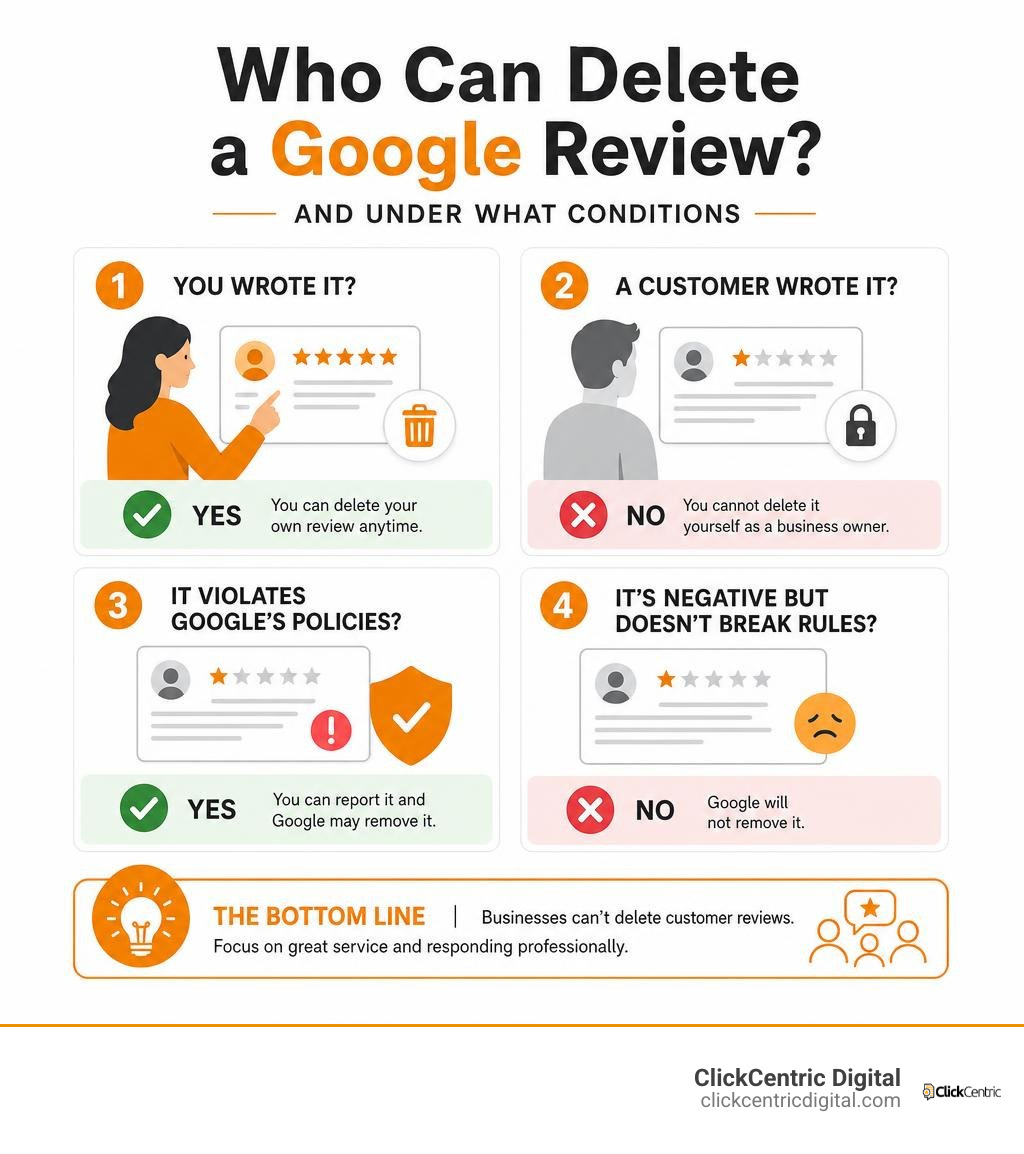
If you’ve ever wondered whether can you delete reviews on Google, here’s the short answer:
- You wrote it? Yes — you can delete your own Google review at any time.
- A customer wrote it? No — you cannot delete it yourself as a business owner.
- It violates Google’s policies? Yes — you can report it and Google may remove it.
- It’s just negative but doesn’t break rules? No — Google will not remove it.
That’s the reality in a nutshell. What you can control is more limited than most business owners hope — but there are legitimate paths forward, and knowing them saves a lot of frustration.
A one-star review sitting on your Google profile can cost you customers before they ever call you. It affects your star rating, your local search ranking, and how much trust people place in your business. So it makes sense that removing a bad review feels urgent.
But the process isn’t as simple as clicking “delete.” Google’s rules are strict, and trying to work around them the wrong way can make things worse.
I’m Fred Dirkse, and in this guide I’ll walk you through exactly what works, what doesn’t, and what to do when Google says no.
The Reality Check: Can You Delete Reviews on Google?
As local business owners in West Michigan—whether you are running a shop in Grand Rapids, a boutique in Holland, or a service business in Kalamazoo—you know how much weight online feedback carries. But when a frustrating, unfair, or completely false review hits your Google Business Profile, your immediate instinct is probably to look for a “delete” button.
Unfortunately, direct deletion of third-party reviews by a business owner is completely impossible. Google does not give businesses the unilateral power to wipe out reviews. If they did, every business would have a perfect 5.0 rating, and the entire system would lose its credibility.
To understand the core rules governing this system, it helps to take a Review Removal Reality Check: Can You Really Delete Google Feedback? Google operates as an objective platform. Their goal is to provide searchers with an honest, unbiased look at what it is like to do business with you. Consequently, Google Maps and Search enforce strict platform rules designed to protect the integrity of user feedback.
Who Has the Power to Delete a Google Review?
The power to remove a review from Google is limited to two parties:
- The Reviewer: The individual who wrote and published the review has full, unrestricted rights to edit or permanently delete their feedback at any time.
- Google’s Moderation Team (or Algorithms): Google can remove a review if it is flagged and found to violate their official terms of service, or if their automated spam filters flag it as suspicious.
As a business owner, you are a third party in this relationship. You cannot force a deletion. Instead, you must convince either the reviewer to change their mind, or Google to step in and remove the review based on a policy violation. If you are struggling with a bad rating, you might wonder: Can You Get a Bad Review Removed From Google or Are You Stuck With It? The truth is, while you are not entirely stuck, your options are strictly defined by Google’s guidelines.
How Customers Can Edit or Delete Their Own Google Reviews
Sometimes, a customer leaves a negative review in a moment of frustration, but after you resolve their issue, they are happy to take it down. Other times, a customer might accidentally leave a review on the wrong business profile (for example, confusing your Grand Haven MI shop with a similarly named business in another state).
If a customer wants to update or remove their feedback, they can easily do so. According to the official documentation on how to Add, edit, or delete Google Maps reviews & ratings – Computer – Google Maps Help, here are the exact steps a customer needs to take:
- Open Google Maps on their computer or mobile device.
- In the top left, click the Menu (three horizontal lines) or tap their profile picture.
- Select Your contributions and then click the Reviews tab.
- Scroll to find the review they wrote for your business.
- Click the More (three dots) icon next to the review.
- Choose either Edit review to change the rating/text, or Delete review to remove it permanently.
Note: If a customer chooses to edit their review, the date of the last edit will replace the original post date as the public publication date on Google.
How Businesses Can Request Removal of Policy-Violating Reviews
When you cannot get the reviewer to remove their feedback—or if the review is clearly fake, malicious, or spam—your next step is to ask Google to step in.
To keep your sanity while navigating this process, it helps to understand the technical steps involved in How to Delete Google Business Reviews and Keep Your Sanity. You must prove to Google that the review in question directly violates their specific content guidelines. Google will not remove a review simply because you disagree with the customer’s version of events or because it hurts your feelings.
Valid Reasons for Google Review Removal
Google will only remove reviews that violate their Prohibited and Restricted Content policies. According to the official guidelines on how to Report inappropriate reviews on your Business Profile – Google Business Profile Help, valid reasons for removal include:
- Spam and Fake Content: Reviews that do not reflect a real experience, are posted multiple times, or are generated by bots.
- Conflict of Interest: Reviews left by competitors to lower your rating, or reviews left by current or former employees.
- Harassment or Hate Speech: Content that attacks, threatens, or uses derogatory language against individuals or groups.
- Off-Topic Content: Social or political commentary, or personal rants that have nothing to do with the actual customer experience.
- Illegal Content or Offensive Language: Reviews containing profanity, sexually explicit material, or links to illegal items.
- Personal Information: Reviews that expose private personal data, which we will cover in-depth below.
Step-by-Step: How to Report an Inappropriate Review
If you spot a review that clearly violates one of these policies, you should report it immediately. For a deep dive into different removal strategies, check out How to Remove Negative Reviews: 5 Guaranteed Methods.
Here is how to flag a review directly from your Google Business Profile:
- Go to your Google Business Profile dashboard.
- Navigate to Reviews or search for your business on Google Maps and find the review.
- Click the three-dot menu next to the offending review.
- Click Report review (or “Flag as inappropriate”).
- Select the specific policy violation that applies to the review (e.g., “Spam”, “Conflict of interest”, or “Harassment”) and submit.

Tracking Statuses in the Reviews Management Tool
Once you have flagged a review, you do not have to sit in the dark wondering what is happening. Google provides a dedicated Reviews Management Tool where you can monitor the progress of your reports. If you want to master this system, read our comprehensive guide on Google Reviews: Everything You Need to Know.
When you log into the Reviews Management Tool, you will see a list of your reported reviews and their current statuses:
- Decision Pending: Google’s moderation team is still evaluating your request. This process typically takes several days.
- Report Approved / Removed: Google agreed with your assessment. Flagged reviews that violate content policies are permanently removed and will no longer show on Maps and Search.
- Report Denied: Google evaluated the review and determined it did not violate their policies.
- Escalated: This status appears if you have appealed a denied decision, indicating that a manual review is underway.
Fast-Tracking Removals: The Personal Information (PII) Loophole
Of all the review removal categories, the one Google moves on the fastest is Personally Identifiable Information (PII). Because of strict global and local privacy laws like GDPR, CCPA, and HIPAA, Google faces significant legal exposure if they host private personal data on public profiles.
If you want to understand the fast-track process for these specific violations, the article on how to Remove a Google review that contains personal information (fast track) · Local Owl outlines exactly how to leverage this loophole.
| Review Type | Standard Removal | PII Fast-Track Removal |
|---|---|---|
| Typical Evaluation Time | Several days to weeks | Within 3 business days |
| Key Criteria | Spam, off-topic, conflict of interest | Home addresses, personal phone numbers, medical details |
| Legal Pressure | Low (Platform terms of service) | High (GDPR, CCPA, HIPAA liability) |
| Success Rate | Moderate (Subjective evaluation) | Extremely High (Objective policy violation) |
What Qualifies as Personal Information under Google Policy?
It is crucial to understand what actually counts as “personal information” under Google’s guidelines, as filing under the wrong category will slow down your request.
- What DOES qualify as PII:
- Exposing private medical details (e.g., “Patient John Doe was treated for hepatitis at this Kalamazoo clinic”).
- Publishing home addresses, personal cell phone numbers, or private email addresses.
- Posting government ID numbers, credit card details, or financial account information.
- Photos that expose a private individual’s identity without consent.
- What DOES NOT qualify as PII:
- Mentioning a staff member’s first name (e.g., “Jenny was rude at the front desk”). First names in a professional context do not constitute a privacy violation.
- The reviewer using their own real name.
- Listing publicly available business contact information.
Reviews exposing medical details, home addresses, phone numbers, or ID information are highly sensitive. If reported correctly under the “Personal information” category, Google typically removes them within 3 business days.
The Risks of Replying Publicly to PII Reviews
When a review contains personal or sensitive information, your immediate reaction might be to defend your business publicly. However, this is highly risky—especially for healthcare, legal, or financial practices in West Michigan.
If you reply to a review by confirming patient details or repeating sensitive information, you may violate federal privacy laws like HIPAA. For strategic advice on how to handle these interactions safely, read our guide on how to Manage Your Google Review Responses Like a Pro.
If a patient leaves a review disclosing their medical treatment, they have chosen to share their own data. However, as a provider, you are still legally bound by HIPAA. If you reply with: “We checked your medical file and your treatment was successful,” you have just publicly confirmed their patient status and medical history, committing a HIPAA violation.
The Golden Rule: If a review contains PII, do not reply publicly in any way that validates the private information. Flag it immediately, document it for your internal compliance files, and let Google’s fast-track system handle the removal.
What to Do When Google Denies Your Removal Request
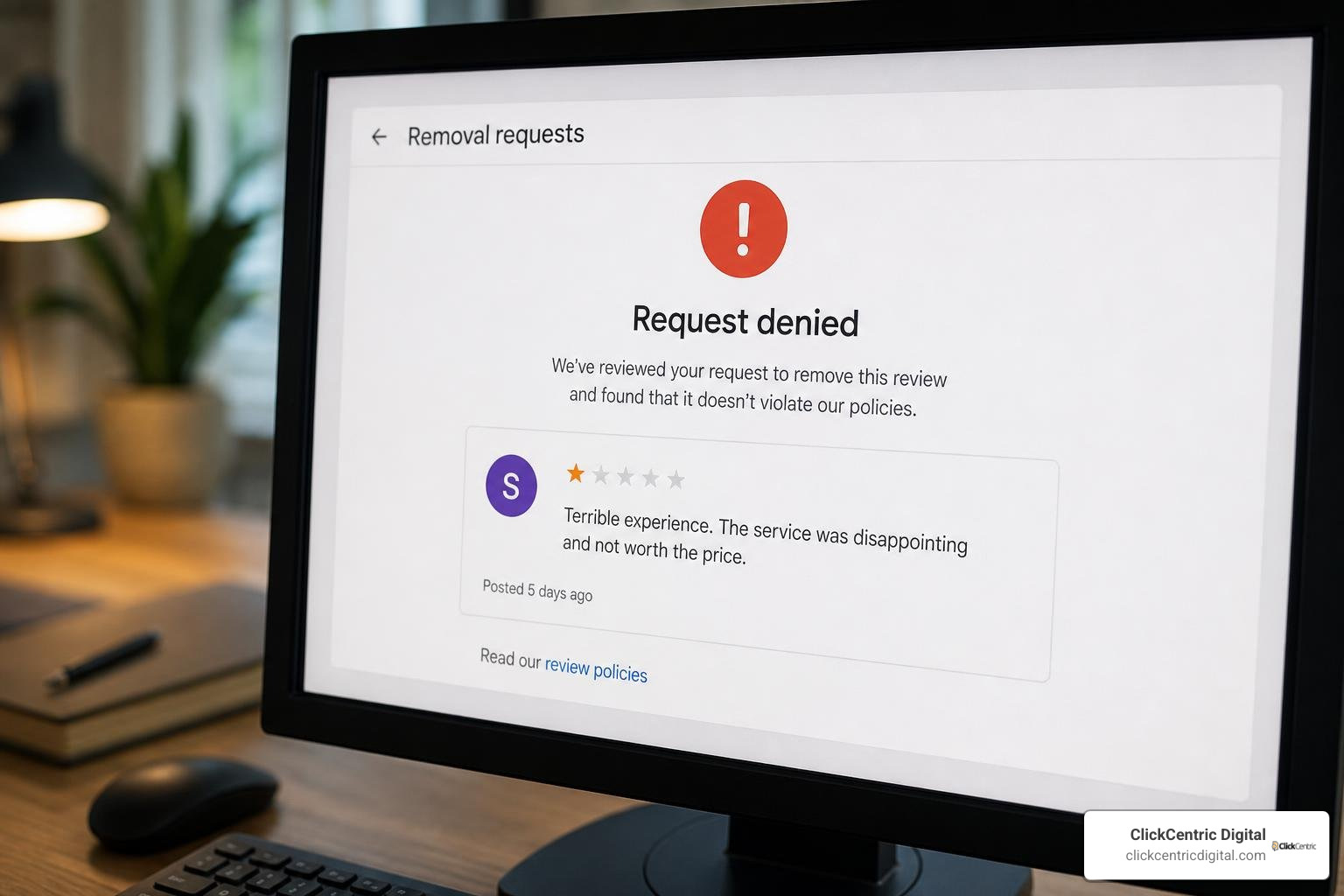
It is incredibly frustrating when you report a review that you know is fake, only to receive a notification from Google stating that the review does not violate their policies.
If your initial request is rejected, do not panic. You still have options. For a step-by-step recovery plan, check out How Do You Get Rid of Bad Google Reviews: A Step-by-Step Guide.
How to Submit a One-Time Appeal
If a flagged review doesn’t qualify for removal on the first pass, Google allows you to submit a one-time appeal. This appeal moves the review from automated filters to a manual human reviewer.
- You can select up to 10 reviews at once when submitting a one-time appeal through the Reviews Management Tool.
- During this appeal, you must present clear, objective evidence. Quote the exact text of the review and explain precisely which section of Google’s content policy it violates.
- Be concise and professional. Avoid emotional arguments. Focus strictly on policy violations.
Note: Google’s decision on this appeal is final. We don’t reinstate reviews that were removed for policy violations, and conversely, once an appeal is denied, that specific review cannot be flagged again.
What NOT to Do When Trying to Get a Review Removed
When dealing with unfair reviews, making the wrong move can permanently damage your business reputation and search rankings. To protect your profile, follow the best practices in The Business Owner’s Guide to Google Review Mastery.
Here is what you should never do:
- Do Not Retaliate Publicly: Avoid arguing, calling the reviewer a liar, or posting their personal information in response. This looks highly unprofessional to prospective customers reading your reviews.
- Do Not Buy Fake Positive Reviews: Trying to “drown out” a 1-star review by purchasing fake 5-star reviews violates Google’s terms. Google’s spam filters will likely catch this, and they may suspend your entire Business Profile.
- Do Not Offer Incentives for Reviews: Offering discounts, freebies, or payments in exchange for reviews (or for removing a bad review) is strictly prohibited.
- Do Not Engage in “Review Gating”: Review gating is the practice of pre-screening customers and only sending review links to those who had a positive experience. Google requires that all customers have an equal opportunity to leave feedback.
Automated Spam Detection and Mistaken Removals
Google does not rely solely on manual reports to keep their platform clean. They run advanced automated spam detection algorithms constantly to identify and remove fake, suspicious, or low-quality reviews.
While these filters catch millions of spam reviews before anyone ever sees them, they are not perfect. Sometimes, legitimate reviews from your actual customers in South Haven or Holland MI can get caught in the crossfire and mistakenly removed.
If you notice that some of your hard-earned 5-star reviews have suddenly vanished, they may have triggered a spam filter. To understand why this happens and how to recover them, read Stop Settling for Four Stars and Generate More 5-Star Reviews Today. Common triggers include a customer posting a review while connected to your business Wi-Fi, or leaving multiple reviews from the same IP address. If a legitimate review was mistakenly removed, you can sometimes get it reinstated by opening a support ticket with Google and showing proof of the genuine customer interaction.
Frequently Asked Questions About Google Reviews
Can you delete reviews on Google if they are just negative?
No. Google will not remove a review simply because it is negative, or because you disagree with the customer’s perspective. Google does not mediate disputes between businesses and customers regarding the truth of a service experience. If the review represents a subjective opinion of a real customer and does not violate any content policies, it will remain on your profile.
In these cases, the best approach is to respond professionally and use the feedback to improve. To learn how to turn negative situations into marketing wins, check out Mastering Local Reviews to Win More Customers.
How long does Google take to evaluate a reported review?
Standard reviews flagged for policy violations typically take several days to a week to be evaluated by Google’s moderation team. However, if a review contains sensitive personal information (PII) like medical details or home addresses, it is fast-tracked and usually removed within 3 business days of being reported under the correct category.
Can you delete reviews on Google that are left anonymously?
Google does not permit completely anonymous reviews; every review must be linked to a Google account, and the user’s public “About me” name will be displayed. However, users can use pseudonyms or initials on their accounts.
If you receive a review from an account with a fake-looking name, you cannot delete it just because of the name. However, if the account is repeatedly posting identical reviews across multiple businesses, you can report the user profile itself for policy violations.
Conclusion
When it comes to the question of can you delete reviews on Google, the reality is that while you cannot directly delete customer feedback, you are far from powerless. By understanding Google’s strict content policies, utilizing the Reviews Management Tool, and leveraging the fast-track loophole for personal information, you can keep your business profile clean and professional.
At ClickCentric Digital, we help local businesses across Grand Rapids, Holland, West Michigan, Grand Haven, South Haven, and Kalamazoo master their digital presence. From improving your local search rankings to managing online reviews and running high-performing paid campaigns, we build targeted strategies that acquire local customers.
If you are currently dealing with a wave of unfair feedback or simply want to build a bulletproof system to generate more genuine 5-star reviews, check out our step-by-step roadmap: How Do You Get Rid of Bad Google Reviews: A Step-by-Step Guide. Let’s work together to make your business the highly trusted, top-ranked choice in your local market!
Sorry, the comment form is closed at this time.