


09 Oct Detailed Guide to Google Ads Management for Local Business
Detailed Guide to Google Ads Management for Local Business
Google Ads Management for Local Businesses Starts With the Right Customers
To get more local customers from Google Ads, start with one focused Search campaign. Target the areas you serve, choose keywords that show someone is ready to buy, and exclude searches that are not a fit. Connect your Google Business Profile, then track calls and forms so you can see which ads bring in real leads.
A click from a nearby customer matters more than a hundred clicks from people you cannot serve. This guide will help you choose the right ad type, cut wasted spend, and measure leads that become paying customers. I’m Fred Dirkse, and I’ll walk you through the decisions that matter most. Effective google ads management for local business depends on disciplined targeting and verified conversion data, not just higher click volume.
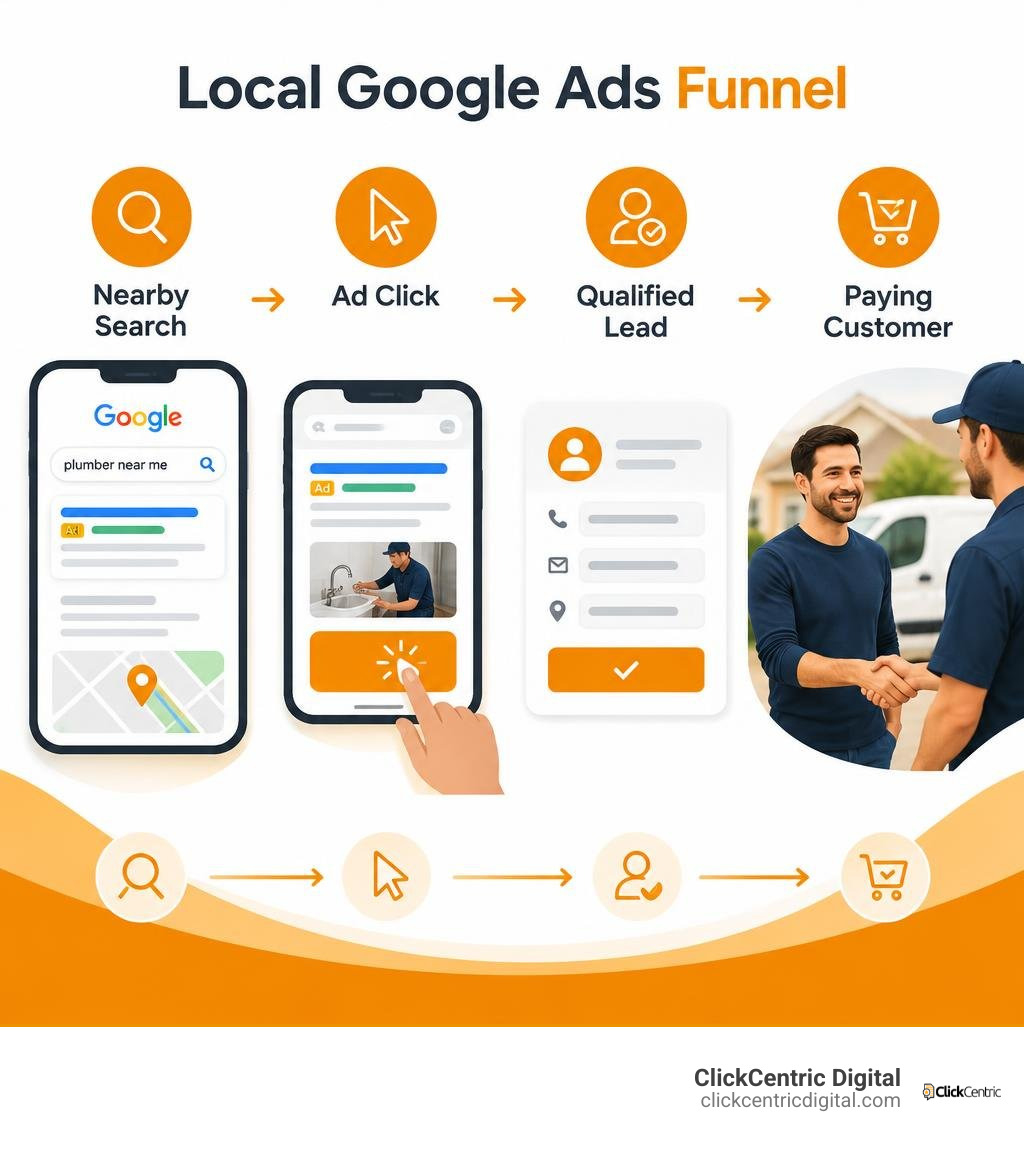
Local Advertising Channels: Search Ads, LSAs, and Performance Max
Local business owners have several paid options inside the Google ecosystem. Picking the wrong format from day one can lead to high costs and low-quality leads.
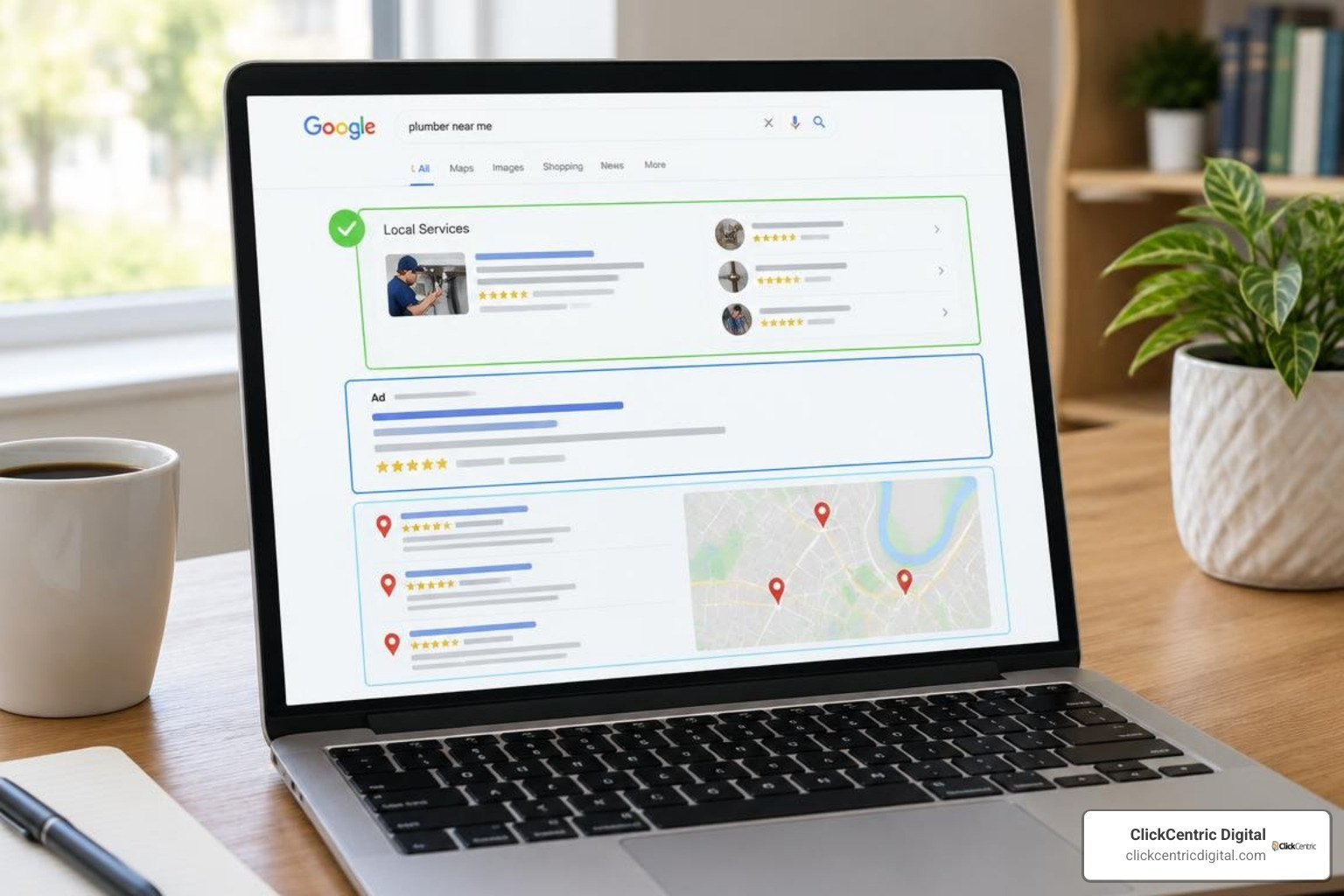
Google reports that 46% of all searches carry local intent. When a homeowner searches for an emergency repair or a patient looks for a nearby clinic, Google serves different ad units depending on the industry and device. The three main options are standard Google Search Ads, Local Services Ads (LSAs), and Performance Max campaigns.
| Feature | Standard Google Search Ads | Local Services Ads (LSAs) | Performance Max (Store Goals) |
|---|---|---|---|
| Pricing Model | Pay-Per-Click (PPC) | Pay-Per-Lead (PPL) | Pay-Per-Click across multiple networks |
| SERP Placement | Top & bottom of Search results | Absolute top of Google search results | Search, Maps, YouTube, Display, Gmail |
| Verification Needed | Standard account verification | Background checks, license & insurance | Standard account verification |
| Best Used For | Precise keyword intent & custom landing pages | Home services, legal, healthcare (lead capture) | Multi-location physical storefronts |
| Minimum Location Threshold | 1 location | 1 location (eligible category/market) | Recommended 5–10 physical locations |
Standard Search Campaigns vs Local Services Ads (LSAs)
Local Services Ads appear at the very top of Google search engine results pages, sitting above regular Google Ads, organic listings, and Google Business Profile map packs.
The biggest operational difference is billing: Google does not charge per click for Local Services Ads—only per lead. When someone dials your number or messages you directly through an LSA unit, you pay a flat fee for that contact. Furthermore, these ads carry badges like “Google Guaranteed” or “Google Screened.” Earning these badges requires passing background checks, submitting business licenses, and providing proof of active general liability insurance.
LSAs are prominent across North America and have expanded internationally into countries such as the UK, France, Spain, Germany, Italy, and Ireland. However, category availability outside the US remains centered primarily around residential trade services. If you qualify and operate in an eligible industry, pairing LSAs with standard Search ads lets you capture maximum real estate on high-intent search terms.
Performance Max for Store Goals vs Search Campaigns
Performance Max (PMax) automates ad delivery across Search, Maps, YouTube, Gmail, and the Display Network using machine learning. While powerful for national retailers, PMax presents real challenges for smaller operations.
Google recommends having at least 5 physical locations when running Performance Max campaigns optimized for local actions (such as phone calls or driving directions), and at least 10 locations to accurately track store visits. If you run a single storefront or a localized service business, standard Search campaigns give you direct control over your budget, keyword matches, and negative exclusions. You can learn more about configuring structured ad groups in our guide to local PPC campaigns.
Integrating Google Business Profile and Location Assets
Your Google Business Profile (GBP) is the foundation of local paid search. Linking your GBP directly to your Google Ads account unlocks location assets, which allow your physical address, phone number, and distance to show beneath your text ads. Businesses that use location extensions often see a 15% higher click-through rate because users immediately recognize that the business is nearby.
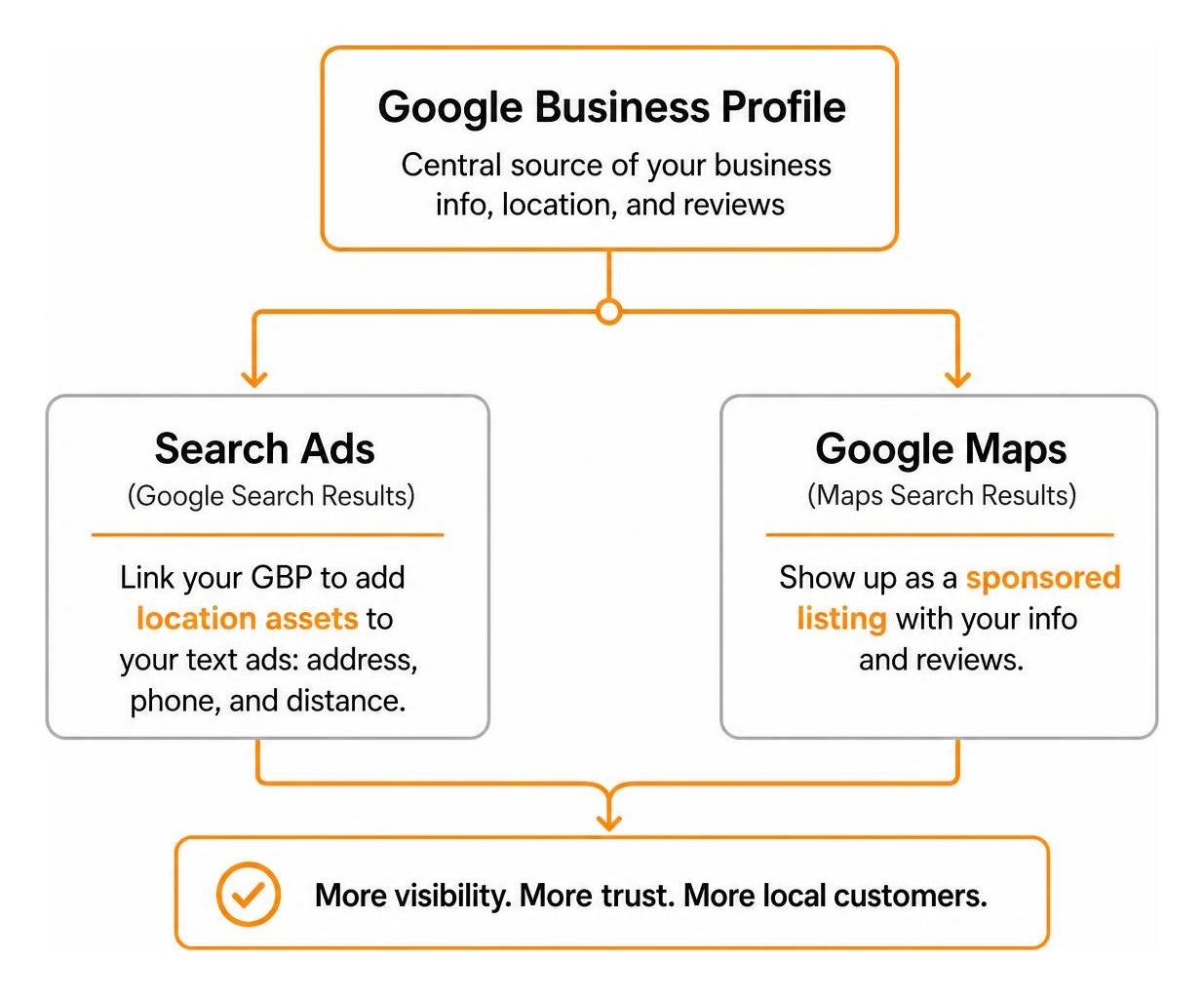
This integration also allows your business to appear as a sponsored listing inside Google Maps search results. Because 97% of consumers read reviews for local businesses, showcasing your verified star rating alongside paid search ads establishes immediate trust. When deciding how to allocate your marketing budget, evaluate how to choose between local SEO and Google Ads to ensure your organic presence and paid ads support each other.
Strategic Google Ads Management for Local Business
Executing profitable google ads management for local business requires tighter geographic constraints and stricter keyword parameters than national e-commerce campaigns. Every wasted dollar spent on clicks outside your operating area directly reduces your campaign’s return on investment.
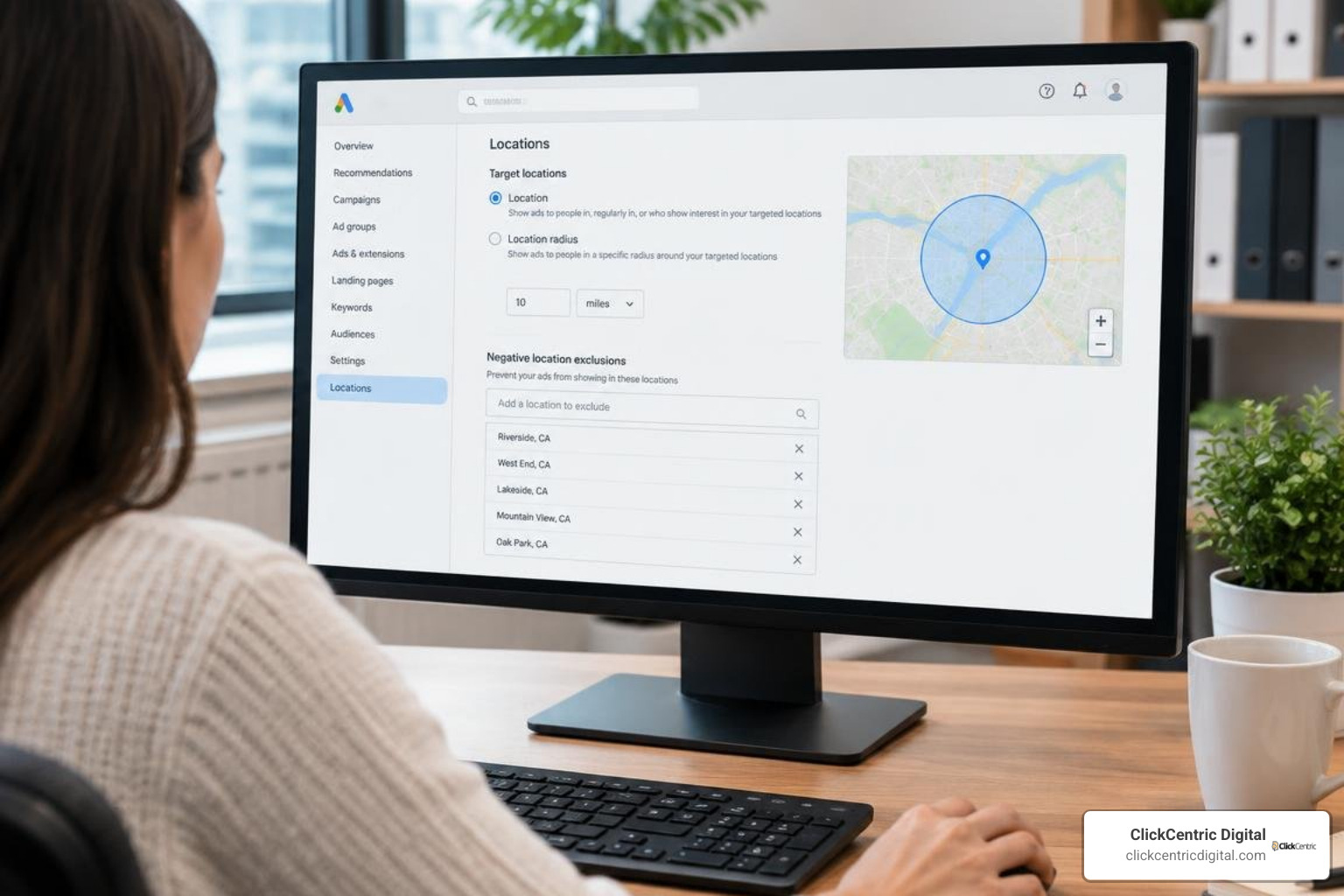
To avoid burning capital, campaign managers must apply deliberate targeting mechanics. You can discover proven ways to target local customers with Google Ads that protect your budget from unqualified traffic. Google’s own guidance on location targeting explains how presence and interest settings affect ad delivery.
Structuring Google Ads Management for Local Business by Campaign Type
For a single-location company, keep account architecture simple:
- Build dedicated ad groups organized by tightly themed service categories (e.g., “Furnace Repair” vs. “AC Installation”).
- Restrict geo-targeting to a defined radius or specific ZIP codes around your facility.
- Write ad copy mentioning your specific city, neighborhood, or service area to reinforce local relevance.
If you operate multiple branches, separate each branch into its own campaign. Grouping multiple physical territories into a single campaign makes it difficult to control budgets by location, as the largest metro area will often consume the daily budget before smaller areas get impressions.
Mastering Location Targeting: Presence vs Presence or Interest
The default location setting in Google Ads is one of the most common reasons local budgets get wasted. By default, Google selects “Presence or interest: People in, regularly in, or who’ve shown interest in your targeted locations.”
Under this setting, someone sitting hundreds of miles away who looks up news, sports, or historical information about your town could trigger your ad for local services.
To fix this:
- Open your campaign settings.
- Expand the Locations tab and click Location options.
- Switch the targeting method to “Presence: People in or regularly in your targeted locations.”
- Under the Exclude section, set the rule to “Presence: People in your excluded locations.”
- Add explicit negative exclusions for surrounding cities, adjacent counties, or states you do not service.
While advertisers in tourism or hospitality might benefit from “Presence or interest” (gaining roughly 5% more conversions when targeting travelers planning trips), service providers, medical practices, and local brick-and-mortar shops should almost always select “Presence.”
Transitioning from Call-Only Ads to Responsive Search Ads
Google has modified its mobile ad formats by deprecating traditional call-only ads. As of February 2026, advertisers can no longer build standalone call-only ads, and existing units will stop serving in February 2027.
The modern replacement is the Responsive Search Ad (RSA) with a Call Asset. This hybrid format gives users the option to click through to your landing page or tap to dial directly from search results.
To maintain high lead quality with RSAs:
- Add price qualifiers in your headlines (e.g., “Diagnostic Visits From $89”) to filter out bargain hunters before they click.
- Explicitly state your service territory in headlines (e.g., “Serving Grand Rapids & Surrounding Areas”).
- Use callout assets to highlight response times, licensing, and financing terms.
Conversion Tracking, Lead Quality, and Bidding Strategies
A pay-per-click account without verified conversion tracking makes it impossible to know which keywords drive revenue. If you are auditing an underperforming setup, running a structured Google Ads audit will help identify tracking errors and budget leaks.
Effective Phone Call Tracking and Conversion Metrics
Local service businesses generate a significant portion of their revenue over the phone. Relying solely on default “clicks on call extensions” can misrepresent your performance, as a click does not guarantee the call connected.
Set up native Google forwarding numbers or third-party dynamic number insertion (DNI) software to track real phone conversions:
- Set a minimum call duration threshold (such as 60 or 90 seconds) before an interaction counts as a conversion. This prevents misdials, spam robocalls, and quick hang-ups from skewing your smart bidding data.
- Track calls made directly from search ad assets as well as calls made after clicking through to your landing page.
- Review recorded call logs periodically to assess lead quality and internal intake performance.
Offline Conversion Tracking and Measuring Paying Customers
The real goal of paid advertising is revenue, not just phone calls or form submissions. A campaign might generate thirty leads a week, but if twenty-five are looking for services you do not offer, the campaign is not actually profitable.
Offline Conversion Tracking (OCT) bridges the gap between your ad data and your sales pipeline:
- When a prospect clicks an ad and visits your site, capture their unique Google Click Identifier (GCLID) or user data via your web form.
- Store this identifier inside your CRM alongside the lead’s contact details.
- When the lead converts into a completed job or paying customer, upload the transaction value and status back to Google Ads.
- Smart Bidding algorithms will then optimize for prospects who match the profile of paying customers, rather than just driving cheap form fills.
Budgeting for Google Ads Management for Local Business
To establish a realistic monthly PPC budget, work backward from your revenue goals and local cost-per-click (CPC) data:
$$\text{Monthly Budget} = \left(\frac{\text{Target Monthly Leads}}{\text{Conversion Rate}}\right) \times \text{Average CPC}$$
For instance, if your average CPC is $4.00, your landing page converts clicks into inquiries at 10%, and your business needs 20 new leads per month:
- 20 leads / 10% conversion rate = 200 required clicks.
- 200 clicks * $4.00 average CPC = $800 monthly ad spend.
For detailed planning templates, review our guide to Google Ads costs and budgets.
When managing smaller budgets, be cautious with automated bid strategies. Advertisers who adopt AI Max for Search can see a 14% lift in conversions at a comparable CPA—and up to a 27% increase for campaigns heavily reliant on exact and phrase match. However, these automated algorithms require consistent conversion data to work well. If your campaign generates fewer than 20 to 30 tracked conversions per month, starting with Manual CPC with Enhanced Bidding or Target CPA with modest guardrails will keep spending controlled.
In-House Execution vs Professional PPC Management
Business owners often weigh whether to manage campaigns internally or partner with a specialized agency. Both approaches have distinct trade-offs.
| Factor | In-House Management | Professional Agency Management |
|---|---|---|
| Direct Expense | Software subscriptions & media spend | Management retainer + media spend |
| Time Allocation | 5–15 hours weekly for audits & maintenance | 1–2 hours monthly for review & strategy |
| Learning Curve | High; requires continuous platform training | None; utilizes proven frameworks |
| Tracking Setup | Often limited to basic web conversions | Advanced call tracking, CRM & offline imports |
| Negative Keyword Lists | Built slowly through trial and error | Pre-built industry-specific negative libraries |
Managing Local Ads In-House
Managing your own account gives you complete direct control over every ad change. For a single-operator business with a small budget, running a lean campaign internally can be a practical way to start.
However, the Google Ads platform changes rapidly. Managing campaigns in-house requires staying current with new asset types, bidding changes, and match-type behaviors. Without experienced oversight, simple configuration mistakes—like leaving broad match enabled without negative lists—can quickly waste ad spend.
Partnering with a Local PPC Specialist
Working with an experienced PPC specialist removes the technical burden of setup and day-to-day optimization. An expert implements proper click fraud protection, conversion tracking, call scoring, and bid adjustments.
If you choose to hire an outside team, make sure they have verified credentials. Read about why it pays to work with a certified PPC expert and review our local PPC management guide to ask the right questions before signing an agreement.
Frequently Asked Questions About Local PPC
Why am I getting clicks from outside my service area?
This usually happens because the default location option (Presence or interest) is selected in your campaign settings. Switch your location targeting option to Presence and add explicit negative exclusions for surrounding cities and counties.
What is the minimum budget needed for local Google Ads?
There is no platform-mandated minimum budget. However, you generally need enough daily budget to capture at least 5 to 10 clicks per day within your niche. In moderate-competition markets, most single-location businesses start with $800 to $1,500 per month in media spend to gather statistically significant performance data.
What happens to existing call-only campaigns in 2026?
Google stopped allowing the creation of new call-only ads in February 2026, and existing call-only units will stop serving in February 2027. Local businesses should transition their call campaigns to Responsive Search Ads that use Call Assets.
Conclusion
A successful local Google Ads strategy relies on clear geographic boundaries, disciplined keyword targeting, and accurate conversion tracking. By switching off wasteful default settings, linking your Google Business Profile, and measuring phone calls and closed sales, you can build a consistent source of qualified local customers.
If you want a team of specialists to handle your account setup, tracking, and campaign optimization, explore our affordable Google Ads management services to see how ClickCentric Digital helps local businesses grow.
Sorry, the comment form is closed at this time.