


28 Jul Can Businesses Actually Delete Your Google Reviews
Can Businesses Actually Delete Your Google Reviews
What Happens When You Get a Bad Google Review? Here’s What Businesses Can Actually Do
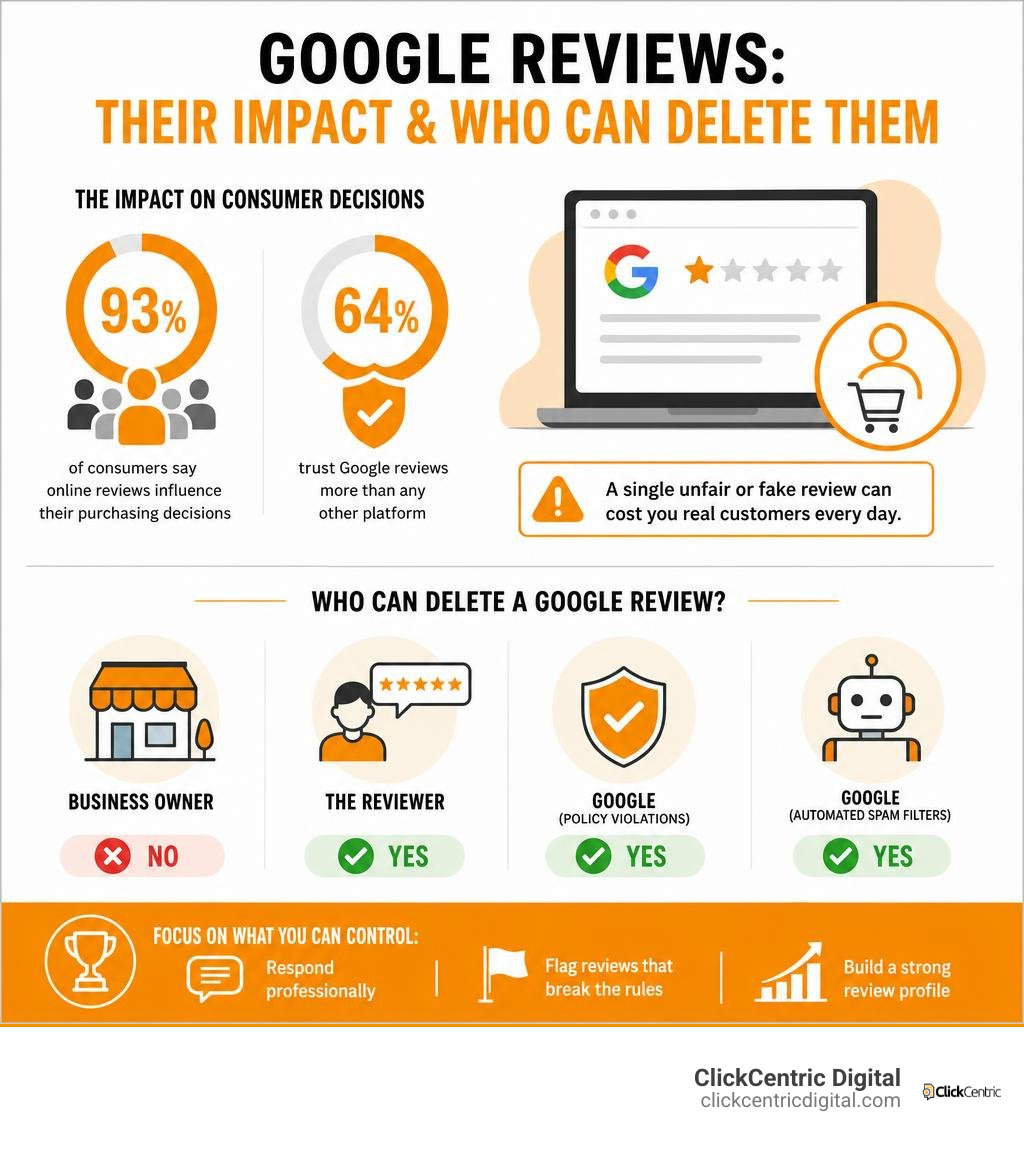
If you’ve ever wondered can businesses delete Google reviews, the short answer is: no, not directly. Only the reviewer themselves — or Google — can remove a review from your Business Profile.
Here’s a quick breakdown:
| Who Can Delete a Google Review? | Can They Do It? |
|---|---|
| The business owner | No |
| The reviewer | Yes |
| Google (policy violations) | Yes |
| Google (automated spam filters) | Yes |
This matters because 93% of consumers say online reviews influence their purchasing decisions, and 64% trust Google reviews more than any other platform. A single unfair or fake review sitting on your profile can quietly cost you real customers every day.
The frustration is real. A negative review — especially one that feels fabricated or completely off-base — can feel like a punch in the gut when you’ve worked hard to build your business. And the instinct to want it gone is completely understandable.
But here’s the thing: Google built its review system to be open and unfiltered on purpose. Businesses can’t just erase feedback they dislike. What they can do is flag reviews that break Google’s rules, respond strategically, and build a review profile strong enough to weather the occasional bad one.
I’m Fred Dirkse, and in this guide I’ll walk you through exactly what your options are — from flagging policy violations to handling reviews you simply can’t remove.
Can businesses delete google reviews further reading:
- how to delete google business review
- negative review removal
- can you get a bad review removed from google
Can Businesses Delete Google Reviews Directly?
If you are a business owner operating in West Michigan—whether you are running a bustling brewery in Grand Rapids, a retail shop in Holland, or a cozy cafe in Grand Haven—getting a bad review can feel like a direct threat to your hard work. You open up your Google Business Profile (GBP) dashboard, find the offending review, and search for a “Delete” button.
Unfortunately, you will not find one.
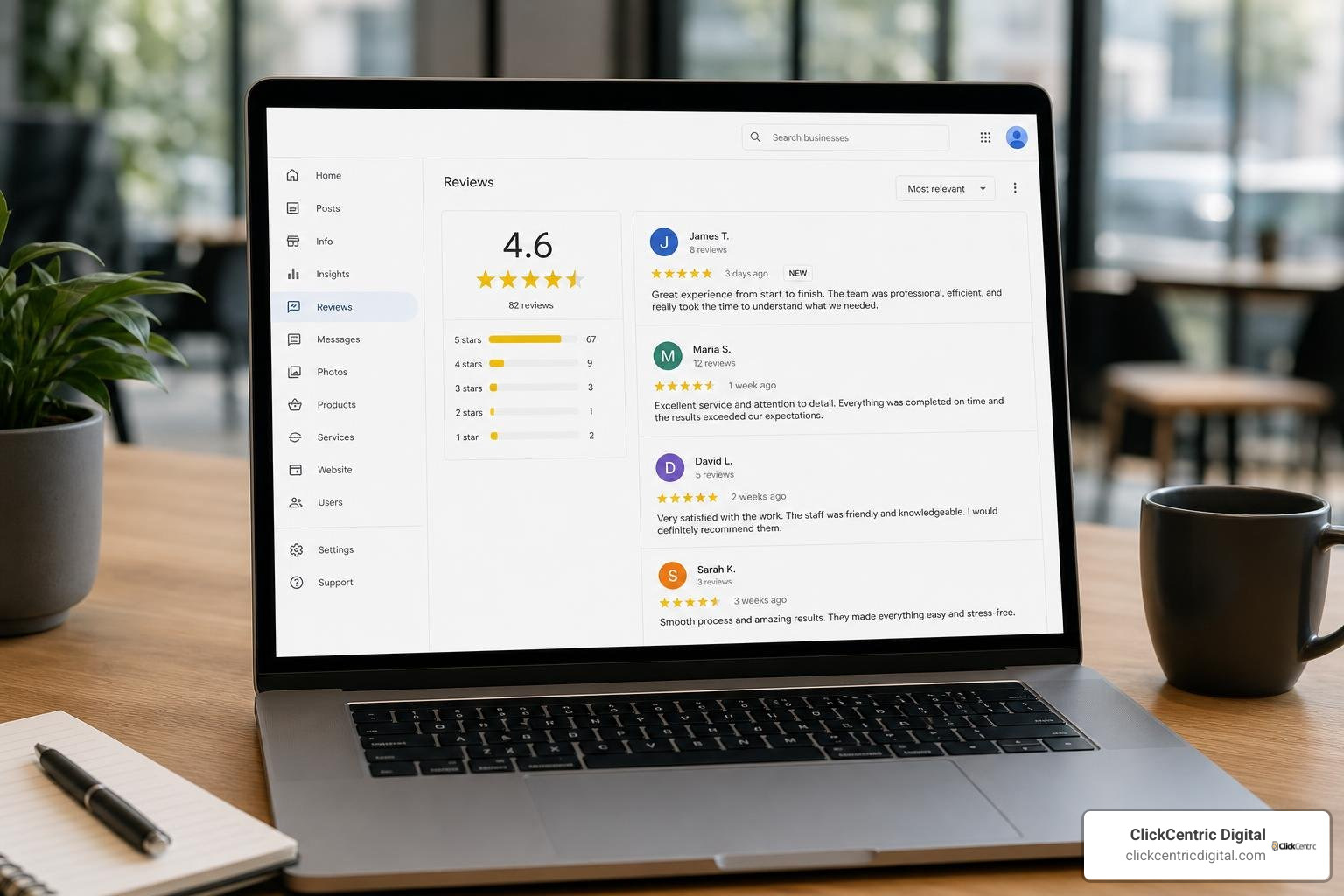
Google does not give merchants the direct power to delete reviews. This is a deliberate design choice. If businesses had a simple “delete” button, the entire system would lose its value. Every business profile would show a perfect 5.0 rating, and consumers would no longer trust the platform to guide their purchasing decisions.
Instead, the power of direct deletion remains strictly with:
- The original reviewer: The person who wrote the review can log into their Google account at any time and modify or delete their feedback.
- Google itself: Google’s automated systems or manual moderation team can remove reviews that violate their Terms of Service.
For a deep dive into the realities of this system, check out our Review Removal Reality Check: Can You Really Delete Google Feedback?. You can also review Google’s official documentation on how users manage their feedback in the Add, edit, or delete Google Maps reviews & ratings guide.
Why Google Restricts Direct Review Deletion
Google’s primary asset is consumer trust. If local searchers in Kalamazoo or South Haven suspect that local businesses are sanitizing their reviews to hide poor customer service or low-quality work, they will stop using Google Maps to find local services.
To maintain platform integrity, Google acts as an impartial mediator. They do not get involved in subjective disputes between a merchant and a customer. If a customer leaves a 1-star review claiming your service was slow, Google will not investigate whether your staff was actually running behind that day. Google’s stance is that the customer is entitled to their opinion, even if it is harsh or feels unfair.
To understand the broader ecosystem of how these reviews impact your local reach, take a look at our comprehensive guide on Google Reviews: Everything You Need to Know.
Can Businesses Delete Google Reviews via the API?
For larger businesses or agencies managing multiple locations across West Michigan, utilizing automated software is common practice. However, developers and technical teams often wonder if there is a back-door method to delete reviews programmatically.
Through the official Work with review data API, Google allows businesses to:
- List and retrieve reviews in bulk across multiple locations.
- Programmatically post replies to customer reviews.
- Edit or delete their own replies to those reviews.
However, the API does not expose any endpoint for deleting customer reviews. Just like the standard web dashboard, the API limits your deletion power strictly to the responses you write, preserving Google’s strict boundary between merchant control and user-generated content.
What Types of Google Reviews Are Eligible for Removal?
While you cannot delete reviews just because they hurt your feelings or your star rating, Google does have a strict set of Prohibited and Restricted Content policies. If a review crosses these lines, it is eligible for removal.
To help you distinguish between a review you have to live with and one you can actively dispute, we have put together this comparison table:
| Review Type | Description | Eligible for Removal? | Actionable Step |
|---|---|---|---|
| Subjective Complaints | “The food was cold and the service was slow.” | No | Respond professionally and resolve the issue. |
| Spam & Fake Content | Posted by bots, multiple accounts, or clearly fake profiles. | Yes | Flag for policy violation. |
| Harassment or Hate Speech | Contains personal attacks, slurs, or threats. | Yes | Flag immediately as inappropriate. |
| Conflict of Interest | Left by a competitor, a current employee, or a disgruntled ex-employee. | Yes | Flag and submit evidence of the relationship. |
| Off-Topic Content | Rants about politics, social issues, or things unrelated to the business. | Yes | Flag as off-topic. |
| Profanity & Explicit Language | Contains curse words, sexually explicit text, or graphic depictions. | Yes | Flag for offensive content. |
If you are dealing with a review that fits into one of the eligible categories, you are not stuck with it. For a detailed breakdown of these policy categories, read our guide on Can You Get a Bad Review Removed From Google or Are You Stuck With It?.
How to Flag and Appeal a Google Review for Removal
If you spot a review that clearly violates Google’s policies, you must formally bring it to Google’s attention. This process is known as “flagging” or “reporting.”
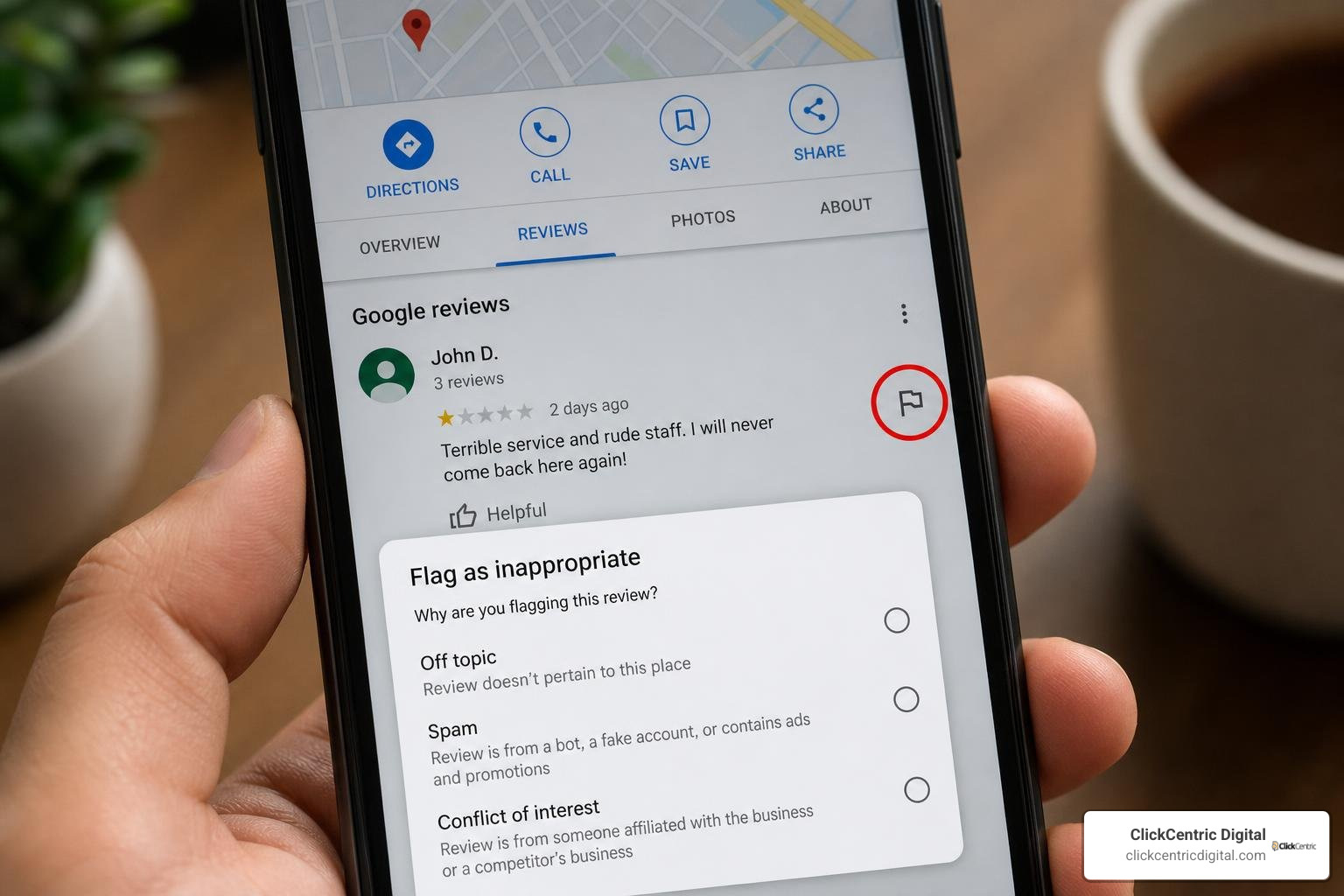
Filing a report does not guarantee removal, but it triggers a review by Google’s moderation systems. Let’s look at how to handle this efficiently.
Step-by-Step Guide to Flagging a Review
To flag an inappropriate review, you can use Google Maps, Google Search, or the dedicated Reviews Management Tool. Here is the standard process:
- Locate the Review: Find your business profile on Google Maps or Google Search.
- Click the Three Dots: Find the specific review you want to report and click the three vertical dots next to it.
- Select “Report Review”: Choose this option to open the reporting menu.
- Choose the Violation Reason: Select the policy violation that best matches the review (e.g., “Conflict of interest” or “Off-topic”).
- Submit: Send the report to Google for evaluation.
For bulk reporting or to track the status of your requests, we highly recommend using the official Google Reviews Management Tool. It displays whether your request is “Decision pending,” “No policy violation,” or “Escalated.”
For more strategic tips on maintaining your peace of mind during this process, read our guide on How to Delete Google Business Reviews and Keep Your Sanity. Additionally, you can find helpful workflow tips in this guide on Requesting Removal of a Google Review.
How to Appeal a Rejected Review Removal Decision
It can be incredibly frustrating to flag a blatantly fake review only to receive an automated response from Google stating that “no policy violation was found.”
Do not give up just yet. If your initial flagging request is rejected, Google allows a one-time appeal through the Reviews Management Tool.
When submitting an appeal, you can select up to 10 reviews at once. This is your opportunity to present clear, evidence-based arguments. For example, if a competitor left a fake review, you can explain how the reviewer’s name matches a rival business owner or ex-employee. If the appeal is rejected, your next step is to contact Google Business Profile Support directly with your evidence.
For a complete walkthrough of the appeal process, see our step-by-step guide: How Do You Get Rid of Bad Google Reviews: A Step-by-Step Guide.
Why Do Google Reviews Sometimes Disappear Automatically?
Sometimes, business owners notice their review count dropping without any intervention on their part. If you have noticed legitimate 5-star reviews vanishing, you are not alone.
Google uses highly aggressive, automated machine-learning algorithms to detect and remove spam reviews. Because these filters run continuously, they occasionally catch legitimate feedback in their net. This issue has become increasingly prominent.
Industry reports show that Google Deleting Local Reviews More Than Ever. In English-speaking markets like ours, positive 5-star reviews are disproportionately affected by these automated sweeps. This has led to widespread Complaints Of Google Reviews Being Removed Again within the local search community.
Common triggers that cause Google’s filters to automatically delete reviews include:
- Review Spikes: Getting a sudden influx of reviews over a short period (which Google flags as non-organic).
- Review Gating: Only asking satisfied customers for reviews while discouraging unhappy ones. Google’s updated guidelines strictly prohibit this practice.
- On-Premises Solicitations: Pressuring customers to write reviews while they are connected to your business’s public Wi-Fi network. Google may flag these as suspicious or coerced.
- Incentivized Reviews: Offering discounts, free items, or entries into a raffle in exchange for a review.
How to Handle Negative Reviews That Cannot Be Deleted
If a negative review is legitimate—or if Google rejects your appeals—you have to accept that it is staying on your profile. However, a bad review is not the end of the world. In fact, 53% of consumers expect businesses to have at least a 4-star rating, meaning you don’t need a perfect 5.0 to win customers. A mix of ratings actually makes your profile look more authentic.
The key is how you handle it. You can turn a bad review into a marketing opportunity by responding professionally.
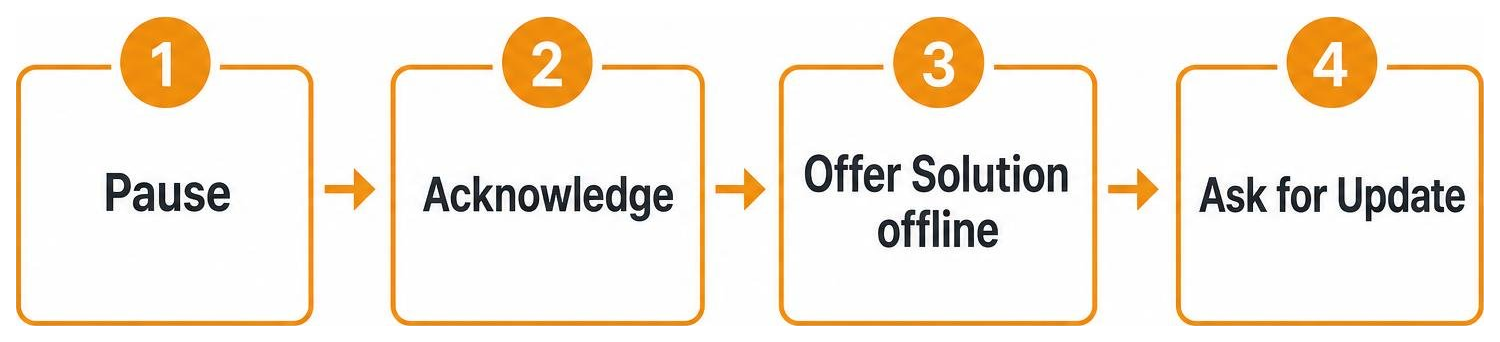
When responding to a negative review:
- Take a deep breath: Never respond when you are angry.
- Keep it professional and brief: Acknowledge the customer’s frustration, apologize for any miscommunication, and keep your response polite.
- Take it offline: Provide a direct phone number or email address so the customer can reach out to resolve the issue privately.
- Call out mistakes gently: If you have no record of the reviewer ever doing business with you, it is perfectly fine to say: “We take pride in our service, but we cannot find any record of a customer under your name. Please contact us directly so we can resolve this.”
If you successfully resolve the issue offline, many customers will willingly edit or delete their original review.
For more tips, check out our guides on How to Remove Negative Reviews: 5 Guaranteed Methods and Manage Your Google Review Responses Like a Pro.
Can Businesses Delete Google Reviews by Blocking Users or Disabling Feedback?
Some business owners wonder if they can simply turn off the review feature altogether or block specific problematic users from leaving feedback.
The short answer is no. Google does not allow you to disable reviews on active business listings, nor does it provide a way to block specific individuals. Google is an open platform, and as long as your business is listed on Google Maps, anyone with a Google account can leave a rating.
Legal Options for Defamatory or Fake Reviews
In extreme cases—such as a coordinated smear campaign by a competitor or highly damaging, defamatory lies posted by an individual—you may have legal options.
A formal cease-and-desist letter sent to the reviewer can sometimes prompt them to delete the review. However, legal action should always be a last resort. Lawsuits are expensive, slow, and can trigger the Streisand effect—drawing far more negative attention to the bad review than it would have received on its own.
Proactive Reputation Management: Balancing the Scales
The single best defense against an unfair 1-star review is a steady offense of authentic 5-star reviews. If your business has seventy 5-star reviews, a single 1-star review will barely nudge your overall rating.
By building a systematic, ethical process for collecting feedback, you can dilute the impact of negative reviews and show prospective customers in West Michigan that you consistently deliver great results.
To master this process, explore our guides on Mastering Local Reviews to Win More Customers and The Business Owner’s Guide to Google Review Mastery.
Ethical Ways to Encourage More Positive Reviews
To keep your review pipeline full without triggering Google’s spam filters, use these safe, effective tactics:
- Incorporate QR Codes: Place clear QR codes on your receipts, menus, or business cards linking directly to your Google review page.
- Send Timely Email Follow-ups: Send a polite email request shortly after completing a service or delivery, while the positive experience is fresh in the customer’s mind.
- Send SMS Requests: For service-based businesses in Grand Rapids or Kalamazoo, a quick text message with a direct link is often the easiest way for customers to leave feedback.
- Train Your Team: Encourage your staff to ask for feedback naturally at the end of a positive interaction. For example: “If you enjoyed your service today, we’d love it if you left us a quick review on Google!”
Frequently Asked Questions about Google Review Deletion
Can a business delete my Google review if I edit it?
No. Even if you edit your review, the business cannot delete it. However, editing your review will update the public post date to the date of your last edit, and the business will receive a notification of the update.
How long does it take for Google to remove a flagged review?
It typically takes Google’s moderation team several days to evaluate a reported review. You can track the status of your request in the Google Reviews Management Tool.
What should I do if a competitor leaves a fake 1-star review?
First, flag the review for a “Conflict of interest” violation. If Google rejects the initial flag, use the Reviews Management Tool to submit a one-time appeal with clear evidence showing the reviewer’s connection to the competing business.
Conclusion
While the answer to can businesses delete Google reviews is a definitive no, you are far from powerless. By understanding Google’s policies, mastering the flagging and appeal process, and responding professionally to negative feedback, you can protect your brand’s online presence.
Managing your reputation while running a business in Grand Rapids, Holland, Grand Haven, South Haven, or Kalamazoo can be a balancing act. At ClickCentric Digital, we help local businesses improve their search rankings, build robust review acquisition systems, and leverage paid traffic to win more customers.
Ready to take control of your online presence? Learn more about our Reputation Management services and let us help you build a brand that local customers trust.
Sorry, the comment form is closed at this time.