

22 Sep Beginner’s Guide to a Google Ads Audit
Beginner’s Guide to a Google Ads Audit
Start With a Google Ads Audit to Find Waste and Growth Opportunities

A Google Ads audit is a structured review of your account to find wasted spend, tracking problems, weak targeting, and missed conversion opportunities. Start by checking that conversions are recorded correctly, review roughly 90 days of performance data, then inspect campaign settings, search terms, keywords, ads, landing pages, and budgets.
For a local business, the biggest wins often come from simple fixes:
- Stop ads from showing in irrelevant locations or at unhelpful times.
- Add negative keywords for searches that do not lead to customers.
- Fix broken or misleading conversion tracking before changing bids.
- Shift budget toward campaigns, devices, and search terms that produce profitable leads or sales.
Small leaks add up quickly. Average small-business Google Ads spend is often reported at about $9,000 to $10,000 per month, so even a 15% improvement in efficiency can redirect meaningful budget toward clicks that are more likely to become customers.
A good audit does not just chase lower cost per click. It helps you answer the question that matters: Is your ad budget producing real business results? I am Fred Dirkse, and this guide will walk you through how to answer that question with a practical, repeatable process.
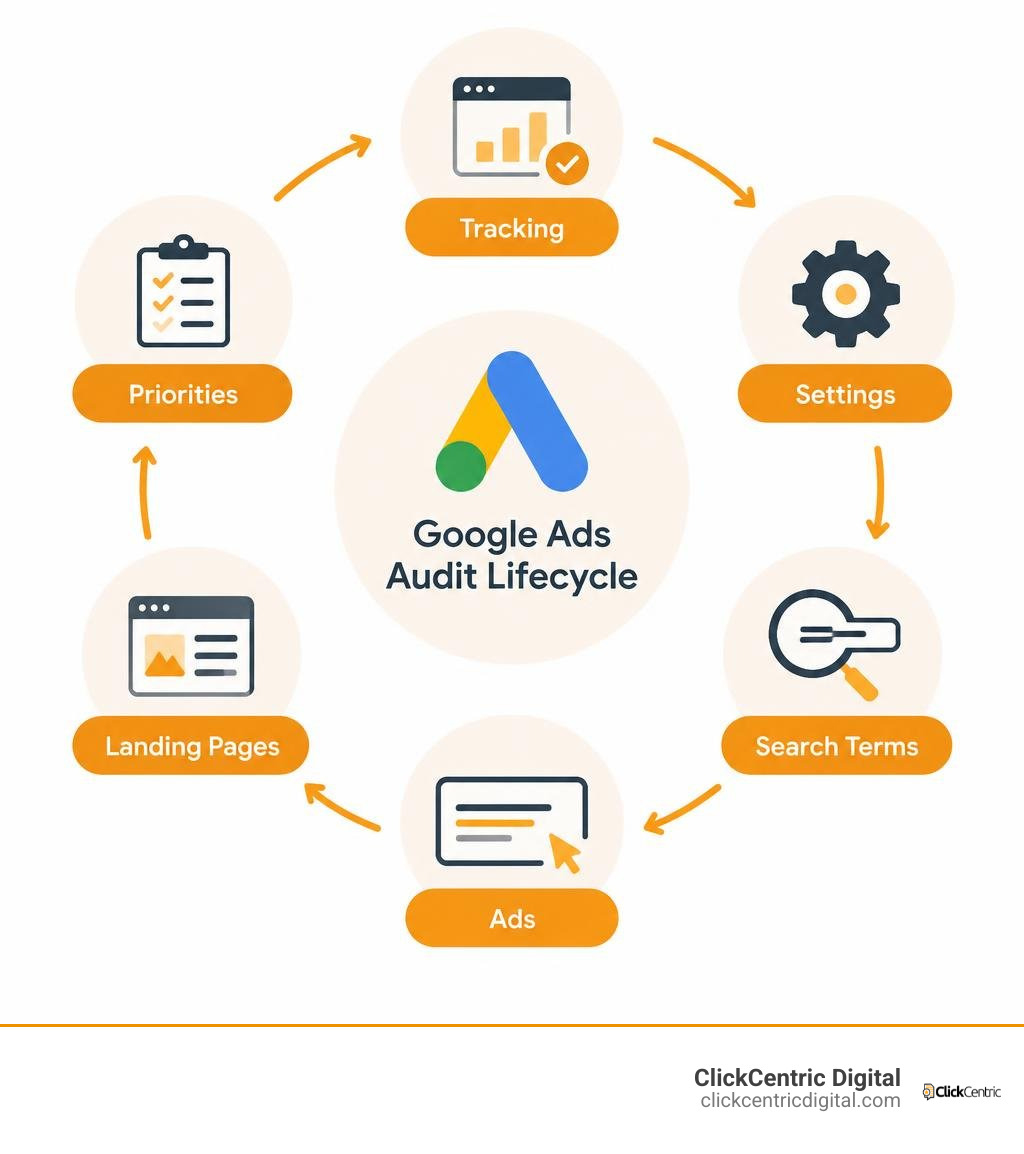
What Is a Google Ads Audit and Why Is It Essential?
A Google Ads audit is a systematic health check of your entire advertising ecosystem. Over time, accounts suffer from structural decay and performance drift. You add a few keywords here, test a new automated bid strategy there, and suddenly your campaigns are running on autopilot without alignment to your actual bottom line.
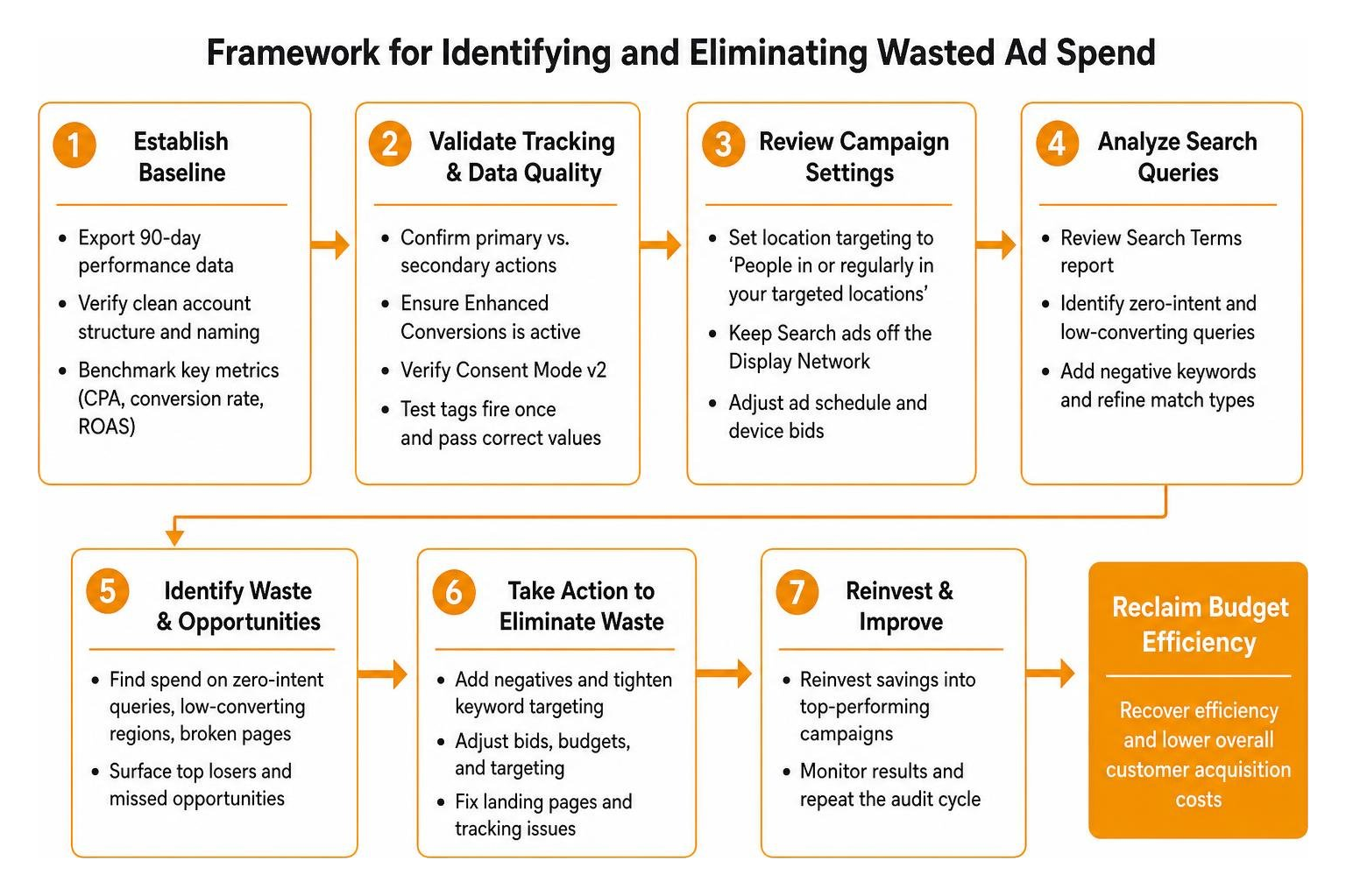
When accounts are left unmonitored, ad spend quietly leaks into search queries that have zero purchase intent, low-converting geographic regions, or broken landing pages. In fact, unaudited accounts routinely waste 20% to 25% of their total budget. By using a dedicated Google Ads analyzer to benchmark your performance metrics against industry standards, you can establish clear baselines for cost per acquisition (CPA), conversion rates, and return on ad spend (ROAS).
Auditing is not about criticizing past decisions; it is about reclaiming budget efficiency. Recovering even a 15% efficiency gain allows you to reinvest thousands of dollars back into top-performing campaigns, lowering your overall customer acquisition costs and driving predictable revenue growth.
Key Pre-Audit Checks: Tracking, Baseline Data, and Settings
Before adjusting bids or restructuring campaigns, you must establish an accurate baseline. Diving into keyword adjustments without reliable data is like trying to fix an engine without checking the oil gauge first.
Begin by exporting a 90-day performance window. A 90-day lookback period smooths out weekly fluctuations, captures seasonal shifts, and provides statistically significant data for keyword and ad evaluation. Check your overarching account hierarchy to verify that campaigns follow a clean, descriptive naming convention (such as separating brand, non-brand, and geographic targets like West Michigan or Grand Rapids MI).
Validating Conversion Tracking and Consent Mode
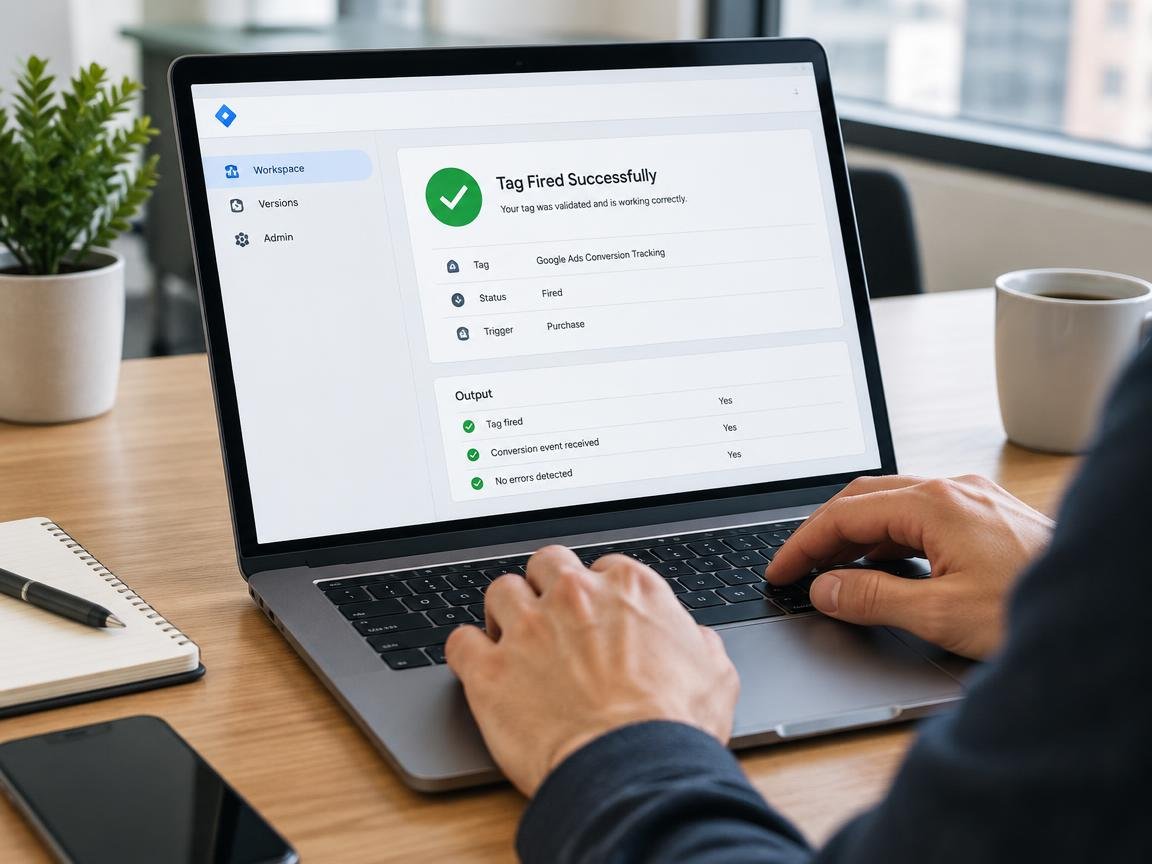
Never trust performance metrics until you verify your conversion tags. If your conversion tracking is broken, duplicate-firing, or counting page views as purchases, every automated bidding algorithm in your account will optimize toward bad data.
- Primary vs. Secondary Actions: Ensure only core bottom-line actions (completed form fills, booked calls, finalized checkouts) are set as Primary conversions. Secondary actions (such as newsletter sign-ups or PDF downloads) should remain observational so they do not artificially inflate Smart Bidding targets.
- Enhanced Conversions: In 2026, privacy changes make first-party data matching mandatory. Confirm Enhanced Conversions is active to send hashed customer data securely back to Google, recovering lost conversion attribution.
- Consent Mode v2: Verify that your consent management platform correctly passes user signals to remain compliant and preserve accurate modeling.
- Tag Validation: Submit live test leads through your website to confirm that tags fire exactly once per unique action and accurately pass values into your reporting dashboard.
Common Campaign Settings That Waste Budget
Default settings in Google Ads are designed to maximize Google’s reach, not necessarily your profitability. Checking these basic switches is one of the quickest ways to eliminate immediate waste, following standard campaign optimization guidelines.
- Location Targeting Options: By default, Google targets people in, regularly in, or who have shown interest in your targeted locations. If you serve clients specifically in Holland MI or Kalamazoo MI, this setting can cause your ads to show to users across the globe who simply searched for your town. Change this setting to Presence: People in or regularly in your targeted locations.
- Display Expansion on Search Campaigns: Avoid opting Search campaigns into the Google Display Network. Display traffic behaves fundamentally differently from high-intent search traffic, and mixing them often burns Search budget on cheap, accidental clicks.
- Ad Scheduling & Device Bid Adjustments: Check your performance by device and time of day. If mobile traffic generates an abnormally high CPA, or if nobody answers calls after 6:00 PM, apply bid adjustments or schedule your ads strictly during operational hours.
Step-by-Step Framework to Audit Keywords and Reduce Wasted Spend
Keywords represent the core intent of your Search campaigns. Without ongoing pruning, keyword bloat dilutes your budget across low-intent queries. Mastering Google PPC management requires balancing volume with searcher intent.

How to Run a Keyword-Level Google Ads Audit
Review your active keyword lists across all ad groups to evaluate match types, intent, and cannibalization:
- Match Type Hygiene: Assess your distribution of exact, phrase, and broad match keywords. While broad match paired with Smart Bidding can uncover valuable search volume, it must be constrained by tight audience signals and comprehensive negative lists. Ensure your high-value exact match terms are not competing against broader variations in separate ad groups.
- Keyword Cannibalization: Look for duplicate keywords across campaigns. When multiple ad groups bid on identical terms, they compete against each other, driving up internal costs and fragmenting historical performance data.
- Zero-Impression and Disapproved Keywords: Identify keywords that have generated zero impressions over the past 90 days. Pause or remove them to keep your account clean and responsive.
- Search Lost IS (Budget): Review your Impression Share lost to budget. If a high-converting keyword group is losing more than 20% impression share purely due to funding constraints, reallocate budget from underperforming ad groups to capture ready-to-buy searchers.
Negative Keywords and the Search Terms Report
The Search Terms Report reveals the actual queries users typed before clicking your ads, rather than just the keywords you bid on. This report is your primary defense against wasted spend.
Use a structured audit signal evaluation framework to inspect your search term efficiency. Calculate your Lin-Rodnitzky ratio (the cost per conversion across all search queries divided by the cost per conversion of your converting search queries) to measure account hygiene. A ratio between 1.5 and 2.0 indicates an ideal balance of discovery and efficiency, while a ratio above 2.5 signals significant budget waste on non-converting terms.
Build account-level negative keyword lists as well as campaign-specific lists. Systematically add negative keywords for irrelevant job searches (“jobs,” “careers,” “salary”), freebie seekers (“free,” “cheap,” “DIY”), and unrelated product categories.
Optimizing Quality Score, Ads, and Performance Max
Google’s Quality Score (measured on a 1–10 scale) directly impacts what you pay per click and where your ads rank. Improving your Quality Score lowers your cost per click while maintaining top-page visibility. Leveraging the top tools for Google Ads management allows you to monitor Quality Score trends and automate diagnostic alerts across large keyword sets.
Diagnosing Quality Score Components
A high Quality Score requires balance across three core elements:
- Expected Click-Through Rate (eCTR): Measures how likely your ad is to be clicked when shown. Improve this by writing compelling, benefit-focused headlines that align tightly with user intent.
- Ad Relevance: Reflects how closely your ad copy matches the keywords in your ad group. Keep ad groups tightly themed around 5 to 15 closely related keywords so the ad speaks directly to the search query.
- Landing Page Experience: Evaluates whether your destination page is transparent, easy to navigate, fast, and directly relevant to the ad.
Calculate your spend-weighted Quality Score across the entire account. If more than 10% of your total monthly ad spend is going toward keywords with a Quality Score below 5, you are paying a heavy penalty on every single auction.
Ad Copy, Assets, and Landing Page Experience
Review your Responsive Search Ads (RSAs) to ensure every ad group contains at least one ad with an “Excellent” or “Good” ad strength rating. Provide distinct, diverse headlines—avoid simply repeating the keyword fifteen times across different asset fields. Pin essential disclaimers or local location markers sparingly so Google’s machine learning can freely test optimal combinations.
Ensure your campaigns take full advantage of assets (formerly extensions):
- Sitelinks: Direct users to specific service pages, financing options, or about pages.
- Callouts & Structured Snippets: Highlight key business differentiators, certifications, and service offerings.
- Call Assets: Enable direct click-to-call functionality for mobile users needing immediate service.
Landing page performance is equally critical. If your page takes longer than three seconds to load on mobile devices, you are paying for clicks that bounce before ever seeing your offer. Pair your ad reviews with technical SEO auditing services to ensure fast page speeds, mobile responsiveness, and clean conversion paths.
Modern Performance Max and AI Campaign Auditing
Performance Max (PMax) campaigns require specialized auditing techniques because Google bundles Search, Display, YouTube, Discover, and Maps into a single campaign type.
To ensure your Performance Max campaigns operate effectively:
- Audience Signals & Search Themes: Check that every Asset Group includes strong first-party audience signals (such as Customer Match lists) and specific search themes to guide automated targeting.
- Brand Exclusions: Apply account-level brand exclusion lists to prevent PMax from taking credit for organic brand searches that would have converted anyway.
- Placement Exclusions: Review your PMax placement reports and exclude low-quality display URLs, parked domains, and mobile gaming apps that generate high click volume with zero conversion value.
Executing and Maintaining Your Audit Strategy
An audit is only as valuable as the actions taken after the report is generated. Group your findings into three distinct categories to avoid overwhelm:
- Critical Fixes (Immediate): Broken conversion tracking, runaway negative keyword exclusions, active Display opt-ins on Search, and incorrect location settings.
- Strategic Optimizations (Week 1–2): Restructuring low-performing ad groups, updating responsive search ad assets, fixing landing page speed issues, and setting device bid adjustments.
- Routine Maintenance (Ongoing): Weekly search terms reviews, negative keyword expansions, and A/B ad copy testing.
Professional Agency vs. DIY Google Ads Audit
Deciding whether to perform an audit yourself or hire an outside team depends on your internal bandwidth, technical expertise, and total ad spend.
| Audit Factor | DIY In-House Audit | Professional Agency Audit |
|---|---|---|
| Deep Business Context | High (you know your margins and customers) | Requires onboarding and discovery |
| Tooling & Diagnostic Tech | Limited to native UI and basic spreadsheets | Enterprise-grade scrapers and monitoring tools |
| Objective Perspective | Can suffer from internal confirmation bias | Unbiased evaluation against industry benchmarks |
| Time Investment | 10–20 hours of manual data analysis | Minimal internal time required |
| Implementation Speed | Often delayed by daily business tasks | Fast, dedicated remediation process |
If your internal team has the time and analytical skill, a DIY audit can uncover straightforward structural issues. However, if your campaigns spend substantial budget each month, hiring a certified PPC expert provides the advanced diagnostics needed to unlock maximum efficiency. Many businesses find that partnering with affordable Google Ads management services delivers immediate positive ROI simply by cutting the wasted spend uncovered during the initial review.
Audit Frequency and Essential Reporting Metrics
Auditing is not a one-time project. As competitor bidding changes and search behavior shifts, your account requires continuous oversight.
- Monthly Mini-Audits: Review Search Terms Reports, check conversion tracking health, prune zero-converting queries, and monitor budget pacing.
- Quarterly Deep-Dives: Re-evaluate Quality Scores, review structural campaign hierarchies, audit Performance Max placement health, and refresh creative assets.
- Core Metrics to Track: Focus on Cost per Acquisition (CPA), Return on Ad Spend (ROAS), Impression Share Lost to Budget/Rank, Click-Through Rate (CTR), and Spend-Weighted Quality Score.
Frequently Asked Questions About Auditing Google Ads
How often should a Google Ads account be audited?
For accounts spending between $2,000 and $10,000 per month, conduct a comprehensive audit once every quarter, accompanied by monthly search term and budget checkups. If your account spends over $20,000 monthly, run deep-dive audits every 30 to 60 days to prevent performance drift.
What is the most common reason for wasted ad spend?
The leading cause of wasted ad spend is loose keyword targeting combined with default location settings. Accounts that rely heavily on unmonitored broad match keywords without robust negative keyword lists often waste substantial budget on unqualified clicks.
How long does a thorough audit take to complete?
A comprehensive manual audit for a standard small-to-midsize business account typically takes between 4 and 8 hours of focused analysis. Complex enterprise accounts with dozens of campaigns, multiple conversion goals, and international targeting may require several days to thoroughly inspect.
Conclusion
A successful Google Ads campaign is never truly “set and forget.” Consistent auditing gives you total clarity over where every marketing dollar goes, protecting your profit margins from structural decay and unnecessary platform defaults. By systematically eliminating wasted search terms, tightening geographic targeting, validating conversion tracking, and optimizing your Quality Scores, you transform unpredictable ad spend into a reliable, revenue-generating asset.
If you are ready to stop guessing and start scaling your campaigns with absolute confidence, our team at ClickCentric Digital is here to help. Discover how our professional paid traffic management services can streamline your account, lower your customer acquisition costs, and drive sustainable growth for your business.
Sorry, the comment form is closed at this time.