


17 Jul Never Miss Feedback Again with a Slack Review Monitor
Never Miss Feedback Again with a Slack Review Monitor
What Is a Slack Review Monitor — and Why Should You Care?
A review monitor Slack integration is a tool that automatically sends new customer reviews from platforms like Google, the App Store, or Google Play directly into your Slack workspace — so your team sees feedback the moment it happens.
Here’s how the top Slack review monitoring tools work at a glance:
| Tool | Platforms Supported | Key Feature |
|---|---|---|
| AppFollow | App Store, Google Play, Amazon, Mac App Store, Windows Store | Multi-store aggregation + direct replies |
| Reviewflowz | Google, Trustpilot, G2, Capterra, Yelp, App Store, and more | AI reply suggestions + smart filters |
| Appbot | iOS, Android | Filter by star rating, country, or topic |
| AppReviewBot | iOS, Android | Real-time alerts in under 60 seconds + auto-translate |
Most local business owners find out about a bad review days after it was posted — if they find out at all. By then, the damage is done. Other potential customers have already read it, and the window to respond in a way that shows you care has closed.
The problem isn’t that business owners don’t want to respond to reviews. It’s that review monitoring is easy to forget when you’re juggling everything else.
That’s where Slack changes the game. Your team is already in Slack. When a new review lands in a channel you actually check, it stops being something you have to remember — and starts being something you simply can’t miss.
Whether you’re managing one Google Business Profile or dozens of app store listings, there’s a Slack integration that can route the right reviews to the right people, in real time.
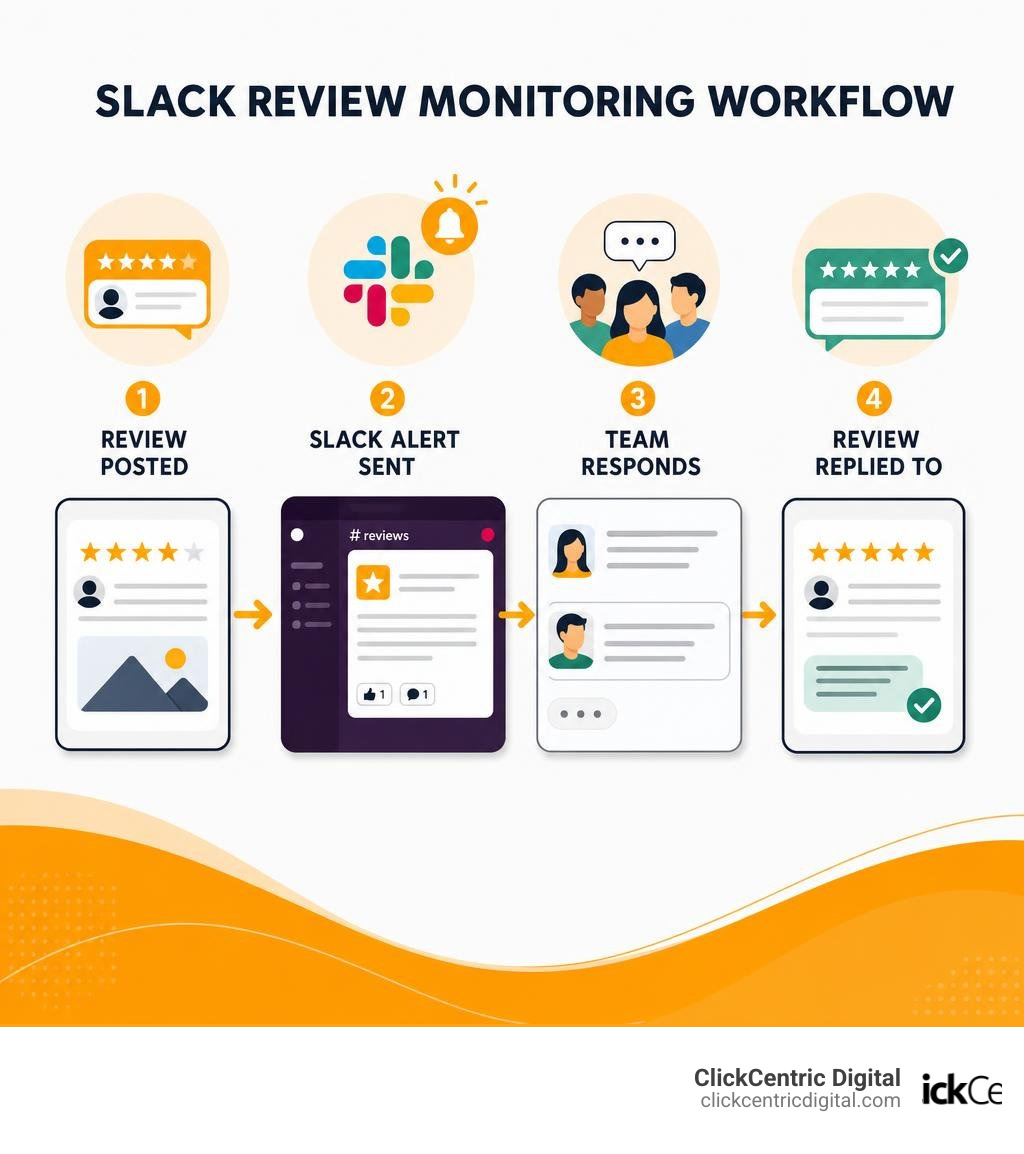
Quick review monitor slack definitions:
Why Your Business Needs a Review Monitor Slack Integration
For businesses operating in highly competitive local markets—whether you are a service provider in Grand Rapids, a retail shop in Holland MI, or a tourism brand in South Haven MI—online reputation is everything. If you are not actively listening to what your customers say, you are leaving your brand’s image to chance.
Integrating a review monitor slack tool directly into your team’s communication hub offers several transformative advantages over traditional, siloed review management methods:
- Unmatched Response Speeds: Traditional review management relies on email notifications or logging into multiple dashboards (Google Business Profile, App Store Connect, etc.). These notifications are easily lost in cluttered inboxes. With a Slack integration, alerts arrive instantly in a dedicated channel, allowing your customer support or success team to respond within minutes.
- Seamless Team Collaboration: Instead of a single manager handling all reviews in isolation, Slack allows your entire team to view, discuss, and strategize. If a customer leaves a highly technical bug report for your mobile app, or a complex complaint about a service call in Grand Haven MI, your support agent can easily tag a developer or field manager in a thread to get the correct facts before responding.
- Dramatically Improved Customer Engagement: Quick, thoughtful responses to both positive and negative reviews show prospective buyers that you care. When customers see active engagement, it builds trust and directly influences local search rankings.
- Centralization of Feedback: Instead of logging into five different platforms to see what people think of your brand, a Slack integration aggregates reviews from iOS, Android, Google Maps, and Amazon into one unified stream.
By removing the friction of jumping between tabs, you turn review management from a chore into a natural part of your daily communication workflow. To explore how these integrations fit into a broader brand strategy, check out our guide on The Best Review Monitoring Services to Save Your Brand’s Reputation.
Top Slack Apps for Monitoring App and Business Reviews
There are several highly specialized applications available in the Slack App Directory designed to bridge the gap between review platforms and your workspace. These tools range from enterprise-grade software tracking global app store deployments to lightweight integrations perfect for local businesses monitoring Google reviews.
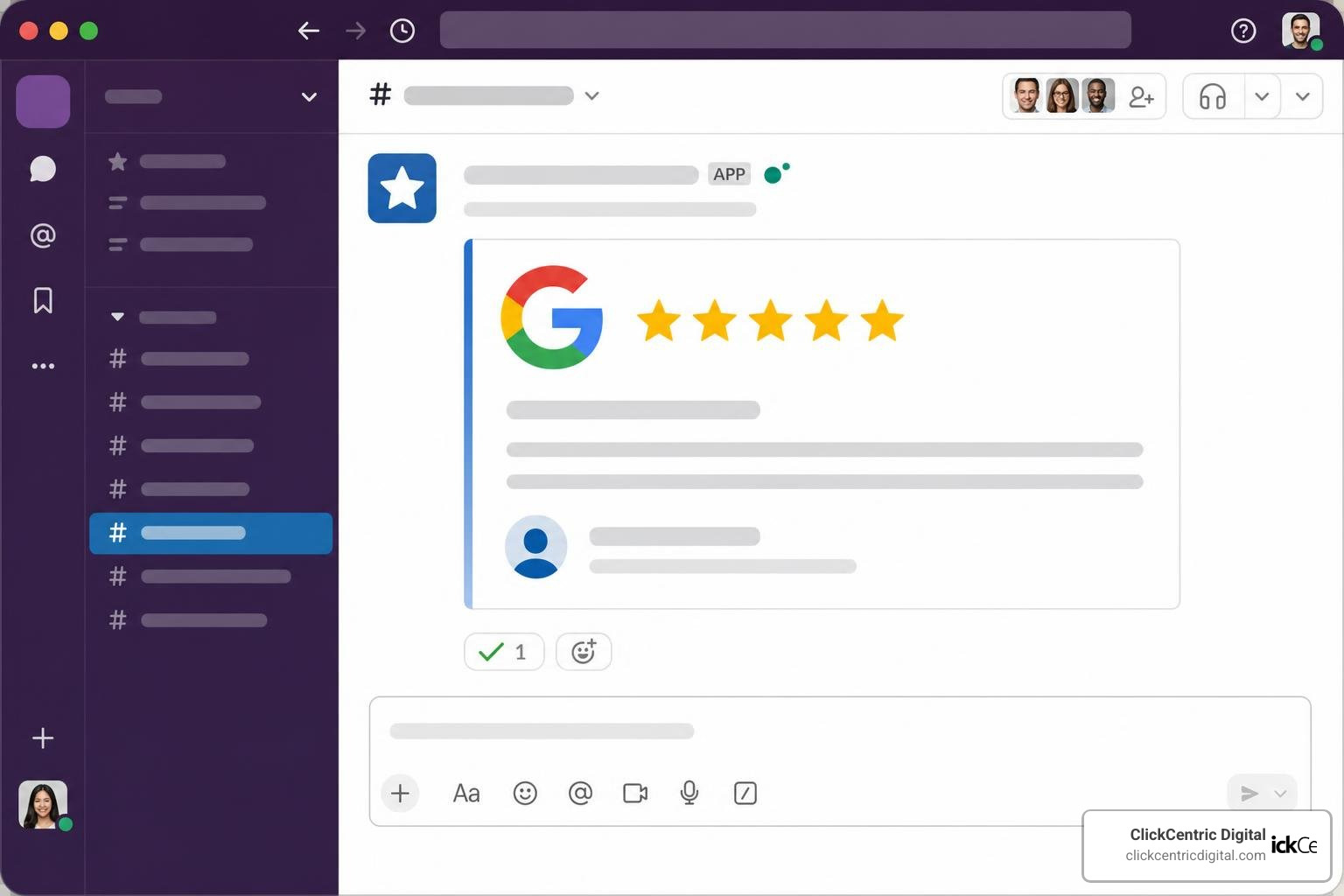
AppFollow: A Comprehensive Review Monitor Slack App
For businesses managing mobile applications, AppFollow: Review & Updates Monitor is an industry gold standard. It acts as a powerful aggregator, bringing in app data, reviews, downloads, and sales performance from five major app stores: the Apple App Store, Google Play, Mac App Store, Windows Store, and Amazon.
Key features of AppFollow’s Slack integration include:
- Direct In-Slack Replies: You can reply to iOS, Android, and Amazon reviews directly within your Slack channels without redirecting to the external app store consoles.
- Competitor Tracking: Monitor your competitors’ app updates, review trends, and keyword rankings alongside your own data.
- Automated Performance Reports: Receive regular summaries of your app’s performance metrics, including ratings, downloads, and keyword position changes.
- Enterprise Security: AppFollow is built with compliance in mind, supporting Single Sign-On (SSO) with Azure, AWS, Google Workspace, Okta, OneLogin, and PingID. It is ISO/IEC-27001 certified and GDPR compliant, retaining customer data for 1 year of activity and removing all data after 12 months of inactivity.
Reviewflowz: Google Review Monitor Slack Integration
If your primary focus is local search engine optimization (SEO) and Google Business Profile management, Reviewflowz is an exceptional choice. It is designed to get Google reviews into your Slack workspace instantly, allowing you to manage your local reputation without logging into Google.
Key highlights of Reviewflowz include:
- Simple 4-Step Setup: You can connect your Google Business Profile by simply searching your business name or pasting your profile URL, linking your Slack workspace, configuring your filters, and starting. No complex API access is required.
- AI-Powered Reply Suggestions: Reviewflowz generates AI reply suggestions tailored to the tone and content of the review, which you can edit and post directly from Slack.
- Smart Filtering: Filter notifications so you only get alerted for specific star ratings, long text reviews, or reviews containing specific keywords.
- Competitor and Multi-Location Monitoring: You can monitor reviews for any company—not just your own—making it a powerful tool for local competitive intelligence in West Michigan.
To see how Reviewflowz compares to other tools on the market, read our breakdown of how to Stop the Trolls with These Reputation Monitoring Tools.
Appbot and AppReviewBot for Automated Alerts
For teams focused on global reach and rapid-fire response times, Appbot and AppReviewBot offer incredible automated alert systems.
Appbot is renowned for its deep sentiment and semantic analysis. When it pushes reviews to Slack, it doesn’t just show the text; it can categorize reviews by topic, sentiment, or country.
- It supports robust filtering by star rating, country/language, or custom tags.
- Weekly summaries are automatically sent every Tuesday around 4:00 PM UTC, keeping the broader team aligned on overall sentiment trends.
- For teams using Appbot’s Large or Premium plans, direct in-Slack replies are supported once your App Store Connect or Google Play Console is linked.
AppReviewBot, on the other hand, is built for pure speed.
- It delivers new reviews to your Slack channel in under 60 seconds of them being published.
- It supports auto-translation for over 100 languages, making it incredibly easy for a US-based support team to understand and address feedback from international users.
- It offers unlimited app and country monitoring at no extra cost, providing a budget-friendly way to scale your review monitoring.
For a broader look at how Slack can streamline your overall team operations beyond review tracking, check out this video review: Slack Review 2026 – Should You Use It for Team Communication?.
How to Set Up and Optimize Your Slack Review Monitoring Workflow
Setting up a review monitor Slack system is only the first step. To truly benefit from it, you must optimize how the data flows and how your team interacts with it.
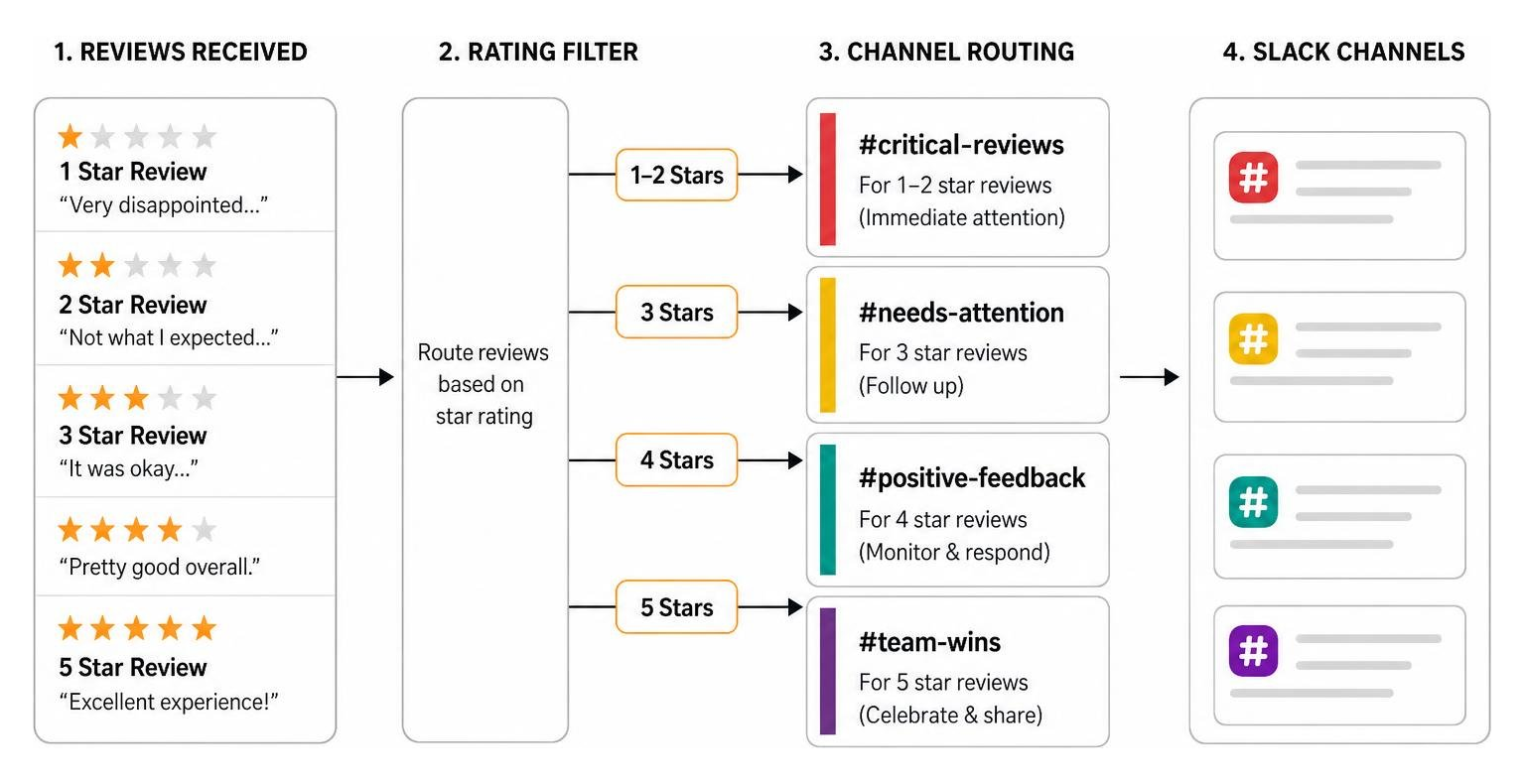
To build an efficient, distraction-free workflow, we recommend following these steps:
- Segment Your Channels: Do not dump every review into a single, general channel. Create dedicated channels for different feedback types. For example, direct all 1-star and 2-star reviews to
#critical-reviewsso your support team can prioritize immediate triage. Send 5-star reviews to#team-winsto boost morale and provide content for your marketing team. - Configure Smart Filters: High-volume apps or multi-location businesses in West Michigan (spanning Grand Rapids, Holland, and Kalamazoo MI) can easily suffer from notification fatigue. Use smart filters to exclude short, textless ratings if you only want to focus on actionable written feedback.
- Leverage Tagging and Translation: Ensure your integration is configured to auto-translate reviews. This allows your local team to read and respond to non-English reviews instantly. Set up automatic tagging based on keywords (e.g., “bug”, “refund”, “slow”) to route messages to the correct departments.
- Establish Clear Moderation Guidelines: When a critical review is flagged, ensure your team knows who is responsible for responding. You can use Slack’s built-in features to manage and Review flagged content in Slack to maintain professional internal communication.
- Secure Your Workspace: Ensure your review monitor app complies with your corporate security policies. Opt for tools that support SAML SSO and have undergone recent third-party penetration testing to protect your connected consoles.
To help you choose the right tool for your specific workflow, here is a comparison of how the top platforms handle key operational features:
| Feature | AppFollow | Reviewflowz | Appbot | AppReviewBot |
|---|---|---|---|---|
| Primary Focus | Mobile Apps & Amazon | Google & Local SEO | Mobile App Sentiment | Real-Time App Alerts |
| Direct Slack Replies | Yes (All Plans) | Yes (With AI Suggestions) | Yes (Large/Premium Plans) | Yes (One-Click Redirect) |
| Auto-Translation | Yes | Yes | Yes | Yes (100+ Languages) |
| Setup Complexity | Medium (Requires Console Links) | Very Low (4 Steps, No API) | Medium (Console Links) | Low (Fast Integration) |
| Free Trial | Yes | Yes (14-day trial) | Yes | Yes (14-day trial) |
Once your technical setup is complete, the next challenge is crafting the perfect response. To master this art, read our comprehensive guide on how to Manage Your Google Review Responses Like a Pro.
Frequently Asked Questions about Slack Review Monitoring
Can I reply to reviews directly within Slack?
Yes, depending on the tool and plan you choose. AppFollow and Reviewflowz allow you to type your response directly in a Slack message thread and send it back to the original platform. Appbot supports direct replies on its higher-tier plans, while AppReviewBot provides one-click deep links that take you directly to the reply console.
That to reply directly, you must securely connect your App Store Connect, Google Play Console, or Google Business Profile to the monitoring tool. To understand the advantages and limitations of automating these workflows, check out our analysis of Automated Review Response System Pros and Cons.
What platforms can I monitor using Slack integrations?
Modern Slack integrations support a vast array of platforms. Depending on the tool you install, you can monitor:
- Mobile App Stores: iOS App Store, Google Play Store, Mac App Store, Windows Store.
- Local Directories: Google Maps (Google Business Profile), Yelp, TripAdvisor.
- B2B & Review Sites: Trustpilot, G2, Capterra.
- E-Commerce: Amazon Product Reviews.
How do smart filters help manage high review volumes?
Smart filters protect your team from notification fatigue by acting as a gateway. Instead of alerting your team every time a user leaves a star rating without text, you can configure filters to only push reviews that contain written feedback, fall below a certain star threshold, or contain specific high-priority keywords like “broken”, “scam”, or “refund”.
Conclusion
In today’s digital landscape, customer feedback moves at lightning speed. A single unaddressed negative review can quickly deter local customers in Grand Rapids, Holland, or Kalamazoo MI. By implementing a review monitor Slack integration, you bring customer voices directly into the workspace where your team already collaborates, ensuring no feedback ever slips through the cracks.
At ClickCentric Digital, we specialize in helping local businesses scale their digital footprint, improve search visibility, and manage their online reputation seamlessly. Ready to take complete control of your brand’s online presence and turn customer feedback into your greatest competitive advantage? Let us build a tailored strategy for your business. Explore our professional Reputation Management services today.
Sorry, the comment form is closed at this time.