

23 Jul How to Master the Business Profile Manager Today
How to Master the Business Profile Manager Today
Why Your Business Profile Manager Can Make or Break Local Search Success
A business profile manager is any tool or system you use to create, update, and optimize your Google Business Profile (GBP) — the listing that shows up when customers search for you on Google Search and Maps.
Quick answer — here’s what a business profile manager typically lets you do:
- Access and edit your Google Business Profile from one dashboard
- Add or update business hours, photos, services, and contact details
- Respond to reviews and monitor your online reputation
- Post updates, offers, and events to keep your profile active
- Track performance like searches, calls, and direction requests
- Manage multiple locations from a single login
You can manage a single profile for free directly through Google at business.google.com. Third-party tools like GBPGM or BizProfile Manager add extra features on top.
Your Google Business Profile is often the first thing a nearby customer sees. Before they visit your website. Before they read a review. Before they even know your brand.
And yet, most local business owners set it up once and forget it exists.
That’s a problem. A neglected profile means missed calls, lost foot traffic, and competitors ranking above you — even if your actual business is better than theirs.
The good news? Managing your profile doesn’t have to be complicated or expensive. Whether you’re a solo business owner with one location or an agency juggling dozens of clients, there’s a right-sized approach for you.
This guide walks you through everything — from connecting your profile to Google, to choosing the right tools, to knowing when it’s worth paying someone else to handle it.
Understanding the Business Profile Manager Ecosystem
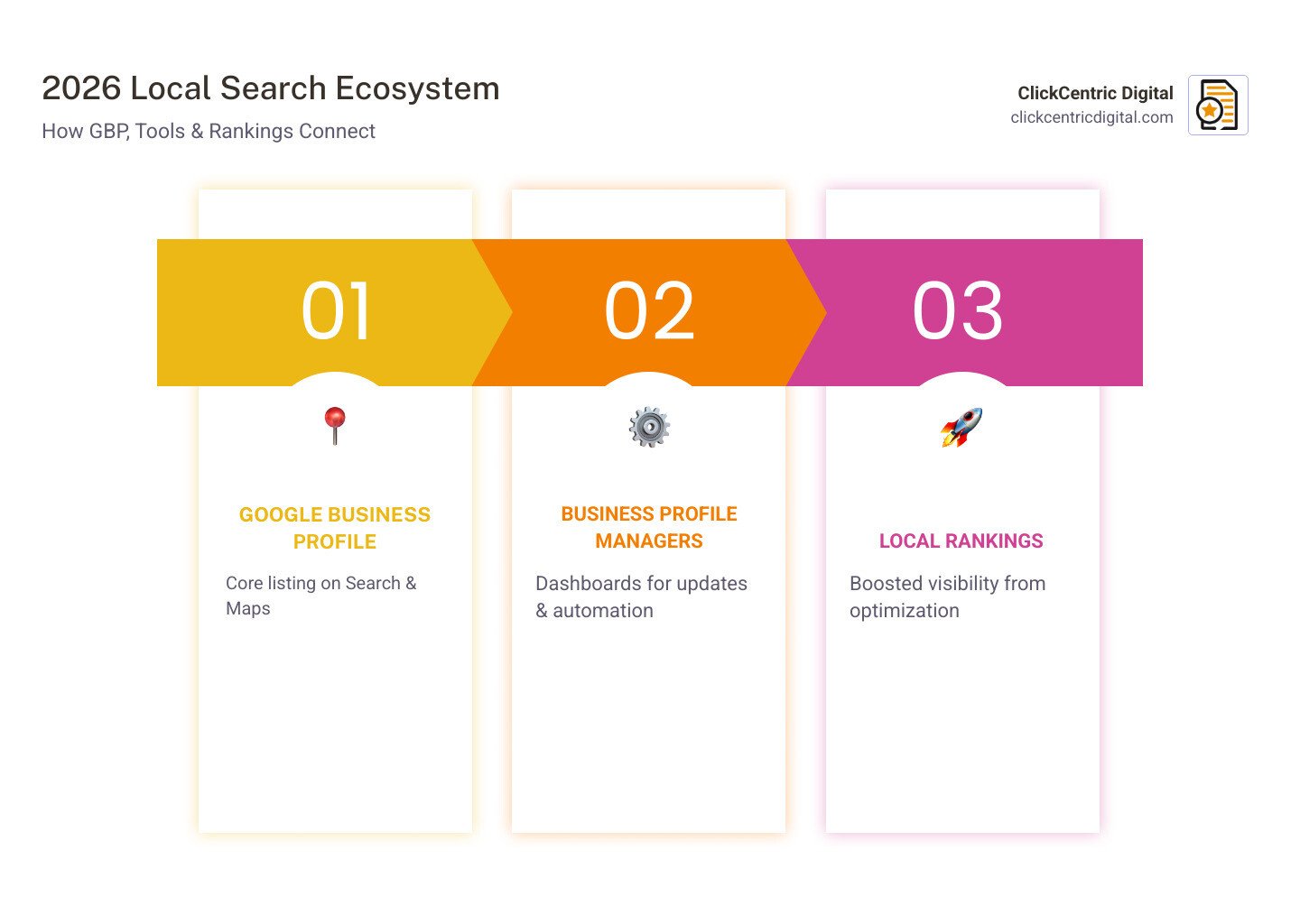
Navigating local SEO in April 2026 can feel like trying to fold a fitted sheet—confusing at first, but once you find the corners, it all snaps into place. At the heart of this ecosystem is the Google Business Profile (formerly Google My Business). However, as Google has evolved, the way we interact with these profiles has shifted toward a more integrated experience.
One of the biggest shifts has been the move to the NMX (New Merchant Experience) dashboard. Instead of a separate app, Google now encourages you to manage your profile directly within Search and Maps. This is where you can How to Make Google Fall in Love with Your Business Profile by keeping your information fresh and accurate.
For larger operations, Google’s official Business Manager integration is a game-changer. It allows you to Connect your Business Profile to Business Manager, creating a centralized hub where you can link Google Ads, Merchant Center, and your Business Profiles. This integration unlocks powerful features, such as managing local and online products in one place and sharing data across platforms to improve ad targeting.
In this ecosystem, super admin roles are the “keys to the kingdom.” When you link your accounts, you gain owner-level access to all connected apps. This streamlined approach ensures that your data flows correctly between your storefront and your marketing campaigns. If you are handling a fleet of stores in places like Grand Rapids or Holland, MI, you can use the Manage locations – Google Business Profile tool to see every storefront at a glance.
Native vs. Third-Party Business Profile Manager Tools
While Google provides the foundation, many businesses find the native tools a bit… basic. This is where third-party business profile manager apps come in. These tools use API integrations to talk to Google’s servers, offering features that the standard dashboard lacks.
The primary difference lies in dashboard centralization. A native user has to toggle between different Google accounts or click through multiple menus to see basic stats. A third-party manager often pulls everything into one screen. However, you must be careful with permissions. Google’s official Manage your Business Profile owners & managers – Google Business Profile Help guide reminds us that adding users should be done with individual accounts, never by sharing passwords. Third-party tools allow you to grant “team access” without ever handing over your primary login credentials.
Bulk Verification and Multi-Location Management
If you’re managing locations across West Michigan—perhaps one in Grand Haven and another in Kalamazoo—doing everything one by one is a recipe for a headache. Location Groups (formerly known as business accounts) allow you to group your profiles for easier management.
For those with 10 or more locations of the same business, bulk verification is the holy grail. Instead of waiting for individual postcards for every shop in Holland and South Haven, you can apply for chain verification. This requires a brand domain email (like info@yourbusiness.com) as the primary owner. You’ll need to use store codes—unique identifiers like “GR-01” or “HOL-02″—to keep your data organized when using CSV imports to update addresses or phone numbers in bulk via the Manage locations – Google Business Profile portal.
Key Features of a High-Performance Business Profile Manager
A truly high-performance business profile manager does more than just update your hours. It acts as a 24/7 marketing assistant. In 2026, the best tools are leveraging AI to help you Get Your Business on the Map and Stay There by maintaining a constant pulse on your local market.
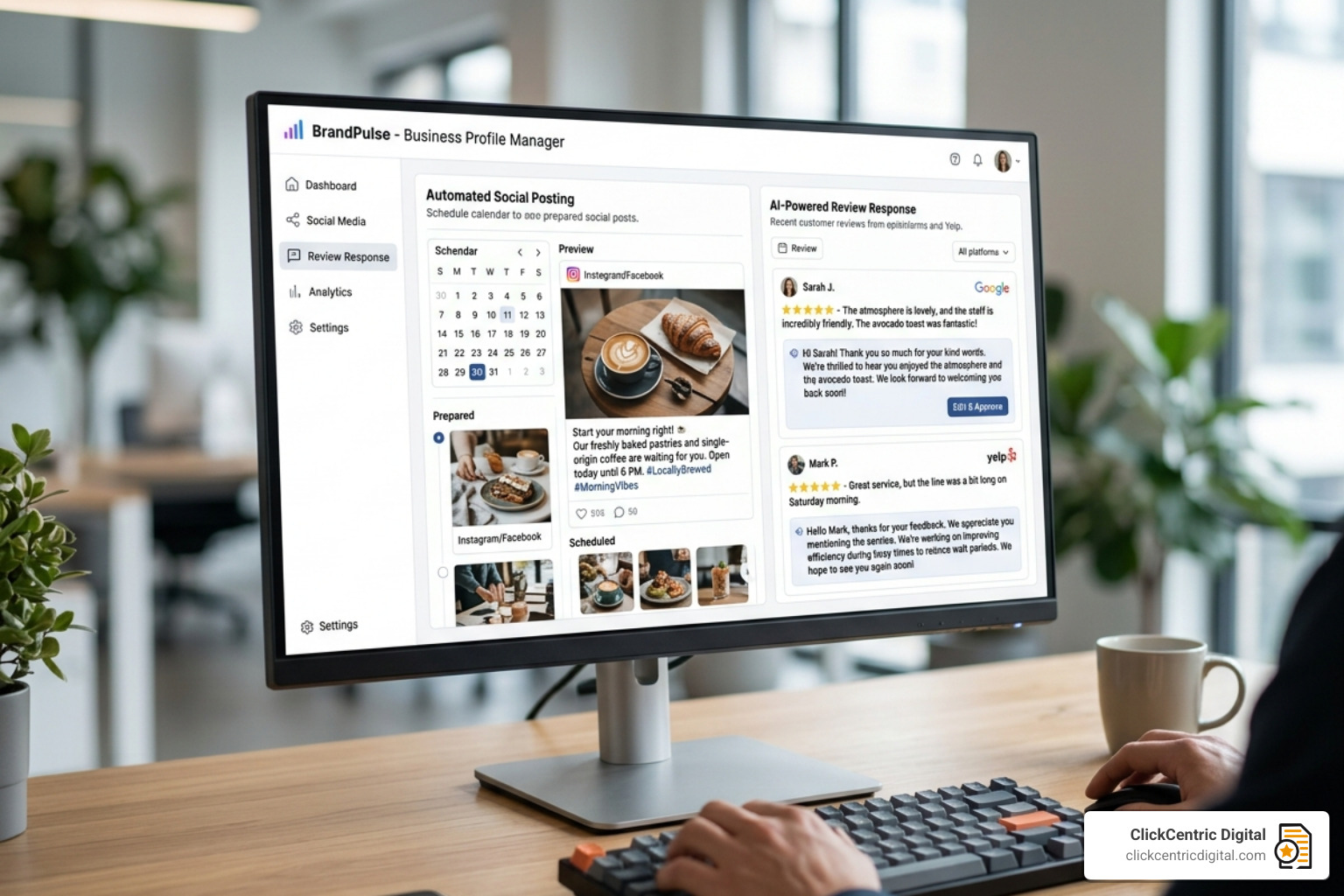
Key features to look for include:
- AI Content Generation: Stop staring at a blank screen. AI can help draft posts about your latest promotions in Holland, MI.
- Competitor Tracking: See how your rankings compare to the shop down the street.
- Health Scores: A quick metric that tells you if your profile is missing crucial information.
- Citation Management: Ensuring your name, address, and phone number (NAP) are consistent across the web.
To really stand out, you should follow The Ultimate Guide to GMB Posting Without Being Boring. Consistency is key; profiles that post regularly see significantly higher engagement.
Advanced Automation in a Business Profile Manager
Automation is where you “buy back” your time. Modern business profile manager software allows for auto-reply rules for reviews. For example, you can set a rule to automatically thank any customer who leaves a 5-star review, while flagging 1-star reviews for a manual response from your team.
We always weigh the Automated Review Response System: Pros and Cons carefully—while automation is fast, a personal touch still wins for complex customer issues. Advanced tools also offer geo-tagging for photos, which helps Google understand exactly where your business operates, further boosting your local relevance.
Tracking ROI with Local SEO Analytics
If you can’t measure it, you can’t improve it. A solid business profile manager provides deep insights into search keywords—the actual terms people in Grand Rapids use to find you. You can track:
- Call Tracking: How many people clicked “Call” from your profile?
- Direction Requests: How many people asked Google for a route to your Holland storefront?
- Website Clicks: How much traffic is your profile driving to your main site?
By Mastering Local Reviews to Win More Customers, you aren’t just improving your reputation; you’re creating a data trail that proves your local SEO efforts are working.
Setting Up and Connecting Your Business Profile Manager
Ready to get started? The setup process is generally straightforward but requires attention to detail to avoid the dreaded “verification loop.”
First, ensure you have claimed your profile. If you haven’t, visit Google Business Profile Help for the basic steps. Once claimed, you can connect to a third-party tool or the Google Business Manager. Always ensure you are the primary owner. We’ve seen many businesses lose access because an ex-employee was the only one with owner permissions. You can manage these roles at Manage locations – Google Business Profile.
How to Connect Your Business Profile Manager to Google
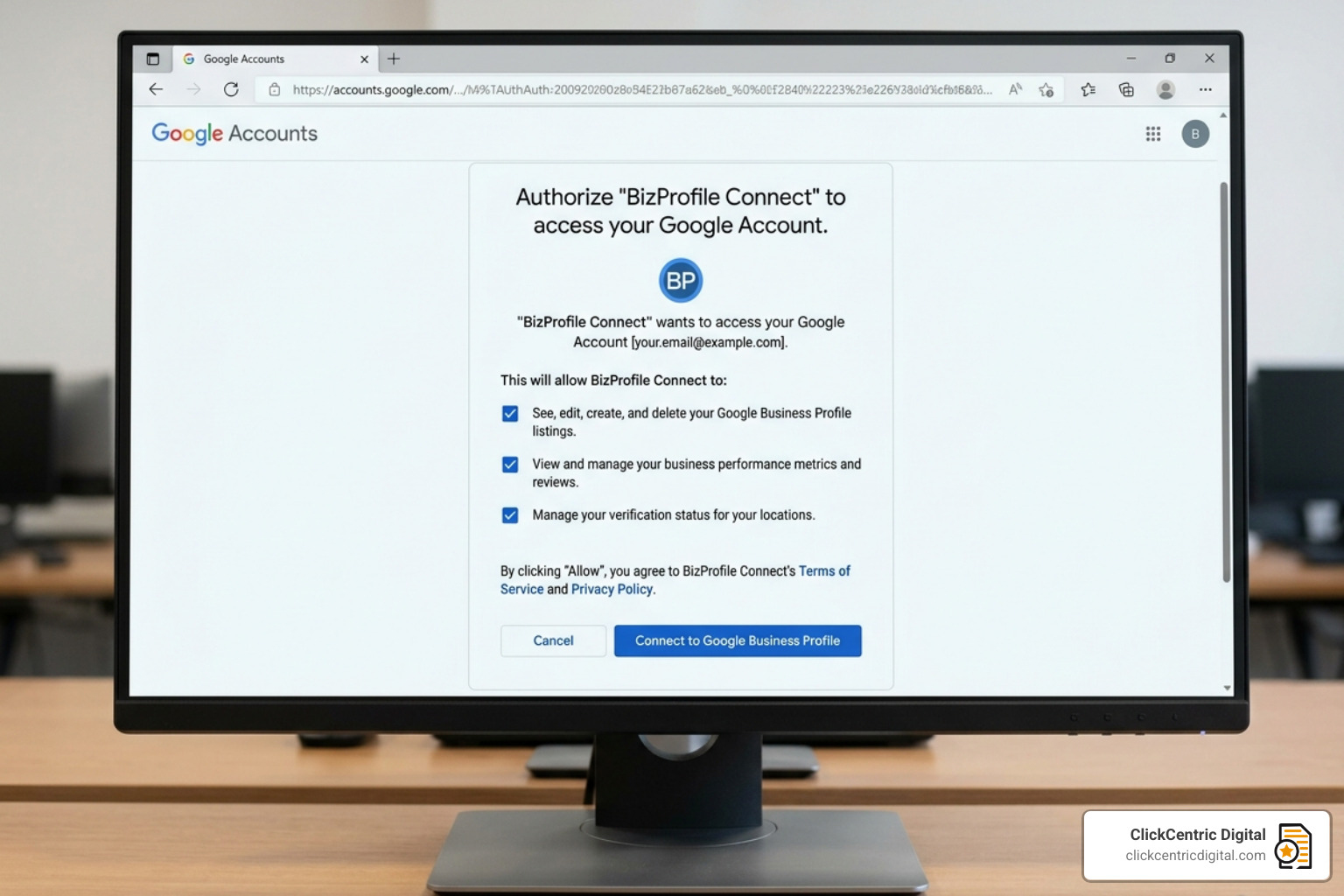
Most third-party tools use a one-click OAuth process. You’ll click a “Connect” button, log in with your Google account, and grant the app permission to manage your profiles. This is a secure protocol where the app never sees your password; it only receives a “token” that allows it to post on your behalf. Always check that the tool you choose uses the official Google Business Profile API to ensure your data stays safe.
Troubleshooting Verification and Access Issues
Sometimes, things go sideways. You might find your Business Stuck In Verification Since 3/13/2025 – Google Help. If your verification is pending for more than a few weeks, it’s time to contact support.
Also, keep in mind the 7-day waiting period. Google recently implemented a security feature where new owners or managers must wait seven days before they can delete a profile or transfer primary ownership. This prevents hackers from taking over a profile and immediately locking out the rightful owner.
DIY vs. Paid Services: Is a Business Profile Manager Worth the Cost?
This is the $200-a-month question. Is it worth paying for a business profile manager service?
For a single-location mom-and-pop shop in Grand Haven, the free native tools are often enough—if you have the time to use them. However, for agencies or multi-location brands, the time savings alone justify the cost. Research shows that agencies can save up to 80% of their time by using automation tools for posting and review management.
| Feature | Free Native Tools | Paid Management Apps |
|---|---|---|
| Cost | $0 | $20 – $200+ per month |
| Multi-location Posting | No (Manual only) | Yes (One-click bulk) |
| AI Post Drafting | No | Yes |
| Review Auto-Replies | No | Yes |
| Advanced Analytics | Basic | Deep Insights & Competitor Tracking |
| Support | Community-based | Dedicated Support |
If you are dealing with a reputation crisis, you might need a Review Removal Reality Check: Can You Really Delete Google Feedback?. While no tool can “magically” delete a legitimate bad review, a paid manager can help you follow the How to Remove Negative Reviews: 5 Guaranteed Methods that actually work within Google’s Terms of Service.
Risks of Using Third-Party Management Tools
No tool is without risk. When you grant a third-party app access, you are trusting them with your data. There are rare instances where poorly coded apps can lead to profile suspensions if they trigger Google’s spam filters by posting too frequently or using forbidden keywords.
Always ensure the tool has a solid reputation and clear data privacy policies. Some platforms, like LinkedIn Help, provide insights into how business managers should handle permissions, which is a good standard to look for in any tool you use.
Frequently Asked Questions about Business Profile Management
Is a Google Business Profile still free in 2026?
Yes! Creating and managing your basic profile directly through Google Search and Maps remains a free service. You only pay if you choose to use third-party automation tools or hire an agency to manage it for you.
Can I manage multiple locations without a third-party tool?
Absolutely. You can use Google’s “Location Groups” and “Bulk Upload” features via CSV files. It’s more manual and technical, but it’s completely free. This is a great option for businesses in West Michigan with 5–10 locations who are on a tight budget.
How do I fix a suspended business profile?
Suspensions usually happen due to a violation of Google’s guidelines (like using a “keyword-stuffed” business name) or suspicious activity. You’ll need to fix the issue and submit a reinstatement request. Be patient—this process can take several days or even weeks.
Conclusion
Mastering your business profile manager is no longer optional for businesses in Grand Rapids, Holland, or anywhere in West Michigan. It is the digital front door to your business. Whether you choose the DIY route using Google’s native tools or invest in a high-powered third-party app, the goal remains the same: be visible, be accurate, and be engaging.
At ClickCentric Digital, we know that managing a digital presence while running a physical business is a balancing act. If you want to take the guesswork out of your local search strategy, we’re here to help. You can Improve your local presence with expert reputation management and start turning those “searches” into “sales” today.
Sorry, the comment form is closed at this time.