

13 Aug Free SEO Audits: The Best Tools for Beginners
Free SEO Audits: The Best Tools for Beginners
What Is a Free Website Analysis and Why Do You Need One?
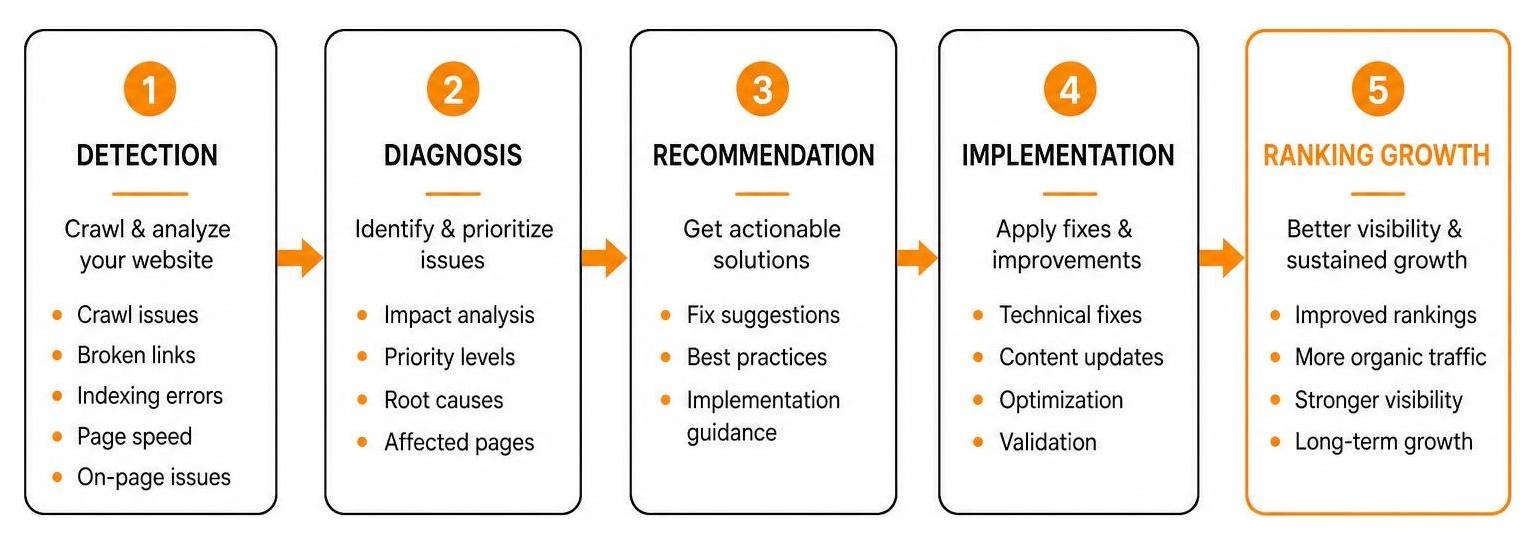
A free website analysis is an automated checkup that reviews how search engine crawlers interpret your web pages. Search engine bots continually crawl the web to find, parse, and evaluate content. If your site has technical issues—such as restricted crawl paths, improperly configured tags, or deep architectural errors—crawlers can struggle to index your content properly. Over time, these unresolved errors accumulate into technical debt, which quietly lowers your visibility in search results.
Running an audit helps you maintain overall site health and protect your organic traffic. Search engine ranking factors rely heavily on clean site architecture, fast loading speeds, and relevant content structure. In 2024 alone, Google released four major updates to its ranking algorithms, directly impacting web traffic for sites across every industry.
A regular site check acts as an early warning system. By catching crawl errors, broken redirects, or thin pages early, you prevent minor technical flaws from turning into severe traffic drops. If you are new to optimization strategies, exploring a beginners guide to small business seo can help put these audit findings into context.
Key Features to Look for in the Best Free SEO Audit Tools
Not every free audit software performs the same checks. When evaluating your options, look for tools that offer comprehensive analysis without requiring immediate paid upgrades. Key features include:
- URL Crawl Limits: Free plans range significantly in scope. Some platforms analyze only a single URL at a time, while tools like Screaming Frog allow you to crawl up to 500 URLs for free. Semrush caps its free crawling allowance at 100 URLs. Choose a tool that fits the size of your domain.
- Core Web Vitals & Performance Metrics: Page speed directly impacts both user retention and search engine rankings. Look for tools that integrate Google PageSpeed API data to evaluate loading speeds, visual stability, and interactive responsiveness.
- Accessibility & Mobile-First Checks: Accessibility directly influences usability. Across the United States, one in four adults lives with a disability, making digital accessibility essential for audience reach. Search engines evaluate site accessibility using structural signals nearly identical to screen readers. That automated tools typically catch only 20% to 30% of total WCAG accessibility errors, so human review remains necessary.
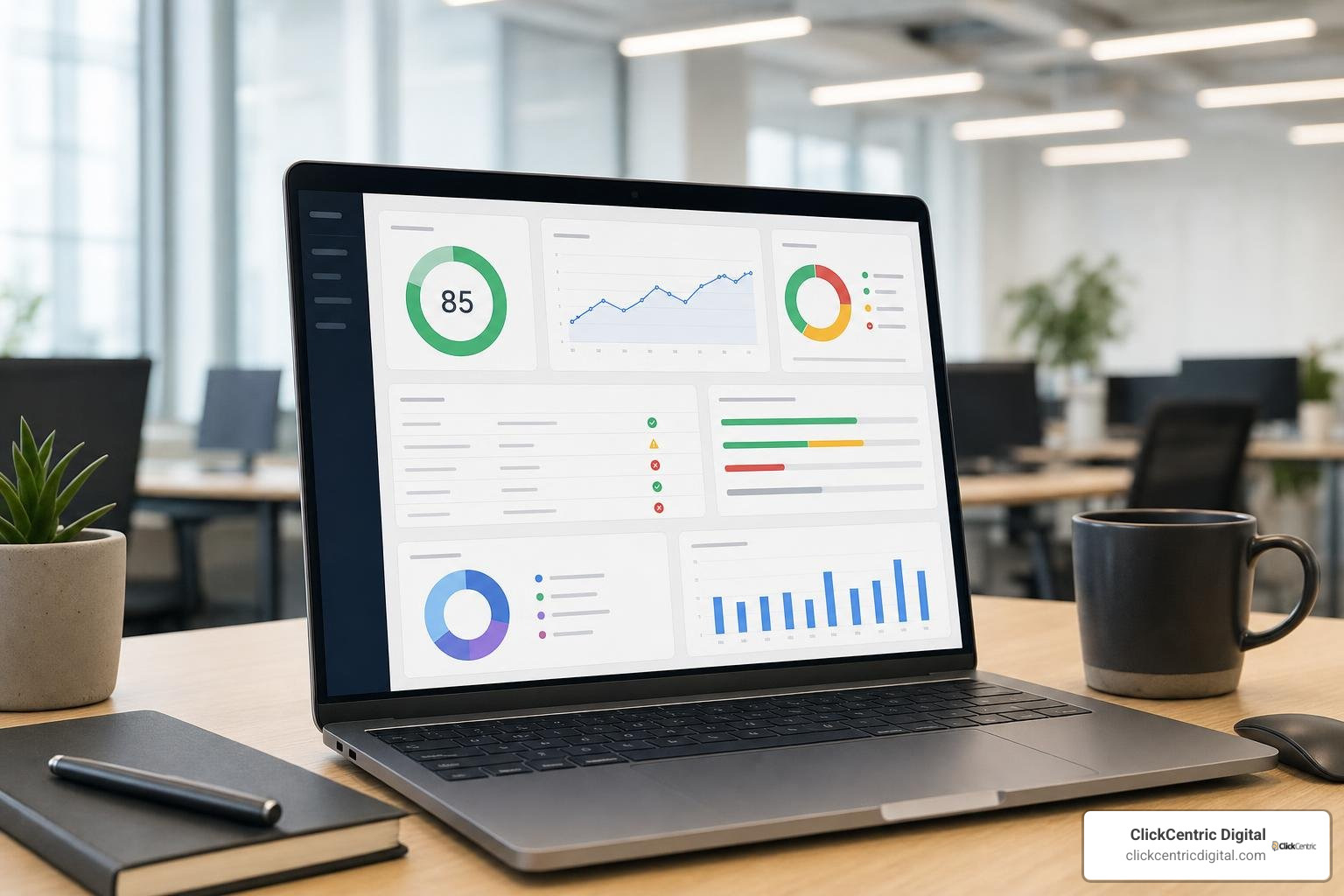
- AI Insights & Automated Recommendations: Modern auditing tools leverage artificial intelligence to convert complex crawl data into actionable checklists. Top platforms utilize large language models to explain technical errors in clear language.
- Exportable Reports: Look for tools that allow you to export priority fix lists or PDF summaries so you can share remediation tasks directly with web developers or content creators.
If your site consistently struggles with technical complexity beyond what automated software can resolve, reviewing is your website slacking why you need professional seo audit services can help clarify when manual intervention is needed.
Top Free SEO Audit Tools for Beginners Reviewed
How to Find the Best Free SEO Audit for Instant AI Insights
AI Ranko
For marketers seeking rapid automated evaluations without creating user accounts, the Free AI Site Audit Tool — 90+ SEO, Performance & Security Checks | AI Ranko provides an efficient browser-based solution.
- Main Strengths: Operates without requiring signup or credit card details. Runs 90+ technical checks across four dimensions in under 60 seconds. Integrates GPT-4o models to deliver step-by-step fix guides and evaluates E-E-A-T (Experience, Expertise, Authoritativeness, and Trustworthiness) content signals.
- Limitations: Crawls up to 15 pages per session, making it better suited for targeted landing page checks or smaller domains rather than sitewide enterprise crawls.
Uncovering Technical Issues with Desktop Crawlers
WebSite Auditor by SEO PowerSuite
If you need deeper desktop crawling without subscription credits, the Free SEO Audit Tool by SEO PowerSuite offers a robust desktop application for Windows, macOS, and Linux.
- Main Strengths: Free tier allows unlimited local testing and detailed site structure evaluations. Includes TF-IDF algorithms to measure content relevance against top-ranking competitors, integrates directly with Google PageSpeed API, and generates XML sitemaps and robots.txt files.
- Limitations: Requires local installation on your desktop rather than running as a web service. White-label reporting and automated scheduling are reserved for paid licenses.
Using the Best Free SEO Audit Solutions from Top Platforms
Semrush Free SEO Checker
For broad search visibility and competitive context, the Free SEO Checker: Check for SEO & AI Search Issues provides enterprise-grade insights on a smaller scale.
- Main Strengths: Scans over 140 technical and on-page signals, including Core Web Vitals, mobile usability, and structured schema tags. It evaluates how easily artificial intelligence tools and search engines can discover and cite your content.
- Limitations: The free tier maxes out at crawling 100 URLs per audit session and allows one daily check, requiring an account signup to access full reporting features.
SEOptimer
To quickly evaluate page-level performance and download quick summaries, SEOptimer: Analyze Websites With Free SEO Audit & Reporting Tool provides an accessible web scanner.
- Main Strengths: Evaluates on-page SEO, site security, usability, and social media signals within seconds, delivering clear letter grades (A+ through F) alongside actionable improvement tasks.
- Limitations: Sitewide crawling, white-label PDF customization, and keyword tracking tools require upgraded paid tiers.
Native Google Tools and Interactive Conversion Add-Ons
Google Search Console & PageSpeed Insights
The baseline for any website check begins with Google’s native toolset. Google Search Console delivers index coverage alerts, crawl status errors, and canonical issue notifications straight from search servers. Pairing Search Console with Google PageSpeed Insights provides real-world Core Web Vitals performance data across mobile and desktop devices.
Spronta Conversion Widgets
Fixing technical search issues brings users to your site, but converting those visitors requires smooth user interfaces. Using tools like Build conversion widgets with AI | Spronta allows teams to build targeted lead capture forms, calculators, and announcement banners using simple natural language prompts. These widgets load asynchronously inside isolated shadow roots, keeping third-party scripts from slowing down page render times or hurting Core Web Vitals scores.
Free vs. Paid SEO Audits: When to Upgrade
While free auditing software provides useful baseline diagnostics, growing businesses often reach structural limits where paid platforms or manual reviews become necessary.
| Feature / Capability | Free SEO Audit Tools | Enterprise Paid SEO Tools & Manual Services |
|---|---|---|
| Crawl Allowance Limits | Restricted (1 to 500 URLs per scan) | Millions of URLs per crawl |
| Historical Data Tracking | Rare or limited to 24-hour logs | Continuous historical dashboards & trend analysis |
| Accessibility Compliance | Automated detection only (catches 20–30% of WCAG issues) | Comprehensive automated scans + expert manual testing |
| Custom Auditing Rules | Standard fixed criteria | Custom regular expressions, extraction & JS rendering |
| AI Fix Guidance | Basic automated suggestions | Tailored developer worklists & agency consultation |
If your site contains thousands of URLs, complex faceted navigation structures, or persistent ranking drops, consulting our seo audit services survival guide can help guide your next steps.
How to Use Audit Results to Boost Your Search Rankings
Running an audit generates a comprehensive list of technical findings. To turn these results into actual search engine improvements, follow a structured remediation workflow:
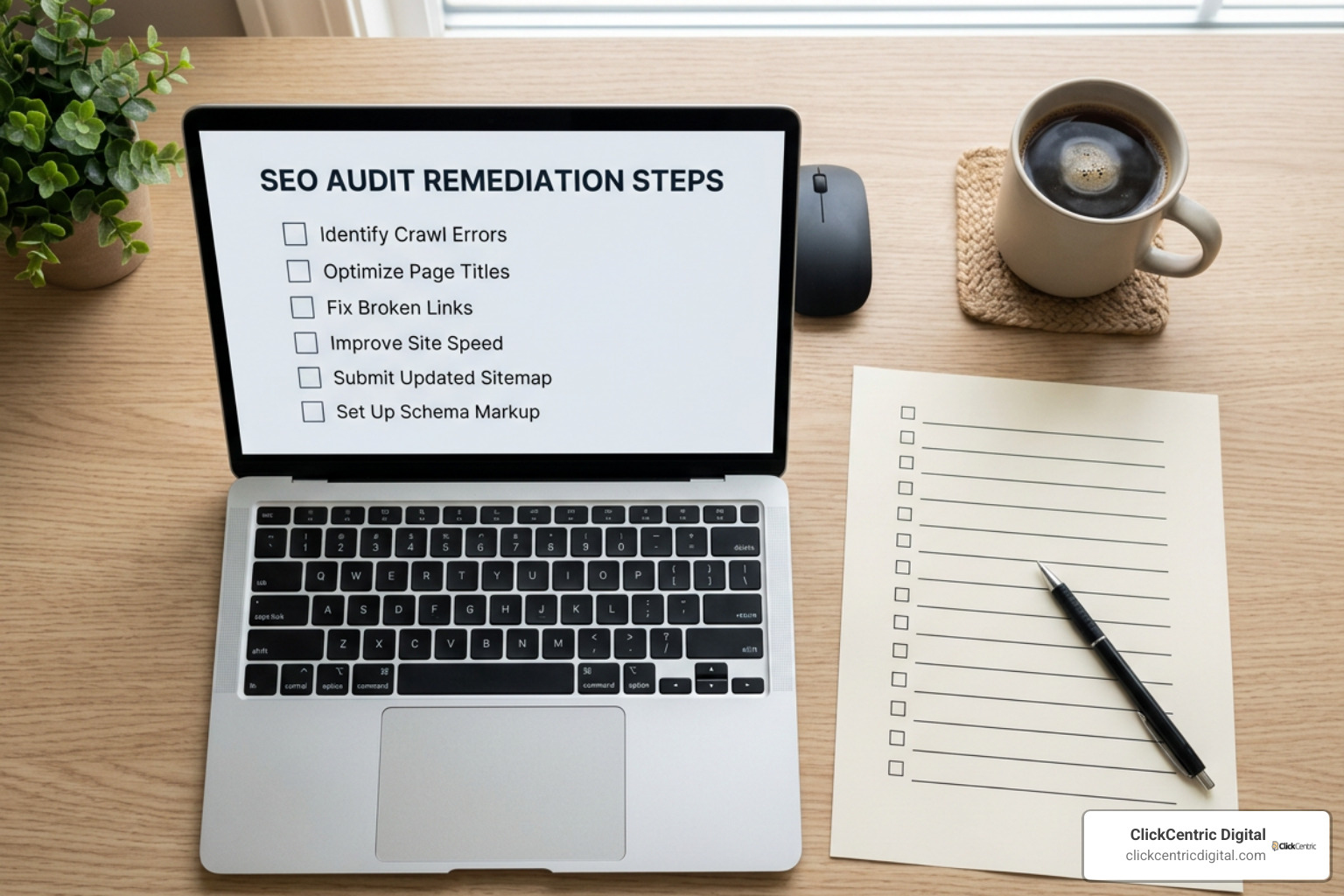
- Resolve Critical Crawl Blocks: Immediately address status errors (404 page not found errors), broken redirects (301 loops), missing canonical tags, and unintended
noindexdirectives that keep engines from indexing main pages. - Optimize Core On-Page Elements: Ensure title tags stay concise (under 60–70 characters) and put target search phrases near the front. Write meta descriptions for key landing pages, and structure content logically using standard H1, H2, and H3 header tags.
- Fix Core Web Vitals & Image Assets: Compress oversized web images, adopt modern formats like WebP, and add missing alt text across all media files to improve both search indexing and reader accessibility.
- Strengthen Internal Link Equity: Eliminate orphan pages by linking relevant content together. Ensure descriptive anchor text guides visitors and search crawlers through logically grouped site sections. If you plan to overhaul site architecture entirely, check out the ultimate guide to an seo friendly website redesign.
Frequently Asked Questions About SEO Audits
Are free SEO audit tools sufficient for small business websites?
Yes. For small business websites with fewer than 500 pages, free tools like Screaming Frog, Google Search Console, and browser scanners provide more than enough coverage to catch major crawl blocks, speed issues, and missing meta tags.
How often should beginners run a free SEO audit?
Run a general audit once a month to check baseline technical health. You should also run targeted checks immediately after publishing major site updates, redesigning pages, or whenever search engines release core ranking updates.
What specific errors can a free SEO scanner detect?
Free tools easily identify broken 404 links, slow Core Web Vitals loading metrics, duplicate page titles, missing meta descriptions, missing alt tags, insecure non-HTTPS links, and mobile layout formatting issues.
Conclusion

Finding the best free seo audit process comes down to matching the right software tool to your technical needs. By pairing native platforms like Google Search Console with browser scanners and desktop crawlers, you can locate and fix hidden technical flaws before they hurt your organic traffic.
At ClickCentric Digital, we specialize in helping local businesses across Grand Rapids MI, Holland MI, Grand Haven MI, South Haven MI, Kalamazoo MI, and West Michigan build strong search visibility. If you are ready to expand beyond automated checks and turn technical findings into higher local search rankings and customer leads, explore how we can help you Improve search engine optimization and Google Maps ranking today.
Sorry, the comment form is closed at this time.