


23 Oct Boost Google Review Count and Strengthen Your Local Presence
Boost Google Review Count and Strengthen Your Local Presence
How to Boost Your Google Review Count
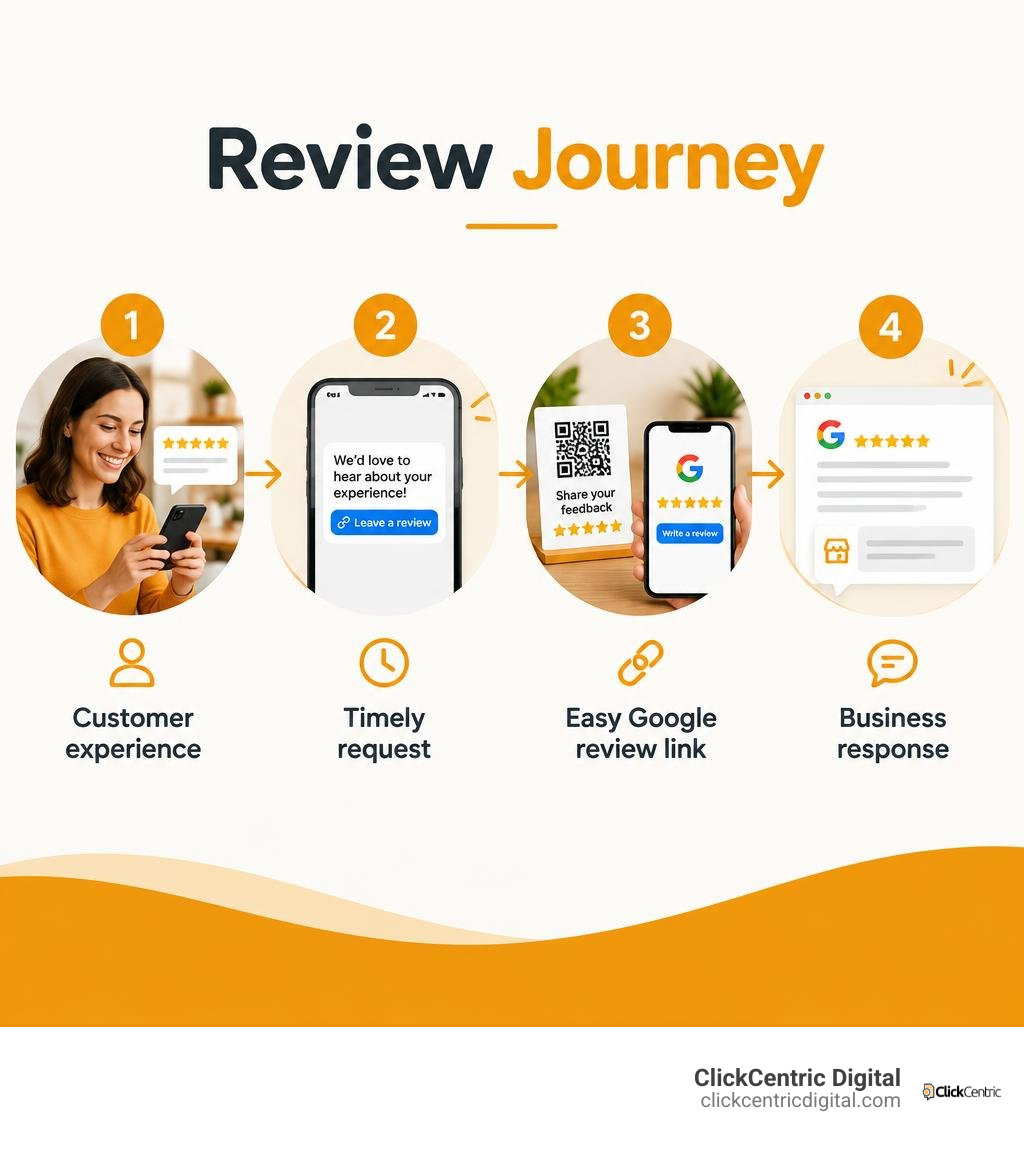
Ask every customer for an honest review after they have used your product or service. Make it easy with a direct Google review link in a short text or email, or a QR code at your business. Then respond to reviews, whether they are positive or negative. Do not offer rewards or ask only customers you expect to leave five stars.
A steady flow of real reviews gives people more reason to trust your business when they find it in local search. I’m Fred Dirkse, and I’ll walk you through a simple, policy-safe way to build that flow.
Quick boost google review count terms:
- bakery online reputation management
- local customer review management
- review generation platform for local businesses
Why Google Reviews Drive Local Search Supremacy and Revenue
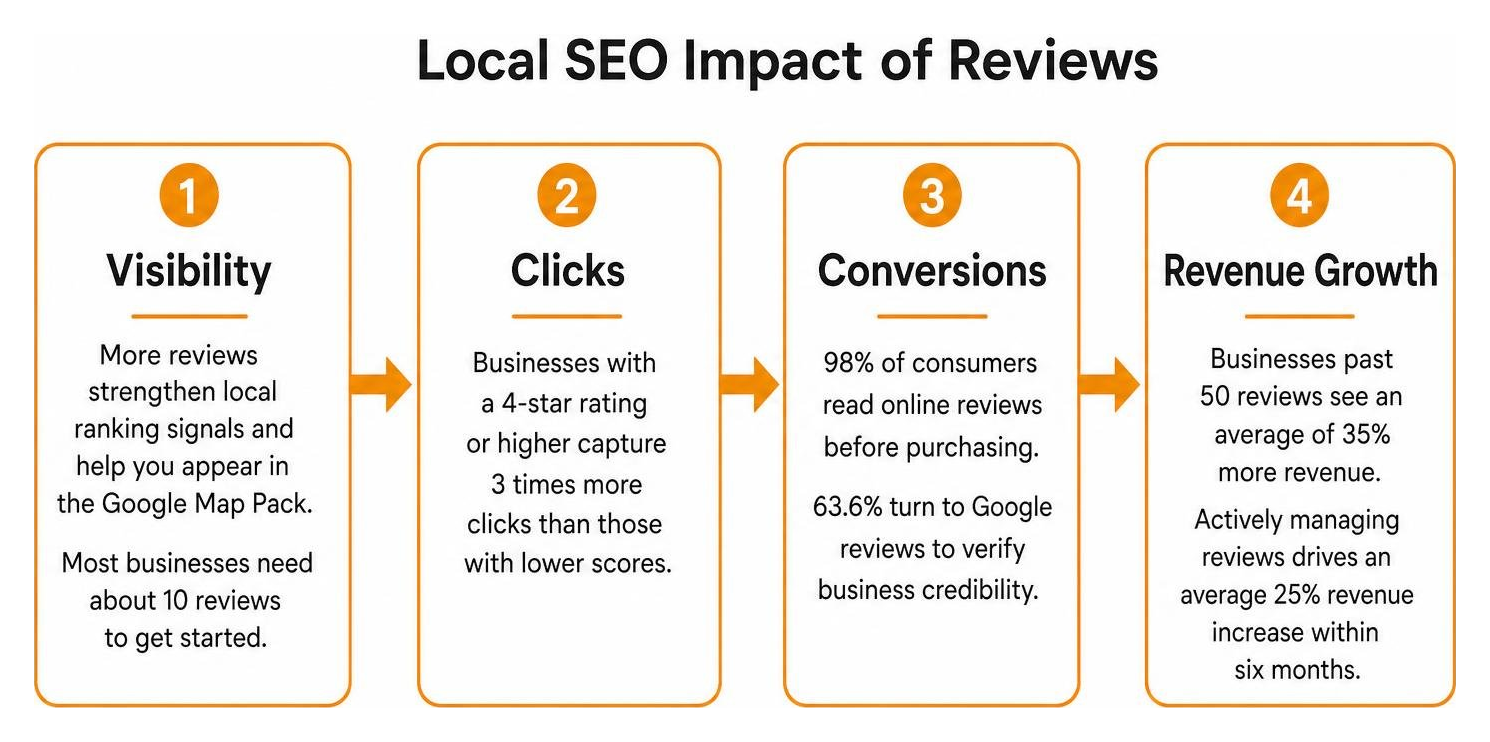
When local shoppers pull out their phones to find a service, Google’s Map Pack dictates where their money goes. Google reviews act as a direct ranking signal within Google’s local algorithm while simultaneously serving as the primary trust factor for buyers. A remarkable 98% of consumers read online reviews before purchasing, and 63.6% specifically turn to Google reviews to verify business credibility.
Understanding why online reviews boost sales comes down to conversion optimization. Search visibility earns the impression, but social proof earns the transaction. Businesses displaying a 4-star rating or higher capture 3 times more clicks than competitors with lower scores. Furthermore, businesses that build their presence past 50 reviews see an average of 35% more revenue, while companies that actively invest in managing their feedback achieve an average 25% revenue increase within six months.
Local Ranking Signals and the Baseline 10-Review Threshold
Google’s local algorithm evaluates three core elements: relevance, distance, and prominence. Your review profile is a major component of prominence. It is not just about your overall score; Google analyzes review volume, review velocity (how consistently you receive feedback), and the natural keywords customers include in their comments.
For newer businesses or those refreshing their local presence across Grand Rapids, Holland, or Kalamazoo, hitting an initial baseline is essential. Most companies need approximately 10 Google reviews before Google begins regularly surfacing their listing in local Map Pack searches. Once you cross this initial threshold, maintaining steady acquisition ensures competitors do not push you off the front page. You can discover more foundational tactics in our guide to mastering local reviews to win more customers.
Trust Economics: The 4.2 to 4.7 Star Rating Benchmark
While every business owner aims for flawless perfection, modern consumer psychology favors authenticity. Research indicates that buyers actually prefer to purchase from businesses with ratings between 4.2 and 4.7 stars over those with an unblemished 5.0 score.
A perfect 5.0 rating across dozens of reviews often triggers skepticism, leading consumers to wonder if the ratings are fabricated or cherry-picked. An occasional critical review mixed with dozens of glowing testimonials demonstrates transparent, real-world service. That single additional star within the 4.2 to 4.7 range can lift top-line revenue by 5% to 15%, proving that authentic social proof is your strongest sales asset.
Actionable Strategies to Boost Google Review Count Fast
Generating feedback consistently requires removing every drop of friction from the customer journey. A BrightLocal study revealed that 94% of consumers are open to writing reviews, and 83% of those who were asked actually completed one. Yet 22% of buyers note they were never prompted in the past year. Closing this gap requires well-timed touchpoints and structured outreach.
Multi-Channel Outreach to Boost Google Review Count
The timing of your request determines your conversion rate. For immediate services—such as dining, retail, or emergency home repairs—the best window is within 1 to 2 hours of completion. For projects requiring evaluation over time, such as kitchen remodeling or accounting, follow up 3 to 7 days later.
Deploying multiple communication channels ensures you meet customers on their preferred platforms:
| Channel | Typical Conversion Rate | Response Speed | Customer Friction | Best Use Case |
|---|---|---|---|---|
| SMS (Text Message) | 25% – 45% | Under 1 hour | Lowest (Direct one-tap link) | Field services, appointments, retail |
| Email Follow-Up | 10% – 20% | 1 to 2 days | Low (Requires inbox check) | B2B, professional services, post-invoice |
| In-Person / QR Code | 15% – 30% | Immediate | Low to Medium (Requires phone scan) | Checkout counters, table tents, receipts |
| Post-Service Phone Ask | 30% – 50% (Commitment) | Varies | High (Requires follow-up link delivery) | High-ticket services, long-term clients |
To streamline your messaging across these channels, leverage our pre-built Google review request templates designed to maximize response rates without sounding transactional.
Dynamic QR Codes for Frictionless In-Person Review Capture
For brick-and-mortar storefronts across West Michigan, physical QR codes bridge the gap between in-person satisfaction and digital confirmation. Placing a direct scan target where customers already have their phones out—such as counter cards, packaging inserts, or printed receipts—turns spontaneous praise into permanent public proof.
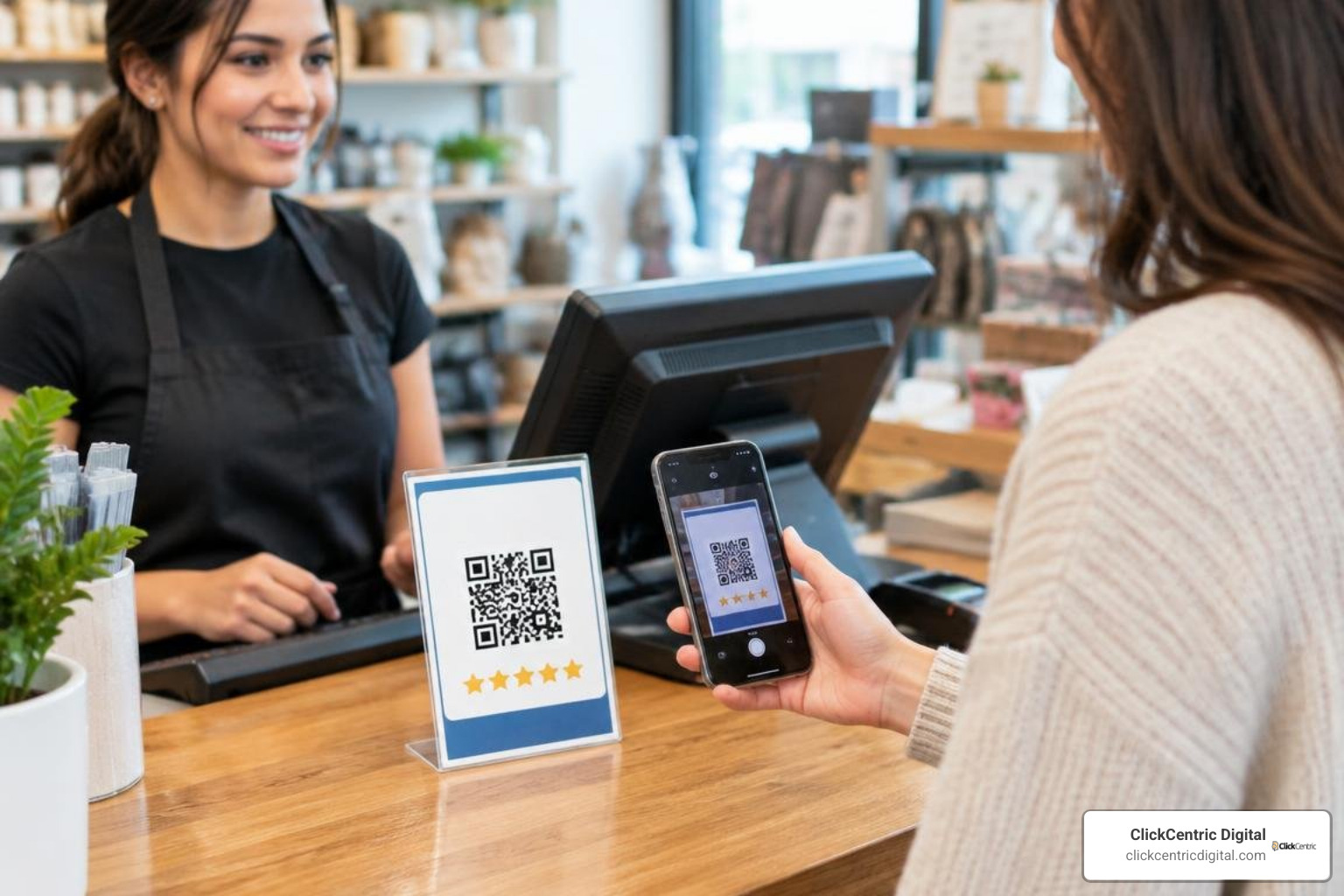
Always use a dynamic QR code connected to a short link rather than a static printout. Dynamic codes allow you to change the underlying destination link without reprinting materials, and they provide scan analytics so you can track which physical placements drive the highest engagement. Read our complete walkthrough on using a scannable Google review QR code to equip your team with print-ready collateral.
Google Policy Compliance: Rules Every Business Must Follow
Navigating review growth requires strict adherence to Google’s Business Profile policies. Search algorithms actively monitor review patterns, IP anomalies, and sudden unnatural spikes. Violating these rules can lead to mass review removals, ranking demotions, or account suspension. For complete compliance details, reference Google’s official guidelines on review requests.
Avoiding Review Gating Penalties and Incentive Pitfalls
Two major policy violations catch well-meaning business owners off guard:
- Review Gating: This is the practice of pre-screening customers by asking “Were you happy with your experience?” and routing satisfied users to Google while sending dissatisfied users to a private internal form. Google strictly prohibits gating; every customer must be given the direct option to leave public feedback regardless of their sentiment.
- Review Incentivization: Offering discounts, gift cards, loyalty points, free products, or prize draw entries in exchange for a Google review violates guidelines. Even non-conditional incentives (“Leave any review for a 10% discount”) breach terms because Google mandates that all user reviews remain uncompensated and unbiased.
How to Calculate and Offset Negative Reviews
When a negative review appears, mathematical dilution is your most reliable solution. Because Google calculates your rating as a weighted arithmetic average, you can easily determine how many 5-star ratings are required to bring your score back to your target.
To calculate the number of 5-star reviews needed, determine your current total stars and compare them against your target average rating. The basic formula is:
Required 5-Star Reviews = (Target Rating × Total Reviews − Current Total Stars) ÷ (5 − Target Rating)
For example, if a business in Grand Haven has 20 reviews with a 4.0 average (80 total stars) and wants to reach a 4.7 average:
- Multiply the target rating by current review count: 4.7 × 20 = 94.
- Subtract the current star total: 94 − 80 = 14.
- Divide by the difference between 5 and the target: 5 − 4.7 = 0.3.
- Result: 14 ÷ 0.3 = approximately 47 new 5-star reviews required.
Diluting lower ratings through consistent acquisition ensures isolated complaints do not derail your overall score.
Response Protocols and Reputation Management
Securing reviews is only half the battle; managing them completes the trust loop. A significant 88% of consumers trust a business more when it responds to all reviews, compared to just 47% when owners remain silent. Furthermore, 67% of customers expect a response within 24 hours.

A comprehensive response system protects your brand perception and reinforces local relevance. Discover deeper operational workflows in our guide to manage Google reviews effectively.
Rapid Response Strategies for Positive and Negative Reviews
Responding to reviews requires tailored approaches based on customer sentiment:
- Handling Positive Feedback: Acknowledge the reviewer by name, express genuine gratitude, and reference the specific service or item they mentioned. Naturally incorporate local city terms and service keywords into your reply, as this helps Google contextualize your business relevance.
- Handling Negative Feedback: Respond within 24 hours using empathy and composure. Acknowledge the issue, apologize for falling short of expectations, and immediately invite the customer to resolve the matter offline via a direct phone number or email address.
Data shows that resolving negative reviews professionally can recover up to 25% of lost customers, many of whom will willingly update their rating once their concern is addressed.
Automated Systems to Boost Google Review Count on Autopilot
Manual outreach often falters during busy operational periods. Connecting automated review management software to your Customer Relationship Management (CRM) or Point of Sale (POS) system guarantees steady collection.
Automated systems trigger a personalized SMS or email request immediately after a job status changes to “Completed” or an invoice is paid. This hands-off approach maintains steady review velocity, protects staff bandwidth, and ensures you consistently outpace competitors. Compare software solutions using our resource on review generation platform options.
Frequently Asked Questions About Google Reviews
How many Google reviews do I need to start ranking in local search results?
Most local businesses need approximately 10 reviews to establish baseline prominence and begin surfacing regularly in local search results and Google Map Packs. However, competitive niches in larger service areas like Grand Rapids or Kalamazoo may require matching or exceeding the top three ranking competitors’ review counts to capture top positions.
Can I offer discounts or incentives to customers who leave a review?
No. Google strictly prohibits offering incentives, discounts, loyalty points, gifts, or contest entries in exchange for reviews. Doing so violates Google’s terms of service and can result in the removal of collected reviews, algorithmic ranking penalties, or suspension of your Google Business Profile.
What is review gating and why does Google ban it?
Review gating is the practice of filtering customers by directing satisfied clients to public review platforms like Google while steering unhappy clients toward private internal feedback forms. Google bans this practice because it artificially inflates ratings and denies consumers access to authentic, transparent feedback.
Conclusion
Building a prominent local presence is an ongoing process driven by consistent customer satisfaction and policy-compliant review collection. By implementing automated multi-channel requests, deploying dynamic QR codes, actively engaging with all customer feedback, and maintaining authentic rating benchmarks, your business can secure lasting visibility across local search results.
Ready to dominate local search and turn social proof into predictable revenue? Explore our comprehensive ClickCentric Digital reputation management solutions and let our team build a scalable growth engine for your brand.
Sorry, the comment form is closed at this time.