

26 May Angular for Web Development and How to Master It
Angular for Web Development and How to Master It
What Is Angular for Web Development?
Angular for web development is a TypeScript-based, open-source framework built and maintained by Google for creating fast, scalable web applications. Its development is transparently managed on the Angular GitHub repository.
Here’s a quick summary of what you need to know:
- What it is: A full-featured framework (not just a library) for building single-page applications (SPAs) and progressive web apps
- Who maintains it: Google, with a large open-source community of over 1.7 million developers
- Primary language: TypeScript
- Best for: Medium-to-large applications, enterprise SPAs, cross-platform projects
- Current version: Angular 21 (stable), with v22 in preview as of May 2026
- Key strengths: Component-based architecture, built-in routing, forms, dependency injection, and AI integration
If you’re building a serious web application and want a framework that gives you everything in one place — routing, forms, state management, testing tools — Angular is worth your attention.
It’s one of the most widely used web frameworks in the world, consistently ranking among the top choices in the Stack Overflow Developer Survey. Its GitHub repository alone has over 100,000 stars.
But Angular isn’t just popular. It’s opinionated — meaning it makes strong decisions about how your app should be structured. That’s a feature, not a bug, especially when you’re working on a large team or a long-lived project where consistency matters.
This guide covers everything: what Angular is, how it works, when to use it, and how to get started the right way.
Quick angular for web development terms:
Choosing Angular for Web Development: A Strategic Overview
When we look at the landscape of modern Website Design & Development, choosing the right foundation is like choosing the chassis for a car. You want something that won’t just look good in the showroom (or the MVP phase) but will hold up when you’re driving at 100 mph on the enterprise highway.
Angular for web development is that heavy-duty chassis. It is a development platform designed to build mobile and desktop web applications using TypeScript and HTML. Unlike “unopinionated” libraries that leave you to hunt for third-party packages for every basic task, Angular comes with the “batteries included.”
According to the latest 2025 and 2026 industry data, Angular remains a powerhouse, trusted by millions to deliver web apps with confidence. It’s not just about writing code; it’s about a comprehensive ecosystem that includes a powerful Command Line Interface (CLI), first-party libraries like Angular Material, and state-of-the-art rendering techniques.
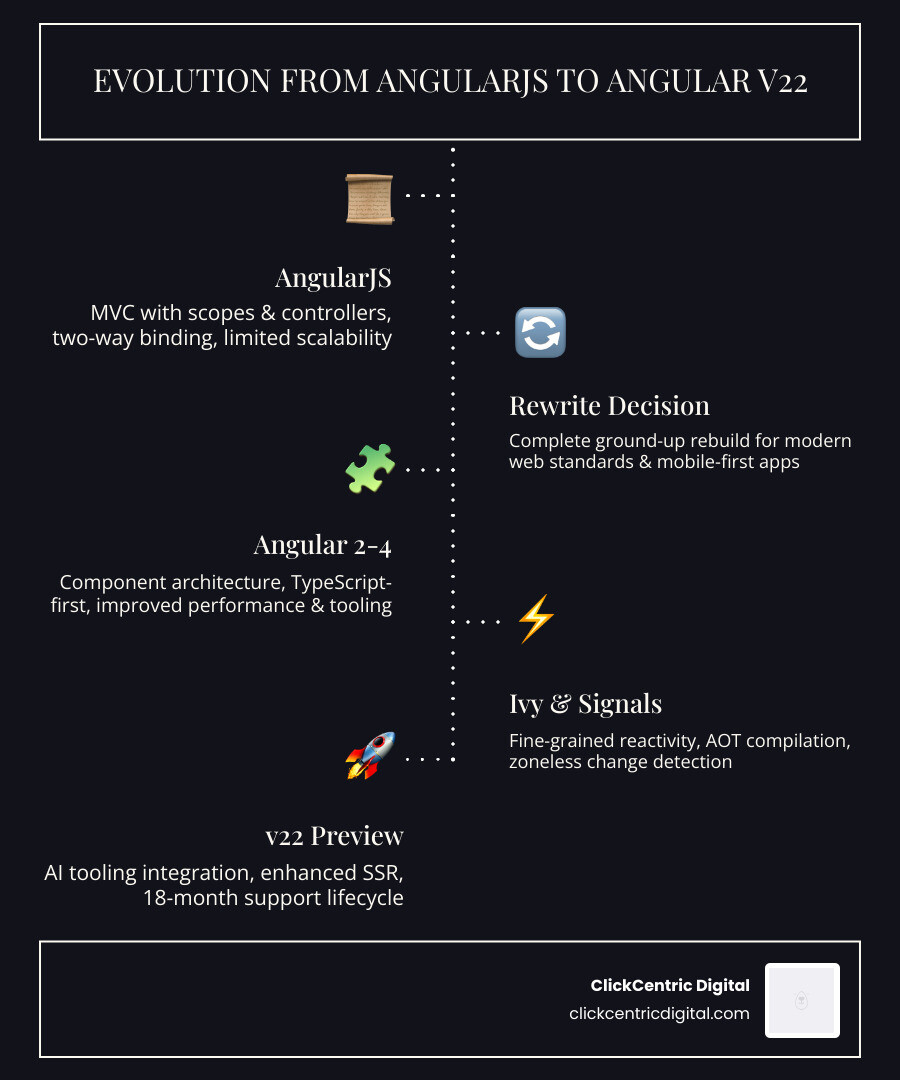
How Angular differs from AngularJS
If you’ve been in the tech world for a while, you might remember the original AngularJS (version 1.x). It’s important to clarify: Angular (versions 2 through the current v22) is a complete, ground-up rewrite of AngularJS.
The differences are massive:
- Architecture: AngularJS used “controllers” and a concept called “$scope.” Modern Angular uses a hierarchy of components.
- Language: AngularJS was pure JavaScript. Modern Angular is built on TypeScript, providing better tooling, fewer bugs, and easier refactoring.
- Performance: The rewrite removed the bottlenecks of the old “digest cycle,” replacing it with a much faster, unidirectional data flow and, more recently, the ultra-efficient Signals model.
If you’re still running an old AngularJS site, it’s time to think about a site redesign before the technical debt becomes a horror story.
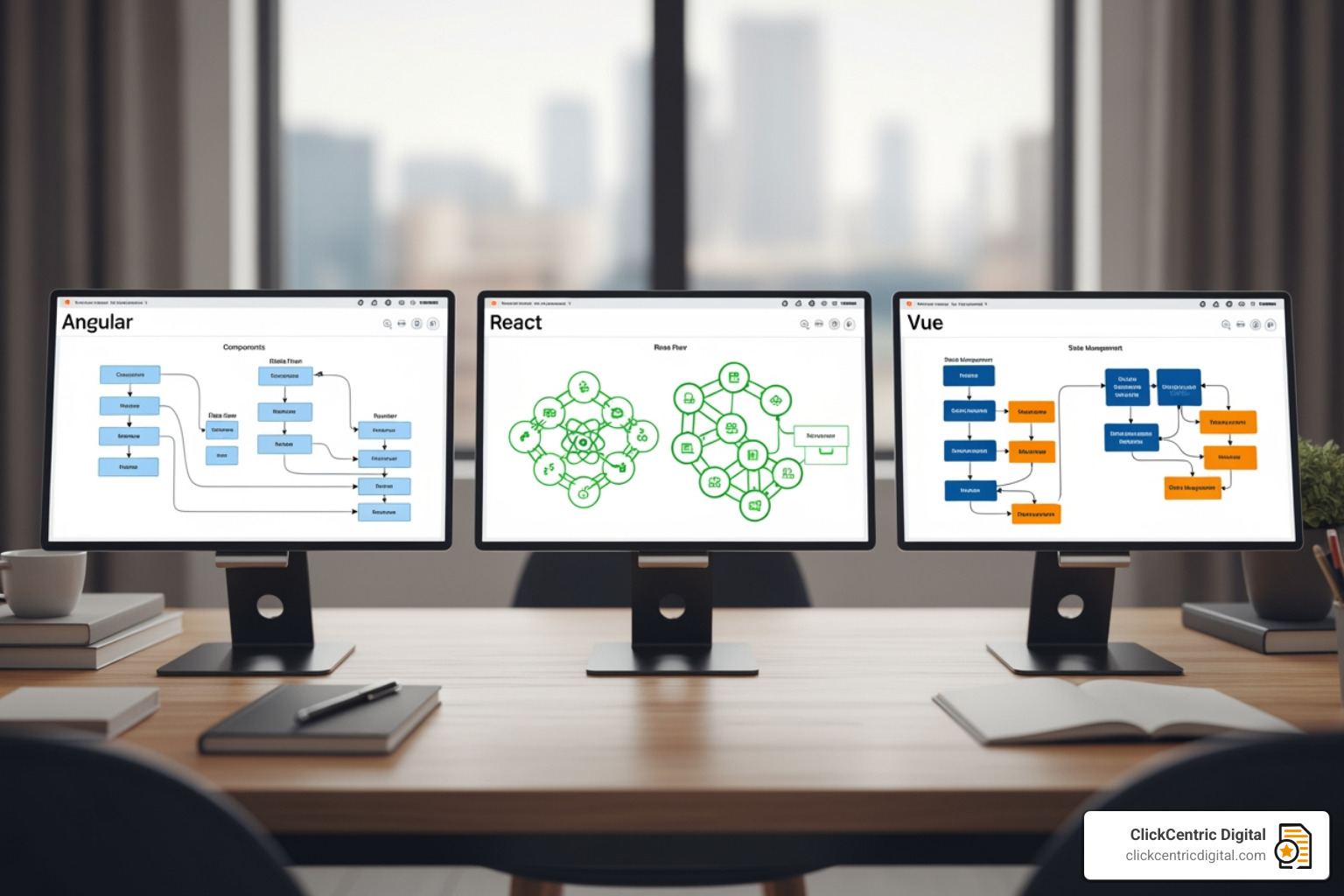
Is Angular for web development better than React?
This is the “Coke vs. Pepsi” of the dev world. While we won’t pick a side (both are great!), here is how they stack up:
| Feature | Angular | React | Vue |
|---|---|---|---|
| Type | Full Framework | Library | Progressive Framework |
| Learning Curve | Steep | Moderate | Smooth |
| Data Binding | Two-way/Signals | One-way | Two-way |
| Built-in Tools | Routing, Forms, HTTP, SSR | Needs 3rd party | Most built-in |
| Primary Language | TypeScript | JavaScript/JSX | JavaScript/TypeScript |
Angular is often the winner for large-scale enterprise projects because it enforces a modular architecture. When you hire an Angular developer in Grand Rapids or Holland, MI, you know exactly how their code will be structured because the framework demands it. React gives you more freedom, which is great for small teams, but can lead to “spaghetti code” in massive projects if you aren’t careful.
Technical Architecture: Components, Signals, and Dependency Injection
To master angular for web development, you have to understand its three pillars: Components, Signals, and Dependency Injection.
Components: The Building Blocks
Everything in Angular is a component. A component consists of:
- A TypeScript Class: This is the brain where the logic lives.
- An HTML Template: This is the face (the UI).
- CSS Styles: This is the outfit.
In recent versions (v17+), Angular introduced Standalone Components as the default. This means you no longer have to wrap everything in complex “NgModules.” It makes the code much cleaner and easier to read.
Fine-grained reactivity with Signals
As of May 2026, Signals have completely revolutionized how Angular handles data updates. In the old days, Angular had to check the entire app for changes whenever something happened (like a button click).
With Signals, the framework knows exactly which piece of data changed and which specific part of the UI needs to update. This “fine-grained reactivity” makes apps feel incredibly snappy and allows for “Zoneless” applications that don’t rely on heavy background processes to track changes.
Dependency Injection and Modular Design
Think of Dependency Injection (DI) as a high-end catering service. Instead of a component having to “cook” its own data or “build” its own connection to a database, it simply asks for what it needs.
// Component asks for the 'DataService'
constructor(private dataService: DataService) {}
This makes your code incredibly reusable and easy to test. You can swap out a “Real Data Service” for a “Mock Data Service” during testing without changing a single line of component logic. This level of organization is why we love Category: Web Development topics that focus on long-term maintainability.
The Modern Ecosystem: CLI, SSR, and AI Integration
One of the biggest perks of angular for web development is the tooling. You aren’t just writing files; you’re using a professional-grade pipeline.
Angular CLI: Your Command Center
The Angular CLI (Command Line Interface) is the gold standard for developer productivity. With a few keystrokes, you can:
ng new: Create a whole project with best practices baked in.ng generate: Create components, services, or pipes instantly.ng serve: Run a local development server with Vite and esbuild for lightning-fast builds.ng update: Automatically upgrade your project to the latest version of Angular.

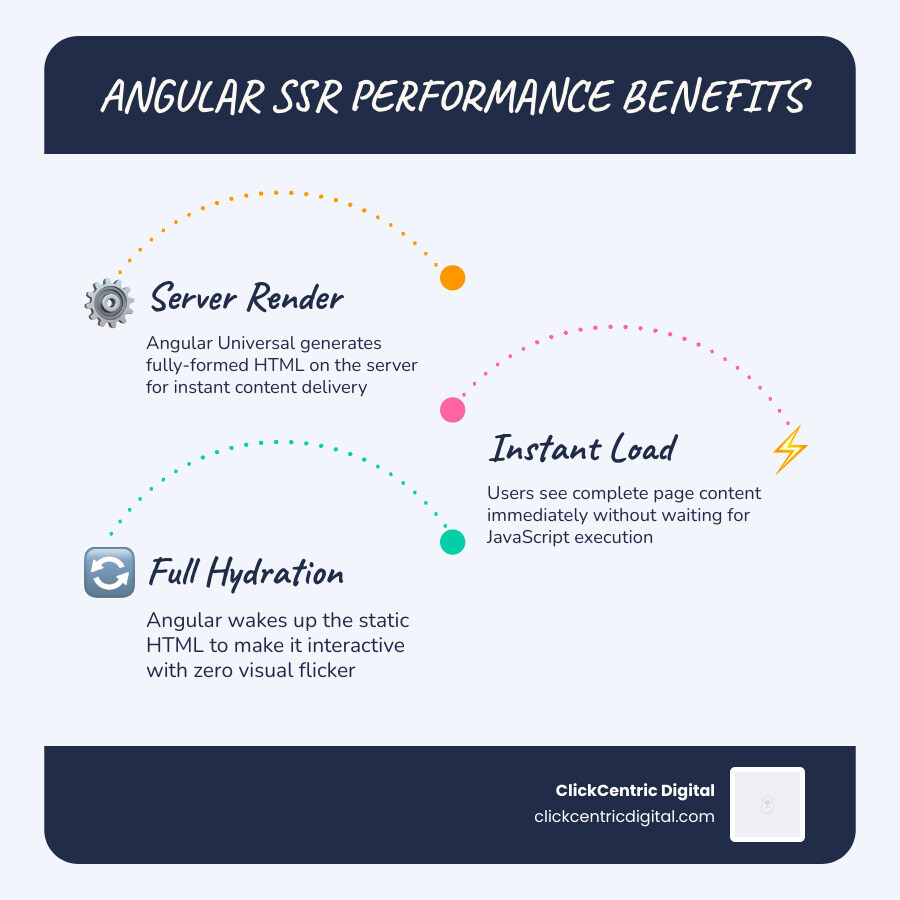
Server-Side Rendering (SSR) and Hydration
For a long time, SPAs struggled with SEO because search engines had trouble reading JavaScript-heavy pages. Angular solved this with Angular Universal and modern Hydration.
SSR renders your page on the server first, sending a fully-formed HTML page to the browser. This means:
- Faster Initial Load: Users see content immediately.
- Better SEO: Googlebot can easily crawl your site.
- Full DOM Hydration: Once the page loads, Angular “wakes up” the static HTML and makes it interactive without a flicker.
AI-Forward Development and Tooling
By May 2026, AI has become a first-class citizen in the Angular ecosystem. The framework now integrates with Genkit and the Gemini API to help developers build “agentic” workflows.
Whether you’re building an AI-powered chatbot for a local Grand Haven business or a dynamic e-commerce tool that uses LLMs to calculate shipping costs, Angular provides the starter kits. Features like tool calling allow the AI to interact directly with your app’s functions, making it more than just a text box—it becomes a functional part of the user experience.
Scalability, Performance, and Overcoming Challenges
Angular is trusted by Google for massive products like Google Cloud and Google Fonts. It’s built for scale, but that doesn’t mean it’s without challenges.
Enterprise Use Cases and PWAs
Angular is the go-to for:
- Enterprise Portals: Internal HR systems or complex workflow management.
- Financial Dashboards: Real-time data visualization with high security.
- Progressive Web Apps (PWAs): Apps that work offline and can be “installed” on a phone without an app store.
With built-in Internationalization (i18n), you can easily translate your app for global audiences, and the built-in security sanitization protects your users from common web attacks like Cross-Site Scripting (XSS).
Navigating the Learning Curve
Let’s be honest: Angular has a steep learning curve. You have to learn TypeScript, RxJS (for asynchronous data), and the framework’s specific syntax.
However, the payoff is huge. The “boilerplate” code that critics complain about is actually what makes the app predictable. In a large team in Kalamazoo or West Michigan, having a strict structure means any developer can jump into any project and understand exactly where the logic is.
Frequently Asked Questions about Angular for Web Development
What is the current version and release schedule for Angular?
Angular follows a predictable “SemVer” schedule. A new major version is released every six months. As of May 2026, v21 is the stable release, with v22-next versions already being tested. Each version gets 18 months of support (6 months of active updates and 12 months of Long-Term Support).
How does Angular handle performance for large-scale apps?
Angular uses several advanced techniques:
- Deferrable Views: You can tell Angular to only load a component when it enters the user’s viewport, saving bandwidth.
- Ahead-of-Time (AOT) Compilation: The code is compiled during the build process, not in the user’s browser, making it much faster.
- Performance Budgets: The CLI will warn you if your app’s file size gets too large, keeping your site fast for mobile users.
Is Angular suitable for small projects or MVPs?
While Angular shines in large apps, it can be “overkill” for a simple landing page. However, with the introduction of Standalone Components and a simplified “Signals” model, it is much easier to use for rapid prototyping than it used to be. If you plan for your “small” project to eventually grow into a “large” business, starting with Angular is a smart long-term move.
Conclusion: Mastering Angular for Web Development
Mastering angular for web development is a journey, but it’s one that pays dividends in career stability and application quality. From its Google-backed reliability to its cutting-edge AI integrations, it remains the framework of choice for developers who value scalability and “confidence” in their code.
At ClickCentric Digital, we understand that technology is only as good as the results it drives. Whether you are looking to improve your local search rankings in Grand Rapids or Holland, MI, or you need a robust web presence that converts visitors into customers, we are here to help. Our expertise in digital marketing and website design ensures that your technical foundation—whether it’s Angular or another platform—is aligned with your business goals.
Ready to take your web presence to the next level? Let’s build something fast, reliable, and built to last.
Sorry, the comment form is closed at this time.