

03 Apr Review Removal Reality Check: Can You Really Delete Google Feedback?
Review Removal Reality Check: Can You Really Delete Google Feedback?
The Hard Truth About Google Review Removal
Can owners delete Google reviews? No — business owners cannot directly delete Google reviews from their Business Profile, even if a review is unfair, inaccurate, or just plain frustrating.
Here’s what you can do:
- Flag reviews that violate Google’s content policies (spam, fake content, hate speech, etc.) and request removal
- Appeal if Google rejects your removal request
- Ask the reviewer to update or delete their own review after resolving their issue
- Respond publicly to manage your reputation in the meantime
Only the person who wrote a review — or Google itself — can delete it. As a business owner, your role is to report, not remove.
This matters more than ever. 83% of consumers read Google reviews, and 81% of shoppers use Google as their primary review platform. A single bad review sits front and center for every potential customer who searches your business name.
The good news? There’s a clear process for getting policy-violating reviews removed — and smart strategies to protect your reputation when removal isn’t an option.
Can Owners Delete Google Reviews Directly?
We often hear from local business owners in Grand Rapids and Holland who are looking for a “delete” button next to a nasty one-star review. Unfortunately, that button doesn’t exist. Google’s philosophy is built on providing an unfiltered look at consumer experiences. If owners could simply scrub away every negative comment, the platform would lose its credibility.
When it comes to your Google Business Profile, your ownership rights are limited to managing information and responding to feedback. You cannot hide reviews, and you certainly cannot delete them just because you disagree with the customer’s version of events. In fact, Google’s review policies explicitly state that they do not get involved in factual disputes. If a customer says your coffee was cold and you know it was piping hot, Google won’t play referee.
However, Google does use automated spam detection to protect your profile. This system routinely checks for and removes reviews that look like bot-generated spam. But for everything else, the burden of proof is on us. To help you understand the landscape, we’ve broken down the difference between reviews you’re stuck with and those you can challenge.
| Legitimate Negative Reviews (Cannot Delete) | Policy-Violating Reviews (Can Be Removed) |
|---|---|
| Differences in opinion on service quality | Harassment or hate speech |
| Complaints about pricing or wait times | Fake engagement (bots or paid reviews) |
| Factual disagreements about an experience | Conflict of interest (competitors or ex-employees) |
| “I just didn’t like the atmosphere” | Sexually explicit or illegal content |
| Reviews from real customers who had a bad day | Off-topic rants or political commentary |
Prohibited Content and Policy Violations
If you want to know can owners delete google reviews, the answer is “only if they break the rules.” Google has a strict set of “Prohibited and Restricted Content” guidelines. There are roughly 9 major violations that can lead to a review being nuked from orbit:
- Spam and Fake Content: This includes reviews posted multiple times or from multiple accounts to manipulate ratings.
- Conflict of Interest: Reviews from current or former employees, or reviews left by a competitor to tank your rating, are strictly forbidden.
- Harassment: Content that threatens or targets specific individuals.
- Hate Speech: Content that advocates for violence or promotes hatred against protected groups.
- Illegal Content: Links to malware or descriptions of illegal acts.
- Sexually Explicit Material: Self-explanatory—this has no place on a business listing.
- Offensive Content: Use of obscenities or gestures that are clearly intended to insult.
- Impersonation: Reviews claiming to be from someone they aren’t.
- Misinformation: Content that is demonstrably deceptive or harmful.
Identifying Fake vs. Real Feedback
Before you hit the panic button, we recommend doing a little detective work. At ClickCentric Digital, we suggest “triaging” your reviews. Check your transaction records first. Did a “John Smith” actually visit your West Michigan storefront on Tuesday?
Look for these red flags of fake feedback:
- The Username: Is it a real name, or something like “User12345” or a prank name?
- The Pattern: Did you get five 1-star reviews in the span of an hour after months of silence? This is often a coordinated attack.
- The Content: Is the text generic? (“Bad service, stay away!”) Fake reviews often lack specific details about the products or staff.
- The History: Click the reviewer’s profile. If they’ve left 50 one-star reviews for businesses all over the country in one day, Google is much more likely to side with you.
Effective Reputation Management starts with knowing which battles are worth fighting.
How to Flag and Appeal: A Step-by-Step Guide
Once you’ve identified a review that clearly violates policy, it’s time to take action. You don’t need to be a tech genius to do this, but you do need to be methodical.
Step-by-Step: How Can Owners Delete Google Reviews by Reporting Them?
You can report a review through Google Maps or Search. Here is the most direct path:
- Log In: Ensure you are signed into the Google account associated with your Business Profile.
- Find the Review: Locate your business on Google Maps or Search.
- The Three Dots: Click the three vertical dots (the “More” menu) next to the offending review.
- Report Review: Select “Report review” or “Flag as inappropriate.”
- Choose a Category: You will be asked “What is wrong with this review?” Choose the category that most closely matches the violation (e.g., Spam, Conflict of Interest).
- Submit: Hit submit and wait. Google usually sends a confirmation email.
What to Do if Your Removal Request is Rejected
It’s a common frustration: you report a fake review, and 48 hours later, Google sends an automated email saying they won’t remove it. Don’t give up! This is where the Google Reviews Management Tool comes in.
This tool allows you to see the status of your reports and, more importantly, submit a one-time appeal. When you appeal, you have the chance to provide actual evidence. This isn’t the time for emotional pleas like “This person is mean.” Instead, use facts. If a reviewer mentions a service you don’t even offer, point that out. If you have proof they are a competitor, provide the link.
For businesses in Grand Haven or Kalamazoo looking for the best way to navigate these hurdles, check out our guide on From Reddit to Reality: Finding the Best ORM Company for Your Brand.
Can Owners Delete Google Reviews Left for Previous Businesses?
We often see new owners in South Haven or Holland MI take over a business only to be haunted by the “ghosts” of the previous owner’s bad service. Can owners delete google reviews from a prior administration?
Google generally keeps reviews attached to the physical location. However, if there has been a substantial change in the business (new name, new ownership, and a complete change in business model), you can sometimes request a “clean slate” by contacting Google support or posting in the Google Business Profile Community. You’ll need to provide proof of the ownership change, such as legal documents or a new business license.
Managing Negative Feedback and Reputation Risks
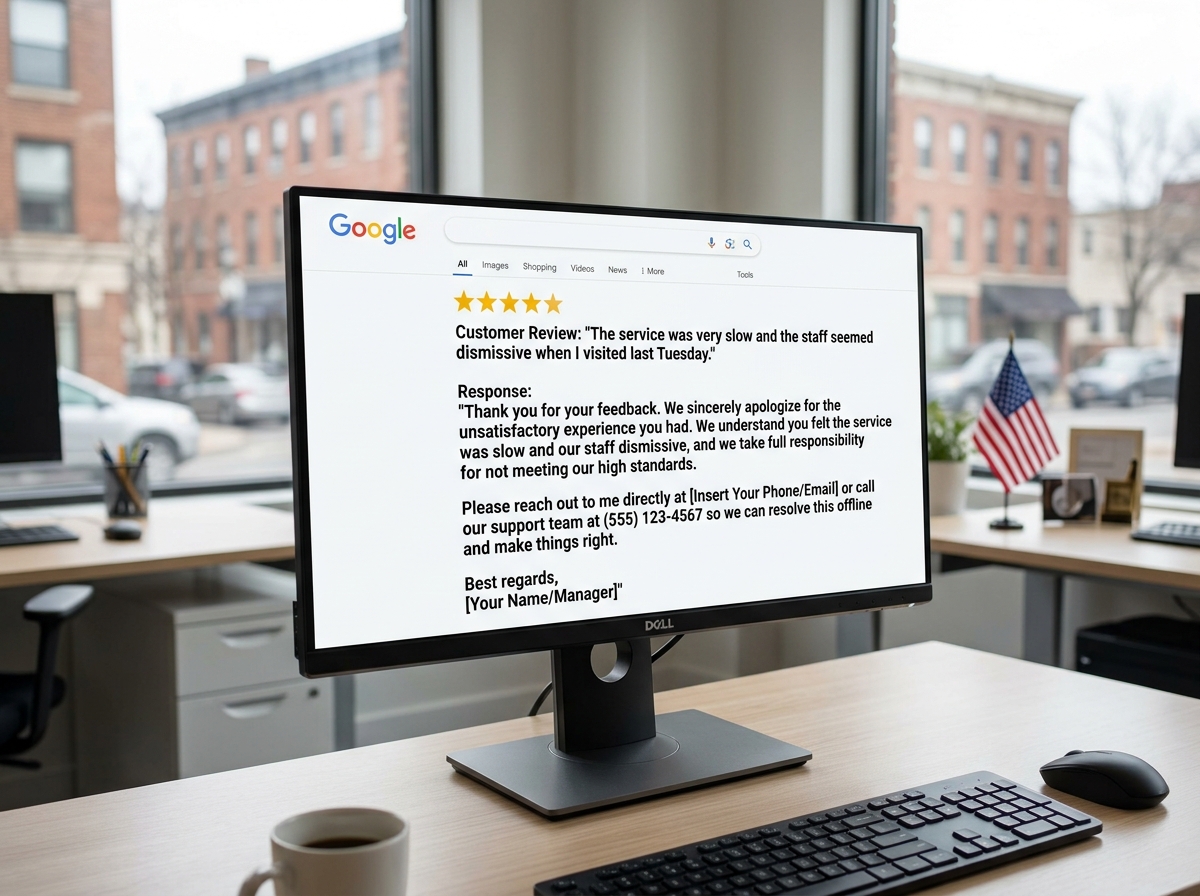
If a review is legitimate but negative, your best weapon isn’t a report—it’s a response. A professional, calm response can actually do more for your brand than a deletion ever could. It shows potential customers that you are attentive and care about making things right.
Handling Extortion and Coordinated Attacks
Occasionally, businesses are targeted by “review bombing” or extortion scams. This is when someone threatens to leave a string of 1-star reviews unless you pay them.
- Never Pay: Paying an extortionist only marks you as an easy target.
- Document Everything: Take screenshots of the threats (emails, DMs, or texts).
- Report to Google: Coordinated attacks are a major violation of “Fake Engagement” policies.
- Legal Action: If the attack is severe, you may need to involve local law enforcement or a lawyer to file a defamation claim.
The Dangers of Shady Removal Tactics
You might see ads for companies promising “Guaranteed Google Review Removal.” Be very careful. Many of these companies use unethical loopholes that can get your entire Business Profile suspended.
Common shady tactics include:
- DMCA Abuse: Filing false copyright claims to force Google’s automated systems to take down content.
- Mass Reporting: Using bot farms to flag a review thousands of times.
- Lying to Google: Fabricating stories about the reviewer to trigger a violation.
If Google catches you using these methods, they can—and will—delist your business. Losing your presence on Google Search and Maps is a much bigger disaster than a few bad reviews. Stick to the ethical path; it’s the only one that lasts.
Frequently Asked Questions about Google Reviews
How long does it typically take for Google to remove a flagged review?
In our experience, the initial assessment takes about 3 to 7 business days. If you have to go through the appeal process via the Reviews Management Tool, expect another 3 to 7 days. Google will usually notify you via email once a decision has been made.
What evidence is needed to successfully appeal a Google review removal decision?
Evidence is king. To win an appeal, try to provide:
- Transaction Logs: Proof that the person was never a customer.
- Language Nuances: If a reviewer uses terms that don’t apply to your region or industry (e.g., calling a Michigan lawyer a “solicitor”).
- Dictionary Definitions: If the reviewer used specific slurs or insults that fall under “Offensive Content.”
- Screenshots: Any evidence of social media posts where the person bragged about leaving a fake review.
Can I delete a Google review that I wrote myself?
Yes! If you are the one who wrote the review, you have total control.
- Open Google Maps on your desktop.
- Click the menu (three lines) and go to “Your contributions.”
- Click “Reviews.”
- Find your review, click the three dots, and select “Delete review.”
Conclusion
At ClickCentric Digital, we know that your online reputation is your most valuable asset. While the answer to “can owners delete google reviews” is a technical “no,” the reality is that you have plenty of tools at your disposal to manage the narrative.
By flagging violations, appealing unfair decisions, and responding with grace to legitimate critics, you can build a profile that radiates trust. Don’t let a few bad apples spoil your hard work in Grand Rapids or Kalamazoo. Focus on providing great service, and the positive reviews will eventually drown out the noise.
Start your Reputation Management journey today and let us help you dominate the local search results with an ethical, effective strategy.
Sorry, the comment form is closed at this time.