
25 Mar Get Your Business on the Map and Stay There
Get Your Business on the Map and Stay There
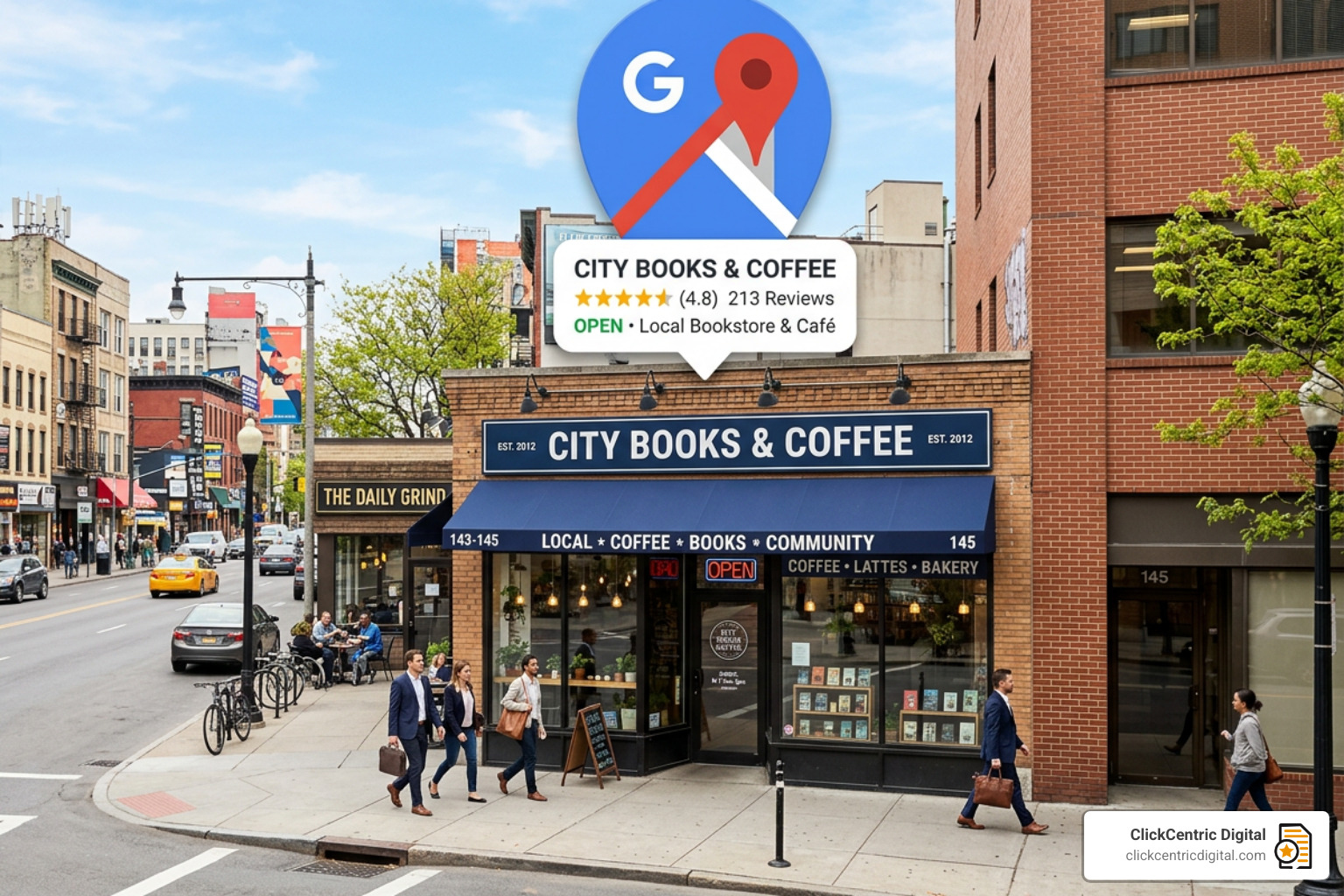
Why Your Google Maps Ranking Is Make-or-Break for Local Business
If you want to rank higher in Google Maps, here’s what actually moves the needle:
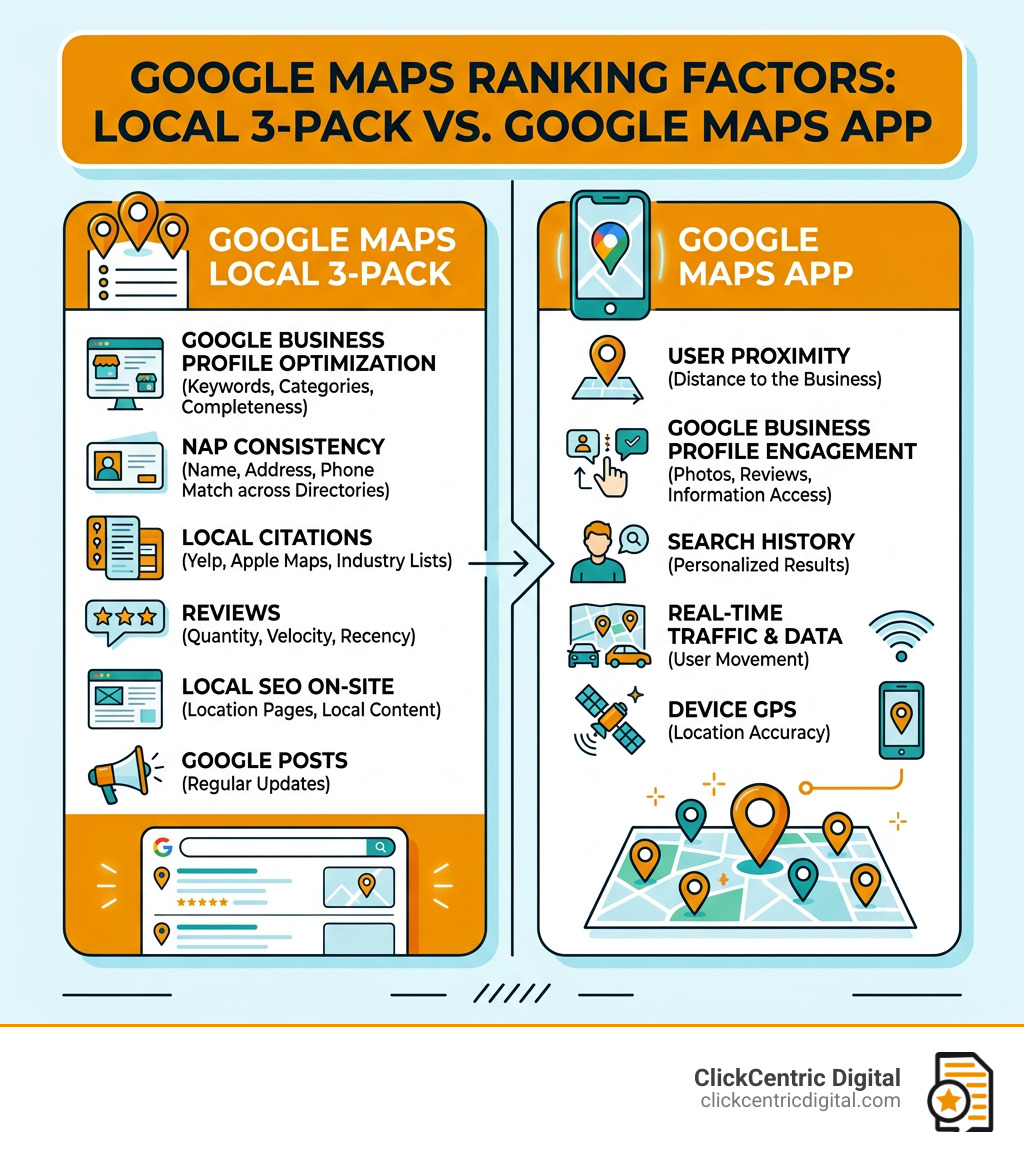
- Optimize your Google Business Profile — complete every section, choose accurate categories, and write a keyword-rich description
- Build NAP consistency — your Name, Address, and Phone number must match exactly across every directory and website
- Generate fresh reviews regularly — review quantity, recency, and velocity all influence your ranking
- Add high-quality photos — geotagged images signal your location and keep your profile active
- Post weekly updates — regular Google Posts show Google your profile is alive and engaged
- Build local citations — get listed on Yelp, Apple Maps, and industry directories with consistent info
- Optimize your website for local keywords — embed a Google Map and add location-specific content
Think about this for a second. 86% of consumers use Google Maps to find local businesses. And over half of them will pick from the top five results they see.
That means if you’re not in the top spots, most potential customers will never find you — even if you’re the best option in town.
It gets more important: 84% of people who find a business on Google Maps didn’t search for that business by name. They searched for a service. Something like “plumber near me” or “best dentist in [city].” They discovered you through a keyword.
That’s the real opportunity here. Most of your future customers are already searching. The question is whether your business shows up when they do.
The local results Google shows — especially the Local 3-Pack (the top three businesses shown with a map at the top of search results) — capture the lion’s share of clicks. Getting into that box can fundamentally change how many calls, visits, and sales your business generates.
This guide walks you through every step to get there and stay there.
The Three Pillars of Local Ranking
Before we dive into the “how-to,” we need to understand the “why.” Google doesn’t just throw darts at a map to decide who shows up first. Their local ranking algorithm is built on three core pillars: Relevance, Distance, and Prominence.
1. Relevance
Relevance is all about how well your business profile matches what someone is searching for. If a customer in Grand Rapids searches for “emergency furnace repair,” Google isn’t going to show them a general “handyman” unless that handyman has specifically listed HVAC services. This is why adding complete and detailed business information helps Google better understand your business and match your listing to relevant searches.
2. Distance
This is exactly what it sounds like: how far is each potential search result from the location term used in a search? If a user doesn’t specify a location (like “coffee shop near me”), Google calculates distance based on what it knows about the user’s current location. While you can’t change where your customer is standing, you can optimize your service areas to ensure you rank higher in Google Maps for the specific neighborhoods you serve in West Michigan.
3. Prominence
Prominence refers to how well-known a business is. Some places are more prominent in the offline world (like famous landmarks or prestigious hotel brands), and Google tries to reflect this in local ranking. Prominence is also based on information that Google has about a business from across the web, like links, articles, and directories. Your review count and score are factored into local search ranking—more reviews and positive ratings can definitely improve your business’s local ranking.
To get a deeper look at how these pillars interact, check out this official guide on How to improve your local ranking on Google.
How to Rank Higher in Google Maps with Profile Optimization
Your Google Business Profile (GBP) is the “main character” of your local SEO strategy. If your profile is a ghost town, your rankings will be too. Google rewards active, complete profiles because they provide a better experience for users.
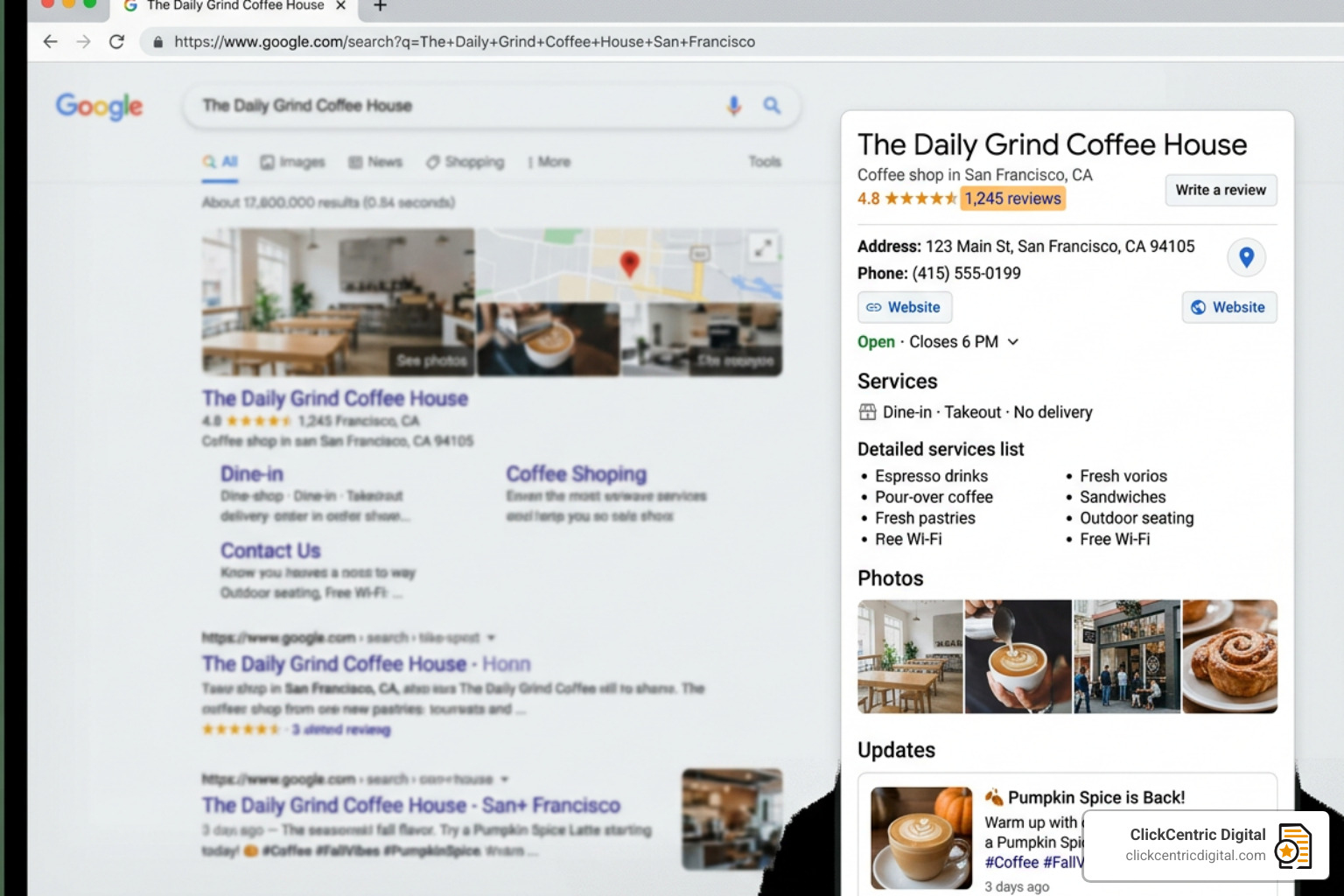
The first step is to Manage your business by claiming and verifying your listing. Without verification, you have zero control over the information displayed to your customers. Once verified, you can ensure your NAP (Name, Address, Phone number) is 100% accurate.
Consistency is key here. If your business is “West Michigan Plumbing” on Google but “W. Michigan Plumbing & Drain” on Yelp, Google gets confused. In algorithms, confusion leads to lower rankings.
Essential Steps to Rank Higher in Google Maps Today
To truly stand out in the Grand Haven or Holland MI markets, you need to go beyond the basics. Here is your immediate action plan:
- Nail Your Categories: Choose your primary category with extreme care. If you are a law firm in Kalamazoo that only does personal injury, don’t just pick “Lawyer”—pick “Personal Injury Attorney.” You can add up to nine secondary categories to cover your other services, but that primary one carries the most weight.
- Write a Compelling Description: You have 750 characters. Use them to tell your story, highlight your unique value, and naturally weave in keywords. Don’t just list services; explain why you’re the best choice in West Michigan.
- Use Attribute Icons: Does your restaurant have outdoor seating? Is your shop wheelchair accessible? These attributes help you show up in filtered searches.
- Add Photos and Videos Regularly: Profiles with photos receive more requests for directions and more clicks through to their websites. Aim for at least 10–15 high-quality images to start, including shots of your building (to help people find you) and your team in action.
For a comprehensive breakdown of these technical steps, visit our page on Search Engine Optimization & Google Maps Ranking.
Leveraging Reviews to Rank Higher in Google Maps
Reviews are the lifeblood of local search. While quantity matters, Google also looks at Review Velocity (how often you get new reviews) and Review Recency (how fresh they are). A business with 50 reviews from the last six months will often outrank a business with 200 reviews from three years ago.
At ClickCentric Digital, we often tell our clients that reviews are a two-way street. You shouldn’t just collect them; you must respond to them. Responding to reviews—both the glowing 5-star ones and the occasional “room for improvement” ones—shows Google that you are an active, engaged business owner.
Pro tip: When customers leave reviews that mention specific services or locations (e.g., “Best HVAC service in Holland!”), it reinforces your relevance for those keywords. If you need help managing your online reputation, our Reputation Management services can help you build a system that generates a steady stream of positive feedback.
Strengthening Off-Listing Signals and Website Authority
Google doesn’t just look at your Map listing; it looks at your entire digital footprint. Your website acts as the “source of truth” for your business. If your website is slow, not mobile-friendly, or lacks local keywords, it will pull your Map rankings down with it.
| Strategy | On-Page Website Signal | Off-Page Map Signal |
|---|---|---|
| Keywords | Local keywords in H1s and Meta Tags | Keyword-rich GBP description |
| Location | Embedded Google Map on Contact Page | Verified physical address |
| Trust | LocalBusiness Schema Markup | High-quality customer reviews |
| Authority | Backlinks from local MI organizations | Consistent NAP on local directories |
Since 46% of all Google searches have local intent, your website must be optimized for the “near me” generation.
Optimizing Your Website to Rank Higher in Google Maps
To help your website support your Map rankings, focus on these three areas:
- Local Keyword Integration: Don’t just target “digital marketing.” Target “digital marketing in Grand Rapids MI.” Include these geographic terms in your title tags, headers, and body content.
- Mobile Responsiveness: Over 60% of Google searches happen on mobile devices. If your site doesn’t load perfectly on a smartphone, users will bounce, and Google will notice. Our Website Design & Development team specializes in building sites that are fast, responsive, and built for local conversion.
- Embed a Google Map: Placing a Google Map on your Contact or About page sends a clear signal to Google that you are exactly where you say you are. It bridges the gap between your site and your listing.
Advanced Strategies for 2025 and Beyond
As we move into 2025, the local search landscape is becoming more sophisticated. Google is increasingly using AI and real-time signals to determine who gets into the Local 3-Pack.
One of the most powerful tools in our arsenal is Geo-grid tracking. Traditional rank trackers tell you where you rank from a single point. Geo-grids show you how you rank block-by-block. You might be #1 when someone is standing in your lobby in Kalamazoo, but #10 when they are two miles away. This data allows us to refine your strategy to expand your “radius of dominance.”
Other advanced tactics include:
- The “Openness” Filter: Google has begun prioritizing businesses that are currently open. If you are closed when a user searches for a service, you may be filtered out of the results entirely. Ensure your hours are 100% accurate, especially for holidays.
- Photo Geotagging: By ensuring your photos contain GPS metadata from your service area (like South Haven or Holland), you provide extra location signals to Google’s AI.
- Google Posts: Think of these as social media updates for your business listing. Posting weekly about promotions, new products, or community events in West Michigan keeps your profile “fresh” in the eyes of the algorithm.
Frequently Asked Questions about Google Maps Rankings
How long does it take to see ranking improvements?
While some basic profile updates can show results in a few weeks, significant moves in competitive markets usually take 3 to 6 months. Consistency in review generation and citation building is what creates lasting results.
Can I rank on Google Maps without a physical storefront?
Yes! Service-area businesses (like plumbers or cleaners) can hide their physical address and define their service areas by city or zip code. You still need a verified address to set up the account, but it won’t be shown to the public.
Why does my business rank well in the app but not in search results?
The Google Maps app often prioritizes Proximity (Distance), while the Local Pack in search results prioritizes Prominence (Reputation). If you rank well in the app but not in search, you likely need to work on your “Prominence” by getting more reviews and building local backlinks.
Conclusion
At ClickCentric Digital, we know that local search isn’t just about “being online”—it’s about being found. To rank higher in Google Maps, you need a strategy that covers everything from the technical details of your Business Profile to the authority of your website.
Whether you are based in Grand Rapids, Holland, or anywhere across West Michigan, the competition for the Local 3-Pack is only getting tougher. Don’t leave your visibility to chance. By following the steps in this guide—optimizing your profile, managing your reviews, and strengthening your website signals—you can claim your spot at the top.
Ready to dominate your local market? Get started with Search Engine Optimization & Google Maps Ranking today and let us help you put your business on the map—and keep it there.
Sorry, the comment form is closed at this time.