


03 Sep The Need for Speed and SEO Optimization
The Need for Speed and SEO Optimization
Why Website Speed Is the Silent Make-or-Break Factor for Your Business Online
A fast loading website isn’t just a nice technical achievement — it’s one of the most direct levers you have for getting more customers through your door.
Before we dive deep, here’s the quick answer if you need it now:
How to make your website load faster:
- Compress and convert images to WebP format
- Enable browser caching so repeat visitors load pages instantly
- Minify CSS and JavaScript to reduce file sizes
- Use a Content Delivery Network (CDN) to serve content from servers close to your visitor
- Upgrade your hosting — cheap shared hosting is often the #1 bottleneck
- Defer or remove third-party scripts like chat widgets, trackers, and social buttons
- Enable GZIP or Brotli compression on your server
Here’s why this matters for your business specifically.
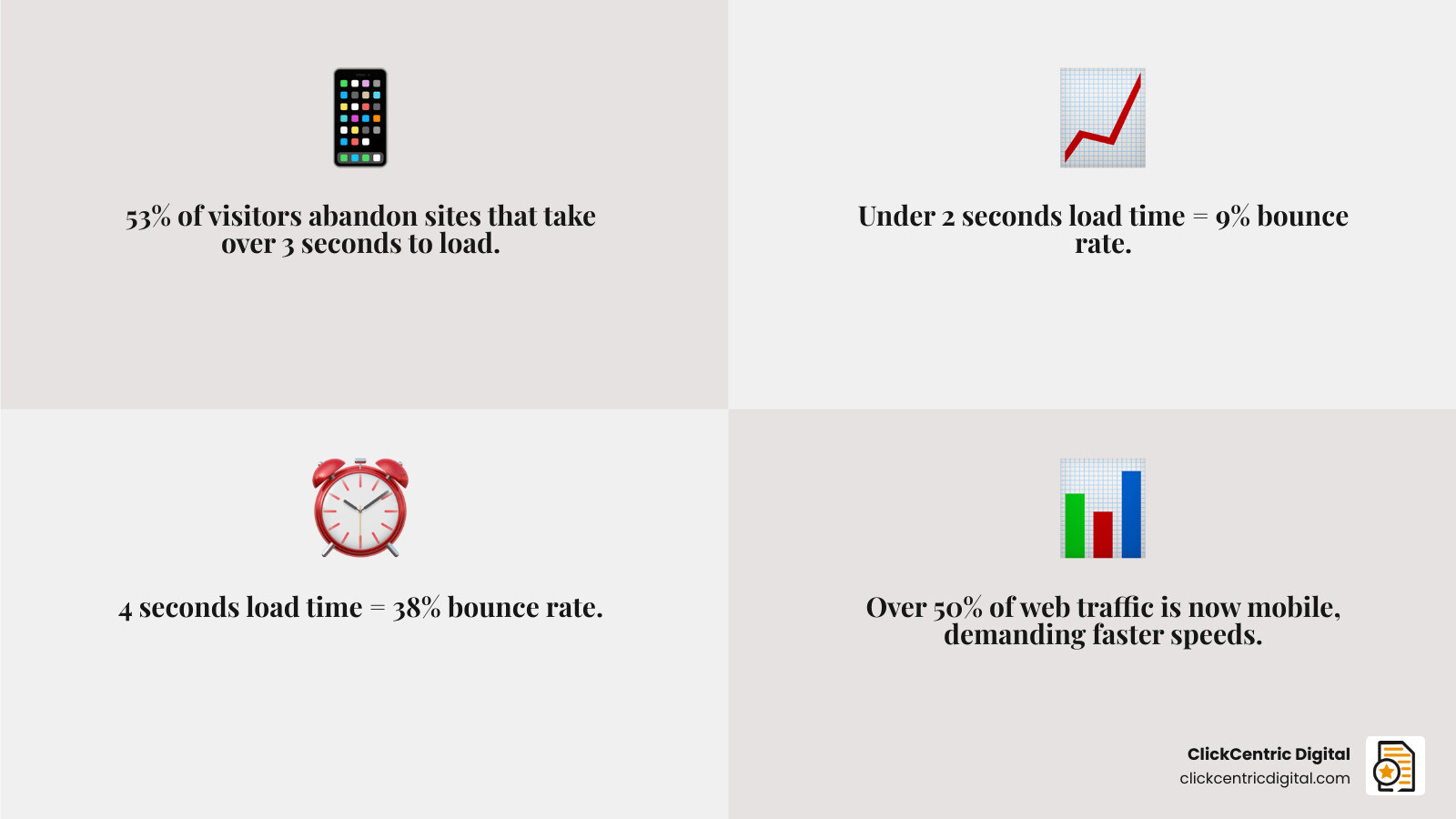
When a page takes more than three seconds to load, 53% of visitors leave — before they’ve even seen what you offer. For local business owners, that’s a potential customer who just walked out the door before you could say hello.
The numbers get sharper when you look at bounce rates. Pages that load in under two seconds see an average bounce rate of just 9%. Push that load time to four seconds and the bounce rate jumps to 38%. That’s not a minor difference — it’s the difference between a website that works for you and one that quietly bleeds leads every single day.
And with more than half of all web traffic now coming from mobile devices, the stakes are even higher. Mobile users are often on slower connections, on the go, and far less patient. A sluggish site on mobile doesn’t just frustrate people — it directly hurts where you show up in Google search results, because Google ranks the mobile version of your site first.
Speed is no longer a “developer problem.” It’s a business problem.
Why a Fast Loading Website is Non-Negotiable in 2026
In 2026, website speed sits at the intersection of user experience, SEO, and revenue. That means a slow site does not just create annoyance. It creates ranking problems, conversion problems, and trust problems all at once.
Google has spent years pushing the web toward faster experiences, and resources like web.dev’s performance guidance make it clear that speed is not optional anymore. If your site is sluggish after a redesign, migration, or plugin spree, the damage can show up fast in rankings and leads. That is one reason we always recommend planning speed into every rebuild from day one, not patching it after launch. If your site is heading toward a rebuild, read Don’t let your site redesign become a search engine horror story.
A fast site helps in a few big ways:
- Visitors can access content before impatience wins
- Search engines can crawl more efficiently
- Mobile users get a smoother experience
- Local customers are more likely to stay, click, and contact you
- Trust improves because the site feels current and professional
There is also a local angle here. Mobile searches often happen in the real world, while people are driving around West Michigan, comparing nearby providers, or checking hours from a parking lot. Research shows 56% of mobile searches done on the go have local intent. If your website drags, your local visibility and conversion chances both take a hit.
The Impact on Conversion and Revenue
A slow website quietly taxes every marketing channel you pay for.
If you run Google Ads, Local Service Ads, or paid social, a slow landing page means you are buying clicks and then making people wait. That is not exactly a winning sales strategy. Even on organic traffic, poor load times increase abandonment, reduce dwell time, and make users less likely to complete forms, calls, bookings, or purchases.
For service businesses, the pattern is simple:
- Slow load time
- Higher bounce rate
- Fewer page views
- Lower form completion
- Fewer calls
- Less revenue
For e-commerce sites, the margin for error is even thinner. Delays during product browsing, cart loading, or checkout can crush conversions. But even lead generation sites feel it. If the homepage hero image, trust badges, reviews, or CTA button appear late, people often leave before your pitch even renders.
That is one reason we are picky about who builds websites and how they build them. A visually impressive site that performs like a brick is still a bad site. If you are evaluating providers, Stop hiring bad web design agencies is worth a read.
Decoding Google’s Core Web Vitals and Performance Metrics
Google’s performance conversation now centers on user-centered metrics, especially Core Web Vitals. These metrics help answer a practical question: does the page feel fast to an actual human?
The three main Core Web Vitals are:
- LCP (Largest Contentful Paint): how quickly the main visible content loads
- CLS (Cumulative Layout Shift): how visually stable the page is while loading
- INP (Interaction to Next Paint): how quickly the page responds to user interactions
Good targets are generally:
- LCP under 2.5 seconds
- CLS under 0.1
- INP under 200 milliseconds
These are not random tech scores. They reflect whether users can see, trust, and interact with your page without frustration.
Here is the quick difference between the two data types you will see in speed tools:
| Data Type | What it means | Best for |
|---|---|---|
| Lab Data | Simulated test in a controlled environment | Debugging and finding issues |
| Field Data | Real-world data from actual users | Understanding true user experience |
This distinction matters. A page might look great in a lab test and still struggle for real visitors on slower devices or weaker connections. That is why we use both. Helpful checklists like the Page Speed Checklist can keep your team focused on practical fixes.
Measuring your fast loading website
You cannot improve what you do not measure. Fortunately, several free tools make this easy.
PageSpeed Insights Use PageSpeed Insights for Google’s own analysis. It gives you lab data, field data when available, Core Web Vitals, and prioritized recommendations. This is usually the first place we look.
GTmetrix GTmetrix is useful for detailed visual breakdowns. It includes waterfalls, historical tracking, and Lighthouse-based reporting. As of the research we reviewed, GTmetrix has analyzed over 1,395,472,136 pages. That is a lot of digital waiting rooms.
WebPageTest WebPageTest is excellent for advanced diagnostics. It helps you test from different locations, browsers, and connection speeds, and it is especially useful for spotting bottlenecks in DNS, TLS, TTFB, and rendering.
Our simple testing process looks like this:
- Run PageSpeed Insights on the homepage and top landing pages
- Use GTmetrix to inspect waterfall timing and large assets
- Use WebPageTest for location-based and mobile testing
- Prioritize fixes affecting LCP, INP, TTFB, and render-blocking resources
- Retest after every major change
If you want a broader technical review beyond speed alone, our guide to The best website audit SEO service for people who hate losing traffic is a strong next step.
Understanding Interaction to Next Paint (INP)
INP is the metric many site owners overlook until they realize the page “loads” but still feels laggy.
A page can appear visually complete and still respond slowly when someone taps a menu, submits a form, opens an accordion, or clicks a button. That delay often comes from heavy JavaScript work clogging the browser’s main thread.
Common causes of poor INP include:
- Too many plugins or app scripts
- Large JavaScript bundles
- Chat widgets and trackers firing too early
- Complex sliders, popups, or animations
- Unoptimized form logic
This is one reason modern performance work focuses not only on load speed but also on responsiveness. Resources like the WordPress Performance and Speed Optimization Guide are useful for understanding where interaction delays come from, especially on plugin-heavy websites.
Practical Steps to Optimize On-Page Performance
Most websites are not slow because of one dramatic mistake. They are slow because of 40 small ones stacked on top of each other.
The average web page in 2025 was about 2.5 megabytes, which is far heavier than most sites need to be. Shrinking page weight and reducing unnecessary work usually produces the fastest wins.

Key on-page fixes include:
- Minify CSS, JavaScript, and HTML
- Remove unused CSS and JS
- Reduce render-blocking resources
- Limit large above-the-fold media
- Preload critical assets where appropriate
- Avoid unnecessary redirects
- Replace bloated homepage sliders with static visuals when possible
If your current build makes even basic speed improvements hard to implement, that is often a sign you need more than another plugin. Our Website design development page covers how we approach performance as part of the build itself.
Image optimization for a fast loading website
Images are often the biggest speed offenders, especially on local business sites with giant banners, team photos, service galleries, and uncompressed uploads straight from a phone.
Best practices:
- Convert images to WebP when possible
- Resize images to the actual display dimensions
- Compress before upload
- Use responsive image sizing
- Lazy-load below-the-fold images and iframes
- Avoid decorative images that add weight but no value
WebP is usually a smart default. Research shows WebP lossless images are about 26% smaller than PNGs, and WebP lossy images are typically 25% to 34% smaller than comparable JPEGs.
That matters because smaller files download faster, decode faster, and improve LCP. If your biggest homepage element is an oversized hero image, image optimization alone can make a dramatic difference.
Some ultra-fast sites go even further by keeping images minimal, using system fonts, and shipping tiny payloads. A good example of performance-first thinking is this case study on ap7i.com, which highlights how aggressive asset reduction can create extremely fast experiences.
Streamlining CSS and JavaScript
CSS and JavaScript are essential, but they are also frequent speed killers.
The biggest problems usually come from:
- Large framework files
- Theme bloat
- Unused plugin CSS
- Render-blocking stylesheets
- JavaScript loading before the content users need
- Multiple libraries doing the same job
Here is what we usually recommend:
- Minify CSS and JS files
- Defer non-critical JavaScript
- Inline only truly critical CSS
- Split code so users load only what each page needs
- Remove plugin assets from pages where they are not used
- Delay third-party scripts until after interaction or consent when appropriate
If your site relies on a heavy theme builder plus ten “must-have” plugins, speed optimization gets harder fast. Sometimes the answer is not another tweak. It is a cleaner development approach. For signs that your site may need deeper technical work, see 5 ways to know if you need website development services.
Advanced Infrastructure: Hosting, CDNs, and Edge Computing
Front-end fixes matter, but infrastructure often creates the performance ceiling.
If your server responds slowly, your site starts behind before the browser even begins rendering. That is why Time to First Byte, or TTFB, remains so important. Strong infrastructure helps reduce TTFB and supports everything else you optimize.
What makes the biggest difference:
- Quality hosting
- Fast server response times
- Updated PHP and database stack
- GZIP or Brotli compression
- HTTP/2 or HTTP/3 support
- Full-page caching
- CDN delivery for static assets
Cheap shared hosting is one of the most common reasons a site stays slow despite image compression and caching plugins. We have seen plenty of sites improve just by moving to better hosting.
A performance demo like Crazy Fast Website shows how edge deployment, tiny payloads, aggressive caching, and minimal requests can produce absurdly fast experiences. Most business sites do not need to be that extreme, but the principles are useful.
For businesses trying to sort through development options more broadly, Which Australian web development companies are actually worth your time offers a practical lens on evaluating technical quality.
Leveraging Content Delivery Networks
A CDN stores and serves static assets from locations closer to the visitor. That reduces latency and speeds up delivery, especially for users farther from your origin server.
Benefits of a CDN:
- Faster asset delivery
- Lower latency
- Reduced strain on your server
- Better resilience during traffic spikes
- Improved performance for images, CSS, JS, and fonts
For local businesses in Grand Rapids, Holland, Grand Haven, South Haven, or Kalamazoo, a CDN still matters. Even if many customers are nearby, not all traffic is local, and mobile networks are variable. A CDN also helps search engines and returning visitors load pages more consistently.
Preloading critical assets can further improve perceived speed when used carefully. Google’s guidance on preloading critical assets is especially helpful here.
Server-Side Optimizations for Local SEO
Site speed supports local SEO in direct and indirect ways.
Directly, better performance improves Core Web Vitals and crawl efficiency. Indirectly, it improves engagement signals, reduces bounce rates, and creates a smoother mobile experience for local searchers.
Important server-side actions include:
- Use managed hosting when possible
- Keep CMS, theme, and PHP versions updated
- Optimize database queries and clean old overhead
- Enable page caching and object caching where appropriate
- Reduce redirect chains
- Monitor server uptime and response consistency
For local businesses, this matters because searchers often compare multiple nearby options quickly. The business whose website loads first often gets the first real chance to convert. If you are reviewing providers in our area, our roundup of Top 10 website design Grand Rapids services reviewed can help frame what to look for.
Mobile Speed and Local Search Visibility

Mobile speed is not a side quest. It is the main game.
Google uses mobile-first indexing, meaning the mobile version of your site is the primary version used for ranking and evaluation. Since mobile devices account for over 50% of global web traffic, mobile performance is now the baseline, not the bonus round.
For local SEO, this is even more important because so many searches happen in motion:
- “near me” searches
- map lookups
- service comparisons
- directions, hours, and phone number checks
If a local searcher taps your result and your page stalls, they often go right back to the results. That pogo-sticking behavior is bad news for conversions and not great for visibility either.
For more development-focused content around building better sites, visit our Category web development page.
Why mobile speed is critical for local businesses
When someone is searching on the go, they are less patient and often closer to taking action.
A fast mobile site helps local businesses by:
- Improving Local Pack landing-page experience
- Making tap targets, menus, and forms responsive
- Getting hours, services, and directions visible faster
- Building trust with a smooth, modern experience
- Supporting conversion from call buttons and contact forms
Local rankings are influenced by more than speed, of course. Relevance, distance, and prominence still matter. But if two businesses are similar in those areas, the one with the better user experience usually has the better shot at winning the click and the lead.
Frequently Asked Questions about Website Speed
What is a good loading time for a website in 2026?
A practical goal is for key pages to load in under 2 to 3 seconds, with stronger sites aiming even lower. For Core Web Vitals, try to keep LCP under 2.5 seconds, CLS under 0.1, and INP under 200 ms. A perfect Lighthouse score is nice, but it is not the only goal. Real user speed matters more than chasing a shiny 100.
How do third-party scripts affect my performance score?
Third-party scripts can slow down pages by adding extra DNS lookups, network requests, blocking time, layout shifts, and JavaScript execution. Common offenders include chat tools, tag managers, ad pixels, embedded maps, scheduling widgets, social feeds, review widgets, and custom fonts.
The fix is to audit every script and ask:
- Does it directly help leads or revenue?
- Can it load later?
- Can it load only on certain pages?
- Can it be replaced with a lighter option?
If the answer is “we added it three years ago and forgot about it,” that is your sign.
Can I achieve a 100/100 Lighthouse score on WordPress?
Yes, sometimes, but it depends on the site. A lightweight WordPress build with clean hosting, a fast theme, strong caching, optimized images, and minimal plugins can score very high. Plugins like WP Rocket can help with caching, minification, lazy loading, and browser caching. But for many real business sites, the smarter goal is not a perfect score. It is a consistently fast, stable, conversion-friendly experience.
If you are comparing agencies more broadly, The best web design agencies down under offers useful perspective on what separates polished sales pages from strong technical execution.
Conclusion
A fast loading website improves more than load time. It supports SEO, strengthens local visibility, increases conversions, and makes every marketing dollar work harder.
The key is to treat speed as an ongoing system, not a one-time fix. That means:
- Testing regularly with PageSpeed Insights, GTmetrix, and WebPageTest
- Monitoring Core Web Vitals over time
- Auditing plugins, scripts, and media
- Keeping hosting and software updated
- Rechecking performance after redesigns or feature changes
At ClickCentric Digital, we help businesses connect website performance with what actually matters: better rankings, better local visibility, and more qualified leads. If your current site feels slow, bloated, or stuck in plugin quicksand, our Website design development services can help you build a faster foundation that supports both SEO and growth.
Sorry, the comment form is closed at this time.