


30 Apr How to Make Google Fall in Love With Your Business Profile
How to Make Google Fall in Love With Your Business Profile
Why SEO for GMB Is the Fastest Win in Local Search
SEO for GMB (Google My Business, now called Google Business Profile) is the process of optimizing your business listing so it ranks higher in Google’s local search results and Google Maps.
Here’s a quick summary of what it involves:
- Claim and verify your Google Business Profile at business.google.com
- Complete every field — name, address, phone, hours, categories, description
- Choose the right primary category — this is your single biggest ranking lever
- Add high-quality photos regularly to drive clicks and direction requests
- Collect and respond to reviews consistently to build trust and prominence
- Post updates weekly to signal activity to Google’s algorithm
- Keep your NAP consistent (Name, Address, Phone) across all online directories
Nearly half of all Google searches — 46% — are looking for local information. And the top three map results (the “local pack”) capture over 60% of all local search clicks.
That means if your business isn’t showing up there, you’re invisible to most of your potential customers.
The frustrating part? A lot of local business owners do have a Google Business Profile. They just haven’t optimized it. Think of it like having a storefront on the busiest street in town — but the lights are off and the sign is facing the wrong way.
The good news: GBP optimization is free, learnable, and delivers real results fast. Initial improvements in local rankings can show up in as little as one to four weeks when you focus on the right signals.
This guide walks you through every step — from setup to advanced tactics — so Google starts showing your business to the customers who are already searching for you.
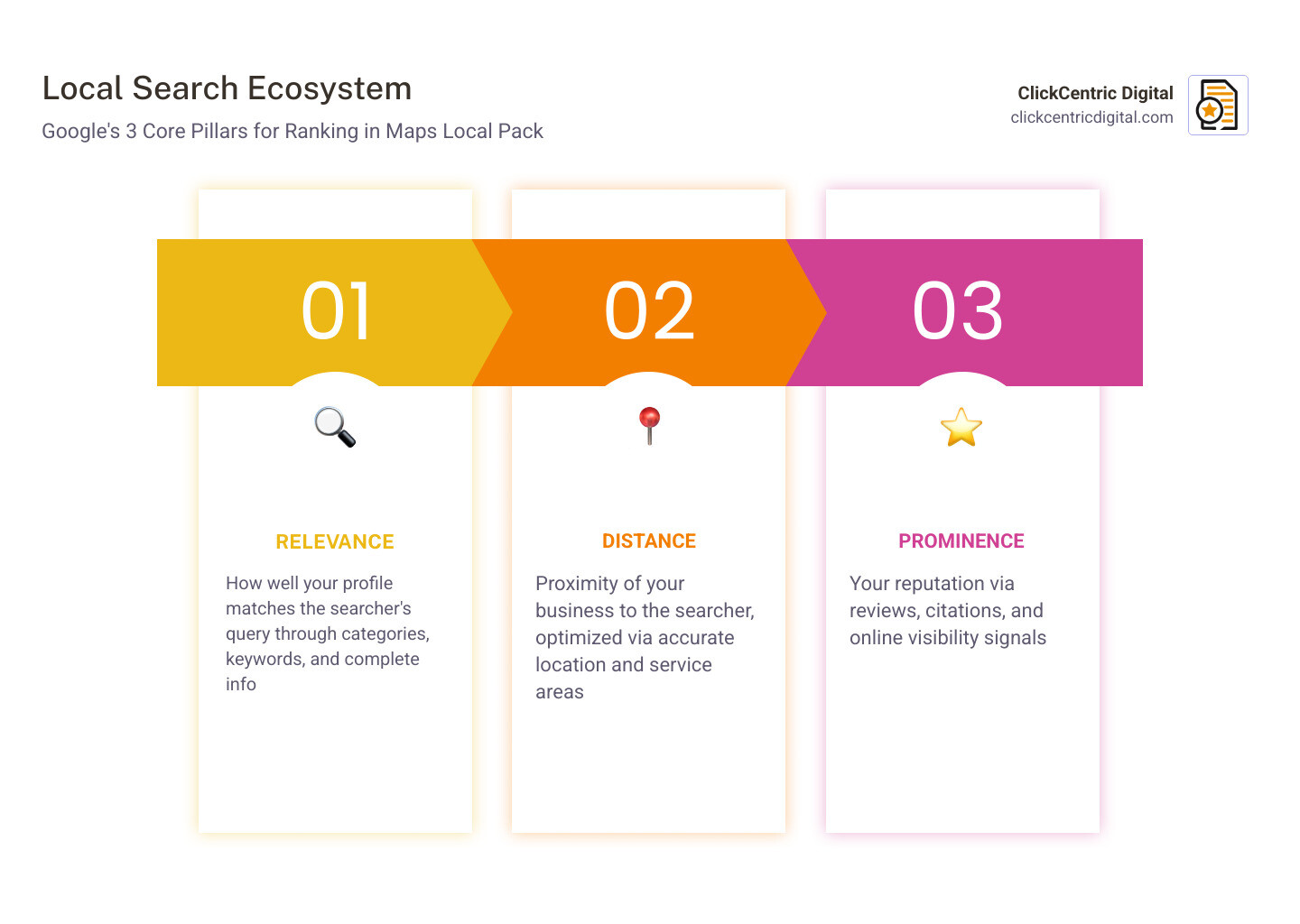
The Core Pillars of SEO for GMB
When we talk about seo for gmb, we are essentially trying to satisfy Google’s local algorithm. Unlike traditional organic search, which focuses heavily on backlinks and keywords, local search relies on a specific set of Google’s local ranking factors.
Google uses three primary pillars to decide who gets that coveted top spot in the Local 3-Pack:
- Relevance: How well does your profile match what the user is searching for? If someone searches for “best pizza in Grand Rapids MI,” Google looks for profiles that explicitly mention pizza, have “Pizza Restaurant” as their category, and feature reviews mentioning “crust” and “pepperoni.”
- Distance: This is the proximity factor. How far is the searcher from your business location? While you can’t change where your building is, you can ensure your service areas are correctly defined if you’re a service-area business (SAB) in West Michigan.
- Prominence: This is essentially a “fame” score. How well-known is your business? Google calculates this based on your review count, your website’s organic SEO strength, and mentions across the web (citations).
| Factor | What it Means | How to Improve It |
|---|---|---|
| Relevance | Matching the search intent | Complete all profile fields and use specific categories. |
| Distance | Physical proximity to searcher | Ensure your address and service areas are 100% accurate. |
| Prominence | Authority and trust | Gather high-quality reviews and build local citations. |
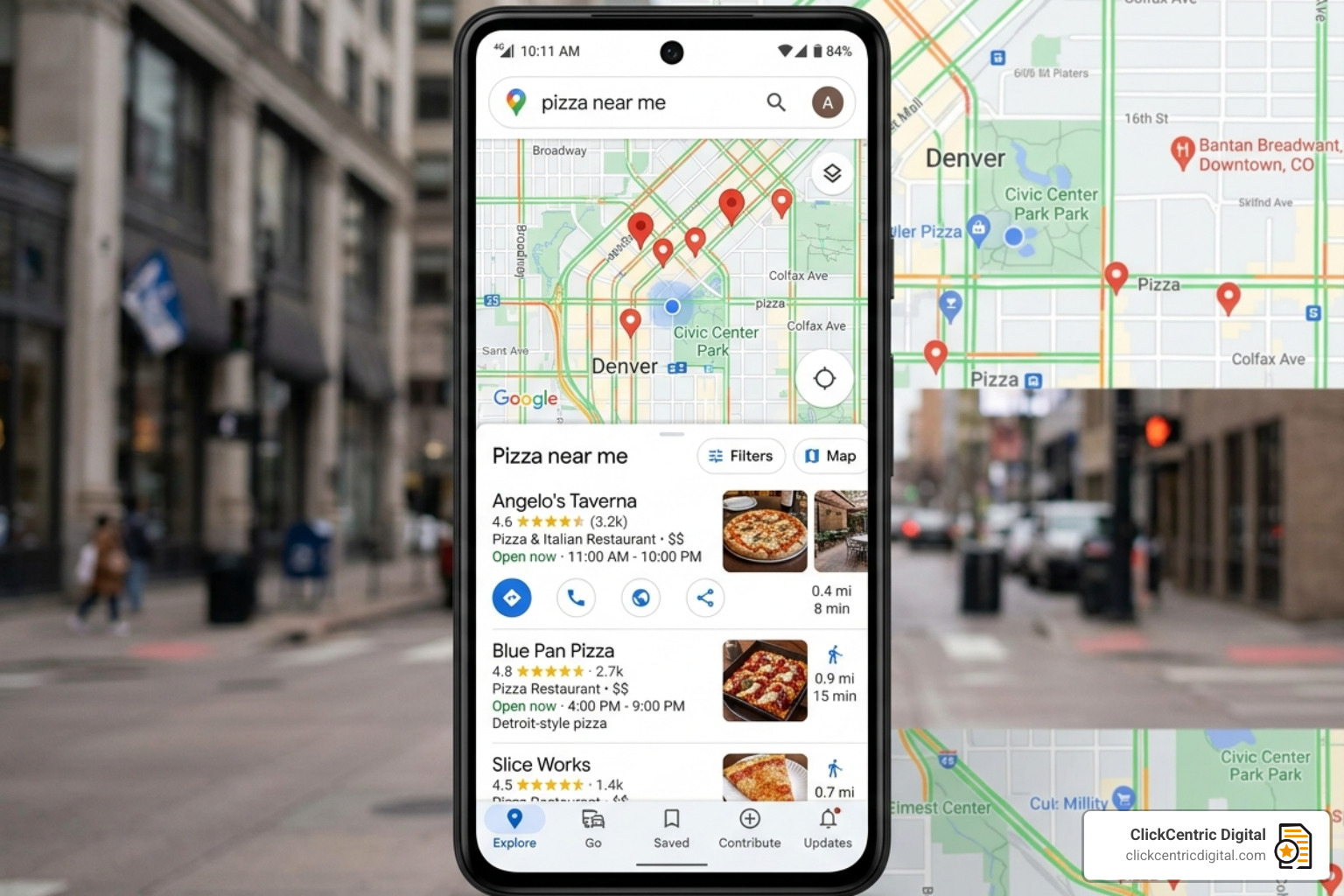
Establishing Your Digital Foundation
Before you can climb the rankings, you have to own the mountain. The first step in any seo for gmb strategy is claiming and verifying your profile. If you don’t verify, you can’t respond to reviews or see the valuable analytics that tell you how customers find you.
To get started, go to google.com/business and click “Start now.” If your business already appears on Maps but you don’t own it, you’ll need to “Claim this business.” Google will then walk you through how to verify your business, usually via a postcard sent to your physical address in Holland or Kalamazoo MI. In some cases, you might be offered phone, email, or video verification.
A common mistake is leaving the profile half-finished. A 100% complete profile is nearly three times more likely to be seen as reputable by consumers. For a deeper dive into how this fits into your broader strategy, check out our guide on Search Engine Optimization Google Maps Ranking.
Optimizing Profile Content and Categories
Once your foundation is set, it’s time to decorate the “storefront.” This starts with NAP consistency. NAP stands for Name, Address, and Phone number. Google is a stickler for details; if your business is listed as “Main St. Pizza” on Google but “Main Street Pizza” on Yelp, it creates a “ghost error” that can dilute your ranking power.
Your business description should be written for humans first but informed by keywords. Use all 750 characters to tell your story, mention your specific West Michigan service areas, and highlight what makes you different. However, follow the guidelines for representing your business strictly—don’t stuff it with phone numbers or promotional “salesy” language, as this can trigger a suspension.
Choosing Categories for SEO for GMB
Your primary category is arguably the most powerful lever you have in seo for gmb. It tells Google exactly what you are. If you’re a law firm in Grand Haven MI, choosing “Personal Injury Attorney” is much more effective than just “Lawyer” if that’s your specialty.
Google offers over 4,000 categories, so take advantage of advice on categories to find the perfect fit. You can select one primary category and up to nine secondary categories. A pro tip: look at your top competitors in the Local Pack. What categories are they using? If a “Coffee Shop” in Holland MI is outranking you, and they also have “Bakery” listed as a secondary category, you might want to follow suit if you sell muffins!
Visual Authority and Geotagging
Photos aren’t just for show; they are data. According to Google, businesses with photos receive 42% more direction requests and 35% more website clicks. Profiles with more than 50 photos see significantly higher engagement than those with just a handful.
Follow the detailed instructions for adding photos to ensure they are high-quality (at least 720×720 pixels). Beyond just “pretty pictures,” Google uses Vision AI to “read” your photos. If you upload a photo of a plumbing van, Google’s AI recognizes the tools and the van, reinforcing your relevance for plumbing searches.
Advanced practitioners often use geotagging—embedding GPS coordinates into the image file—to prove to Google that the photo was taken at your actual place of business in South Haven MI or a job site in Kalamazoo.
Engagement and Advanced Optimization Tactics
Google loves active businesses. If you treat your profile as “set it and forget it,” your rankings will eventually decay. SEO for gmb requires ongoing engagement, starting with reviews.
Research shows that 98% of people read reviews before they make a purchasing decision. But it’s not just about the star rating. Google looks at “review velocity”—the steady flow of new reviews—and your response rate. Google encourages you to request reviews from your customers. When you respond, try to naturally include keywords. Instead of “Thanks for the business!”, try “Thanks for choosing us for your furnace repair in Grand Rapids MI!”
Leveraging Google Posts for SEO for GMB
The Google Posts feature is like a mini-social media feed for your business listing. These posts appear at the bottom of your profile and can highlight:
- Updates: New services or “behind the scenes” looks.
- Offers: Seasonal discounts or coupons.
- Events: Grand openings or workshops in West Michigan.
Posts usually stay live for six months, but they are most effective when updated weekly. They signal to Google that your business is operational and active. Plus, you can add call-to-action (CTA) buttons like “Book,” “Order Online,” or “Learn More” to drive direct conversions.
Interactive Features and Messaging
To truly master seo for gmb, you need to use the interactive tools Google provides.
- Q&A Seeding: Don’t wait for customers to ask questions. You can post your own frequently asked questions and answer them yourself. This is a great place to address things like “Do you offer emergency services in Holland MI?”
- Google Business Messages: By enabling Google Business Messages, customers can text you directly from the search results. If you respond quickly (ideally within 24 hours), it builds immense trust.
- Service Menus and Products: If you sell physical items or specific services (like “Pet Grooming” or “Dental Cleaning”), list them explicitly with prices and descriptions. This helps you show up for “discovery” searches where the user isn’t searching for your name, but for a specific service.
Troubleshooting and Long-Term Maintenance
Even the best-optimized profiles hit bumps in the road. One of the most common issues is the “suggested edit.” Anyone on the internet can suggest a change to your hours or phone number. If you aren’t monitoring your profile, Google might automatically accept these incorrect edits.
If you find yourself in a “Suspension Spiral,” don’t panic. Review GMB’s guidelines to ensure you aren’t violating any rules (like using a P.O. Box as an address). If you have two listings for the same location, follow the process for merging accounts to avoid confusing customers and splitting your review power. For persistent issues like spammy competitors using fake names, you can use the Business Redressal complaint form.
Monitoring Performance for SEO for GMB
You can’t manage what you don’t measure. The Performance tab (formerly Insights) provides a goldmine of data. You can see:
- Which search terms people used to find you.
- How many people asked for driving directions to your Holland MI office.
- How many phone calls were triggered by your listing.
For advanced tracking, we recommend using UTM tagging on your website link. This allows you to see exactly how much revenue is coming from your Google Business Profile versus your organic website traffic. To see how specialized industries can benefit from this, read our case study on Local SEO for Veterinarians.
Frequently Asked Questions about Local SEO
What are the most common GBP optimization mistakes?
The “Big Three” mistakes are:
- Inconsistent NAP: Having different addresses or phone numbers across the web.
- Keyword Stuffing the Name: Adding “Best Pizza Holland MI” to your business name when your legal name is just “Joe’s Pizza.” This is a fast track to suspension.
- Ignoring Reviews: Not responding to customers, especially negative ones, makes your business look unattended.
How does GBP integrate with website SEO and citations?
Your website and your Google Business Profile are two sides of the same coin. A strong, mobile-friendly website with local content helps improve your profile’s “Prominence” score. Similarly, having your business listed correctly in local directories (citations) reinforces your legitimacy to Google’s algorithm.
How long does it take to see results from profile optimization?
While every market is different, you can often see movement in the Map Pack within 1 to 4 weeks of fixing core identity fields (like categories and NAP). Building long-term “Prominence” through review velocity and behavioral signals usually takes 3 to 6 months to reach full potential.
Conclusion
At ClickCentric Digital, we know that seo for gmb isn’t just about “ranking”—it’s about revenue. In cities like Grand Rapids, Holland, and Kalamazoo, the competition for local attention is fierce. By claiming your profile, choosing the right categories, and engaging with your customers through photos and reviews, you turn Google into your most effective 24/7 salesperson.
Whether you are a law firm in Grand Haven or a retail shop in South Haven MI, a well-optimized profile is the key to sustainable local growth. Don’t let your digital storefront stay dark.
Ready to dominate your local market? Get started with professional search engine optimization and Google Maps ranking today and let us help you turn those searches into loyal customers.
Sorry, the comment form is closed at this time.